Photo Translator -CamTranslate PC
Office Lens: Android Tool, Translate, Scanner, PDF
Download Photo Translator -CamTranslate on PC With GameLoop Emulator
Photo Translator -CamTranslate on PC
Photo Translator -CamTranslate, coming from the developer Office Lens: Android Tool, Translate, Scanner, PDF, is running on Android systerm in the past.
Now, You can play Photo Translator -CamTranslate on PC with GameLoop smoothly.
Download it in the GameLoop library or search results. No more eyeing the battery or frustrating calls at the wrong time any more.
Just enjoy Photo Translator -CamTranslate PC on the large screen for free!
Photo Translator -CamTranslate Introduction
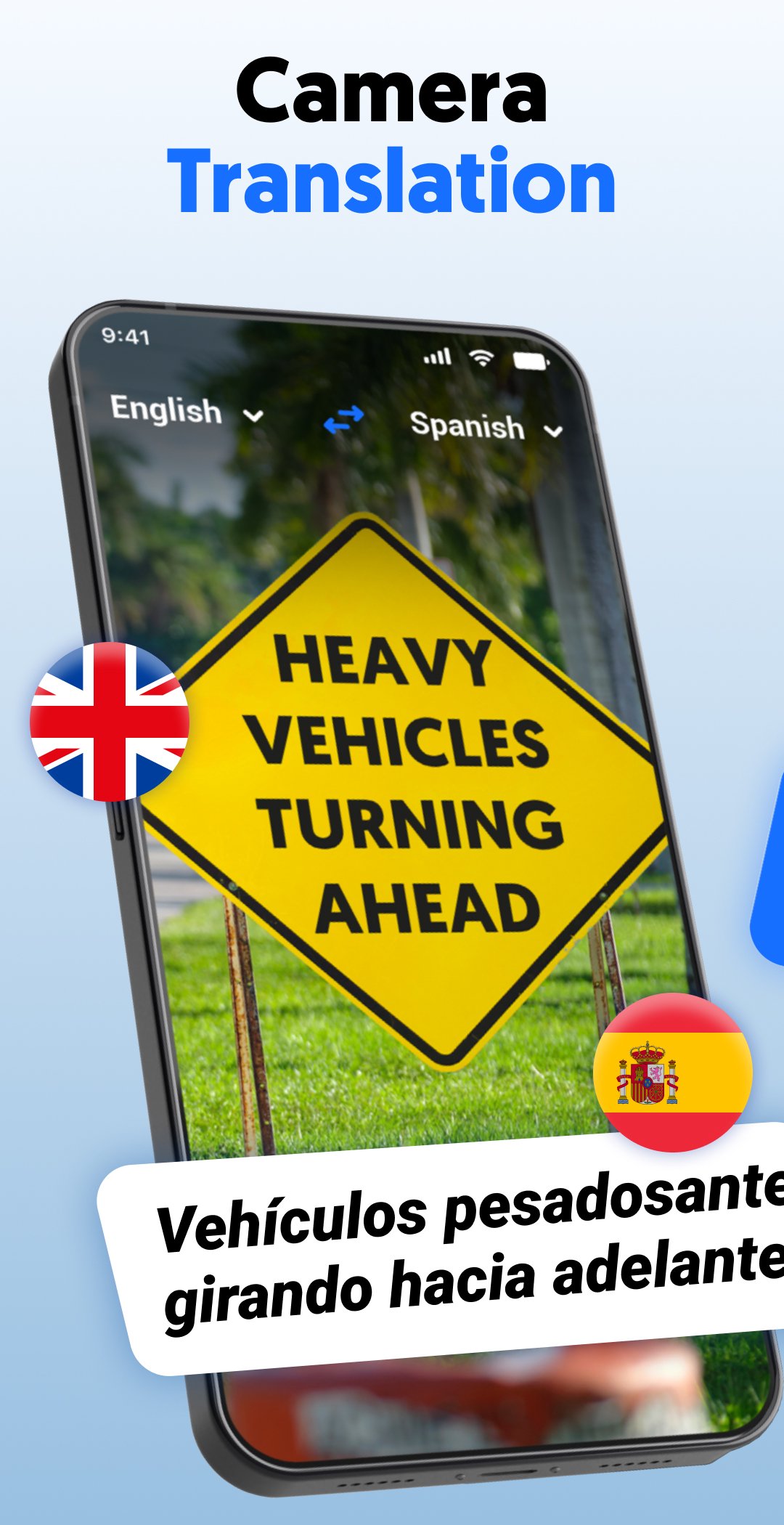
Photo Translator – CamTranslate transforms your mobile camera into a powerful translation tool. Whether you're exploring a new city, studying foreign documents, or simply deciphering signs, menus, or PDFs, CamTranslate delivers fast and accurate translation—no typing needed.
Snapshot Features:
OCR & Smart Language Detection:
Instant photo-to-text conversion using advanced OCR. Auto-detects languages—just point, capture, and translate.
100+ Languages Supported:
Translate between all major and minor languages with ease.
Two-Way Instant Translation & Voice Recognition:
Converse effortlessly: speak or show text, get instant translated replies aloud or on-screen.
Offline Mode:
Translate text and photos even without an internet connection. Ideal for use when traveling or in low-signal areas.
PDF & Image Support:
Scan, convert, and translate documents, signs, and receipts—perfect for students and professionals.
History, Favorites & Easy Sharing:
Keep track of recent translations, bookmark useful phrases, and share translations through your favorite apps.
Why You'll Love CamTranslate:
• Efficient & Speedy: Translate unlimited photos quickly with a simple tap—no manual typing or complex menus.
• Smart OCR: Built for accuracy—even works on tricky fonts, menus, street signs, and detailed documents.
• Always Accessible: Offline mode ensures you’re never stuck, even when Wi-Fi is out of reach.
• Travel-Friendly: Perfect for navigating foreign places, reading menus, directions, or translating document snippets on the go.
• Student & Professional Tool: Great for translating study materials, notes, or business documents fast and accurately.
How to Get Started:
• Open the app and select your target language.
• Snap a photo of any text (printed, handwritten, signs, PDFs).
• Tap to translate instantly—then save or share as needed.
• Prefer speaking? Use voice mode to instantly translate spoken phrases in real-time.
• Use offline mode when you're away from reliable internet.
A Few Smart Tips:
• Pro Tip: Tap the star to save commonly used phrases or favorite translations.
• Settings: Enable offline mode in Settings to download language packs for smooth on-the-go use.
• History: Access your previous translations anytime from the “History” tab.
• Document Translation: Use OCR + PDF mode to convert and translate scans instantly.
Unlock a world of languages at your fingertips—download Photo Translator – CamTranslate now and start translating with a tap!
Permissions:
This app uses the AccessibilityService API to help users translate text on their screen. It allows the app to read text from images or on-screen content that users choose to translate.
Note: The app does not collect or share personal data and does not perform any actions on behalf of the user.
Preview

Tags
ProductivityInformation
Developer
Office Lens: Android Tool, Translate, Scanner, PDF
Latest Version
1.6.18
Last Updated
2026-07-01
Category
Productivity
Available on
Google Play
Show More
How to play Photo Translator -CamTranslate with GameLoop on PC
1. Download GameLoop from the official website, then run the exe file to install GameLoop
2. Open GameLoop and search for “Photo Translator -CamTranslate” , find Photo Translator -CamTranslate in the search results and click “Install”
3. Enjoy playing Photo Translator -CamTranslate on GameLoop
Minimum requirements
OS
Windows 8.1 64-bit or Windows 10 64-bit
GPU
GTX 1050
CPU
i3-8300
Memory
8GB RAM
Storage
1GB available space
Recommended requirements
OS
Windows 8.1 64-bit or Windows 10 64-bit
GPU
GTX 1050
CPU
i3-9320
Memory
16GB RAM
Storage
1GB available space