
PhotoStitcher - Take Scrolling PC
Vertexshare Software Ltd
Download PhotoStitcher - Take Scrolling on PC With GameLoop Emulator
PhotoStitcher - Take Scrolling on PC
PhotoStitcher - Take Scrolling, coming from the developer Vertexshare Software Ltd, is running on Android systerm in the past.
Now, You can play PhotoStitcher - Take Scrolling on PC with GameLoop smoothly.
Download it in the GameLoop library or search results. No more eyeing the battery or frustrating calls at the wrong time any more.
Just enjoy PhotoStitcher - Take Scrolling PC on the large screen for free!
PhotoStitcher - Take Scrolling Introduction
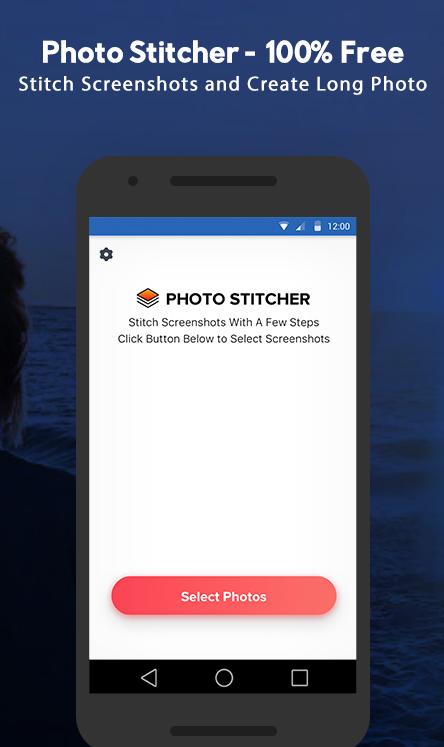
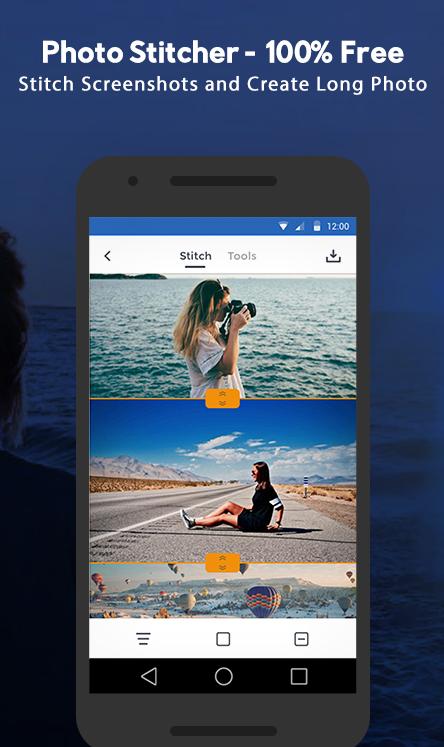
PhotoStitcher is a powerful panorama stitcher APP that enables users to merge multiple images/photos/screenshot together. It could also help you to create one single and long screenshot that extends beyond the screen's limit with a few clicks.
*********Main Features*********
- Support creating horizontal and vertical scrolling screenshots
- Support editing the height and width of each photo
- Support editing the scrolling screenshots with useful tools
- Support adding annotations
- Support adding arrows, rectangles, curves
- Support adding mosaic, watermark, mockups
- Support exporting HD photos
- Support sharing photos to your friends or social media
- Minimal interface design, no advertising.
- Universal application, compatible with all Andriod phones.
*********We can stitch*********
- Conversation(WhatsApp/Facebook)
- To-Do list
- Tweet list
- Comment list
- Long article
- Long web page
- Other contents that can be scrolled
*********How to use Photo Stitcher*********
The process is quite simple.
#1 Select the photo or image you want to stitch.
#2 Stitch each image.
#3 Add necessary annotation, watermark, redaction or mockup.
#4 Save to your local album
*********Privacy Protect*********
100% offline app. No data will be uploaded
PrivacyPolicy: https://vertexshare.com/privacypolicy/photo-stitcher/
*********Contact*********
Have questions? Please contact support@imglarger.com or go to https://vertexshare.com/photo-stitcher
Preview
Tags
PhotographyInformation
Developer
Vertexshare Software Ltd
Latest Version
1.1.3
Last Updated
2020-03-27
Category
Photography
Available on
Google Play
Show More
How to play PhotoStitcher - Take Scrolling with GameLoop on PC
1. Download GameLoop from the official website, then run the exe file to install GameLoop
2. Open GameLoop and search for “PhotoStitcher - Take Scrolling” , find PhotoStitcher - Take Scrolling in the search results and click “Install”
3. Enjoy playing PhotoStitcher - Take Scrolling on GameLoop
Minimum requirements
OS
Windows 8.1 64-bit or Windows 10 64-bit
GPU
GTX 1050
CPU
i3-8300
Memory
8GB RAM
Storage
1GB available space
Recommended requirements
OS
Windows 8.1 64-bit or Windows 10 64-bit
GPU
GTX 1050
CPU
i3-9320
Memory
16GB RAM
Storage
1GB available space