
PREQUEL: Photo Editor, Filters PC
Prequel Inc.
Download PREQUEL: Photo Editor, Filters on PC With GameLoop Emulator
PREQUEL: Photo Editor, Filters on PC
PREQUEL: Photo Editor, Filters, coming from the developer Prequel Inc., is running on Android systerm in the past.
Now, You can play PREQUEL: Photo Editor, Filters on PC with GameLoop smoothly.
Download it in the GameLoop library or search results. No more eyeing the battery or frustrating calls at the wrong time any more.
Just enjoy PREQUEL: Photo Editor, Filters PC on the large screen for free!
PREQUEL: Photo Editor, Filters Introduction
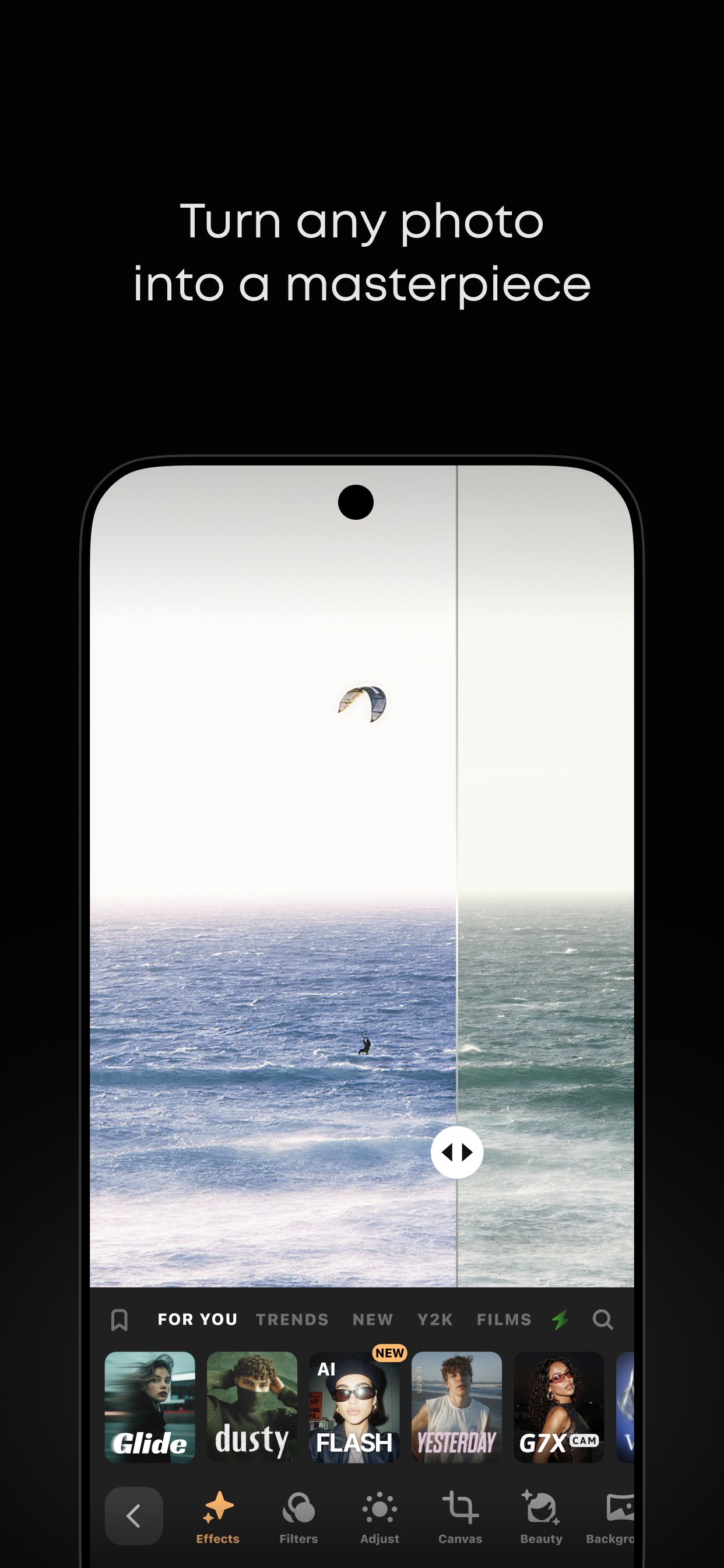
Prequel is a photo editor and video editor in one app, with filters and effects for photos and videos. Edit photos, style videos, retouch portraits, create collages, add text, and explore vintage camera looks, presets, and creative editing tools.
Unlike many editing apps for pictures and editing apps for videos, Prequel combines one-tap presets with detailed photo editing tools.
OVER 200 PHOTO FILTERS & VIDEO FILTERS
Try film filter styles, grain filter effects, faded old-photo looks, retro filters, black and white, Y2K, anime, sepia, teal, and more. Every photo filter can also be used on video, helping photos and clips keep the same visual style. Save the filters for pictures you use most and keep your favorite picture filters close at hand. Explore AI filter presets for quick creative transformations.
A VINTAGE CAMERA IN YOUR POCKET
Create vintage camera looks inspired by 35mm film, disposable cameras, VHS cams, polaroid photos, and early digital cameras. Use a retro camera style, a disposable camera filter, or a polaroid filter for instant-photo framing. Add camera effects like light leaks, dust, grain, and faded color. A vintage camera filter can turn a modern shot into a retro photo, while a VHS filter brings the same aesthetic to video.
FACE & BODY EDITOR
Use face retouch tools to smooth skin, refine portraits, and adjust facial details. The face editor gives you control over eyes, nose, lips, and other features, while the body editor helps adjust proportions. Combine photo retouch with a beauty filter, face filters, color adjustments, and effects. Every face edit can be changed or undone as you work.
COLLAGE MAKER FOR PHOTOS
Create a photo collage with layouts for multiple pictures, adjustable borders, and flexible spacing. Use the collage maker with photo filters, backgrounds, stickers, text, textures, and effects. Apply one look across the entire photo collage to keep every frame consistent.
ADD TEXT TO PHOTOS
Choose from 200+ fonts, from clean subtitles to handwritten and contemporary styles. Add text to photos, place text behind objects, curve it, animate it, or use text stickers. Photo text stays editable so you can change the wording, font, position, and style.
PHOTO EDITING TOOLS
Adjust exposure, curves, HSL, depth of field, blur, sharpness, color, and light. Add photo effects like prism, glow, grain, and other creative styles. Editing photos can be as quick as choosing a preset or as detailed as adjusting the image yourself.
EDIT PICTURES TEN AT A TIME
Batch editing lets you edit pictures in groups of up to 10 photos. Save any photo edit as a preset and reuse combinations of filters, effects, color adjustments, and retouch tools. Build your own photo presets and apply the same style across multiple pictures.
VIDEO FILTERS & VIDEO EFFECTS
Use video filters designed for moving footage, plus video templates for fast edits. Add your clips, choose a look, and combine video filters with video effects, grain, color adjustments, and other editing tools. Editing videos stays in the same workflow as editing photos.
STICKERS, TEXTURES & BACKGROUNDS
Customize photos and videos with stickers, texture overlays, frames, backgrounds, and animated elements. Combine them with filters, photo effects, and text.
PREQUEL GOLD
Prequel Gold offers weekly, monthly, and annual subscription plans. Subscriptions renew automatically at the price of the selected plan unless canceled before the end of the current subscription period according to Google Play terms.
Prequel brings photo filters, photo editing, video filters, face editing, collage tools, effects, presets, text, and vintage camera looks into one editor. Whether you want to edit photos, retouch portraits, create a photo collage, add text to photos, apply a photo filter, style videos, or create a retro camera look, Prequel keeps the full editing workflow in one app.
Preview
Tags
PhotographyInformation
Developer
Prequel Inc.
Latest Version
2.7.0
Last Updated
2026-11-06
Category
Photography
Available on
Google Play
Show More
How to play PREQUEL: Photo Editor, Filters with GameLoop on PC
1. Download GameLoop from the official website, then run the exe file to install GameLoop
2. Open GameLoop and search for “PREQUEL: Photo Editor, Filters” , find PREQUEL: Photo Editor, Filters in the search results and click “Install”
3. Enjoy playing PREQUEL: Photo Editor, Filters on GameLoop
Minimum requirements
OS
Windows 8.1 64-bit or Windows 10 64-bit
GPU
GTX 1050
CPU
i3-8300
Memory
8GB RAM
Storage
1GB available space
Recommended requirements
OS
Windows 8.1 64-bit or Windows 10 64-bit
GPU
GTX 1050
CPU
i3-9320
Memory
16GB RAM
Storage
1GB available space