
All Video maker - Photo Status PC
DuoApptech
Download All Video maker - Photo Status on PC With GameLoop Emulator
All Video maker - Photo Status on PC
All Video maker - Photo Status, coming from the developer DuoApptech, is running on Android systerm in the past.
Now, You can play All Video maker - Photo Status on PC with GameLoop smoothly.
Download it in the GameLoop library or search results. No more eyeing the battery or frustrating calls at the wrong time any more.
Just enjoy All Video maker - Photo Status PC on the large screen for free!
All Video maker - Photo Status Introduction
Photo Video Maker with music is one of the best video makers, photo slideshow video master. With this app, you can easily create video with your photos from gallery.
All video maker is create amazing videos from your most liked and lovable photos for ur closed once.
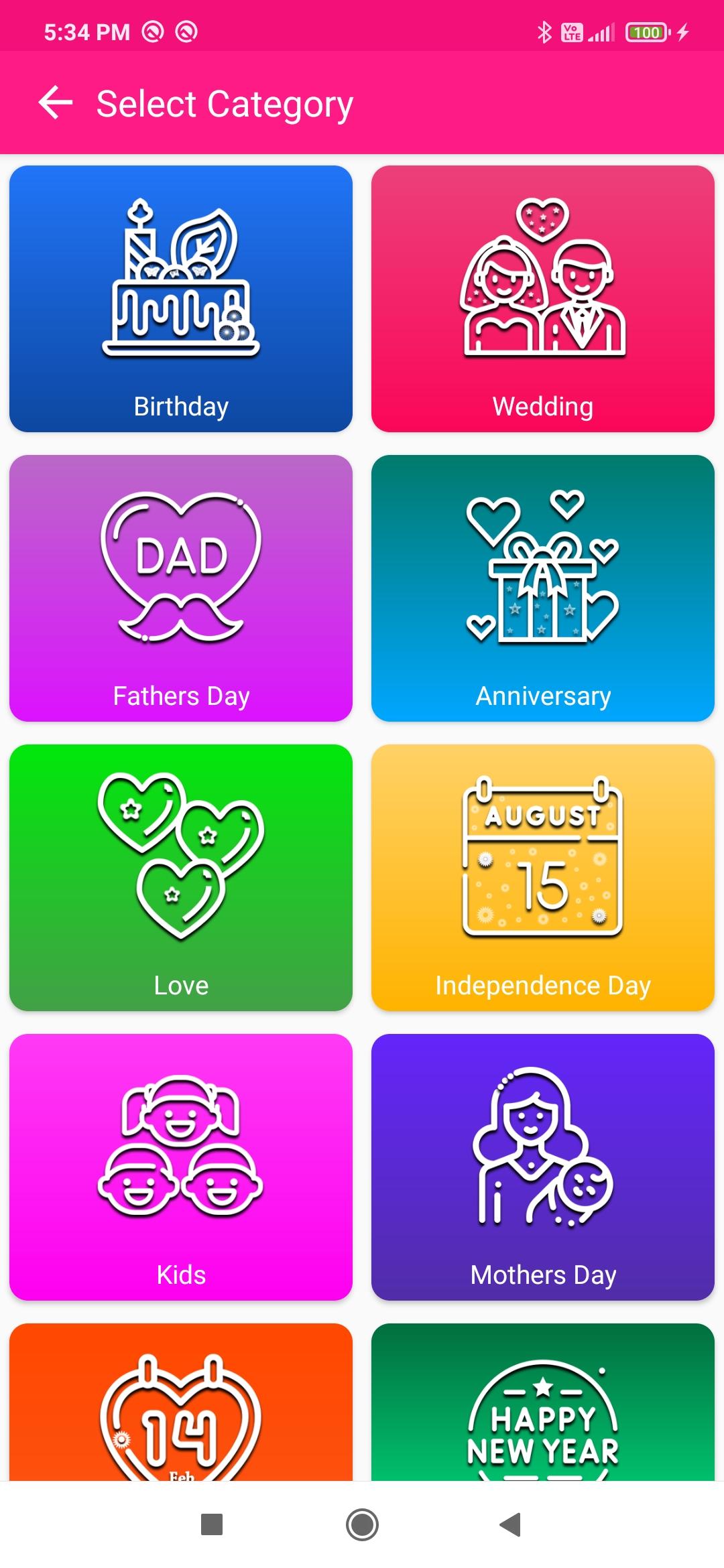
You can select love video categories from Categories screen and add your romantic love photos with your beloved in to video. Same as like Birthday, Fathers day, Wedding Day, Independence Day, Mothers day, New Year, Anniversaries (like office, mom and dad, wife and husband, companies etc).
How to use:
1. Tap on simply “start” button.
2. Select video “Categories” theme.
3. Select your beautiful photos from your gallery and click “Done” Button. (Note: minimum 3 images to select.)
4. You can rearrange the selected images position where you want and click “Next” Button.
5. And select various options to decorate and create your video. i.e. Themes, Effects, Filters, Text, Stickers, Music.
6. Finally click on “Save” Button.
7. You got the share page here you can easily share video on social media. Like mobile status, status story and share your loved ones.
App Features:
Themes:
This application have multiple themes like Birthday, Fathers day, Love, Wedding, Anniversary, Kids, New Year, Independence Day, Mothers Day.
Effects/Animations:
Various animation to slide your photos in this video application like; Slide up, Slide Down, Slide Left, Slide Right, Zoom in, Zoom out, Fade.
Filters:
There are so many amazing filters available for your photo video maker with music.
Music:
You can add music to your video like birthday, Anniversary, wedding etc
Text:
You can add text also; in this application have various fonts’ styles and colors.
Stickers:
Make you cute, cool and funny with Birthday, Wedding, Anniversary, Love and etc stickers.
Share:
You can easily share your created video to your friends and family members.
Write us suggestions and rate this app to encourage us.
Thank You for using this application, leave us your feedback and we will consider them for future updates.
Thank you for installing and using this amazing application!
Preview

Tags
PhotographyInformation
Developer
DuoApptech
Latest Version
11
Last Updated
2023-12-11
Category
Photography
Available on
Google Play
Show More
How to play All Video maker - Photo Status with GameLoop on PC
1. Download GameLoop from the official website, then run the exe file to install GameLoop
2. Open GameLoop and search for “All Video maker - Photo Status” , find All Video maker - Photo Status in the search results and click “Install”
3. Enjoy playing All Video maker - Photo Status on GameLoop
Minimum requirements
OS
Windows 8.1 64-bit or Windows 10 64-bit
GPU
GTX 1050
CPU
i3-8300
Memory
8GB RAM
Storage
1GB available space
Recommended requirements
OS
Windows 8.1 64-bit or Windows 10 64-bit
GPU
GTX 1050
CPU
i3-9320
Memory
16GB RAM
Storage
1GB available space