My MBA app PC
Modern Business Agendas (MBA)
Download My MBA app on PC With GameLoop Emulator
My MBA app on PC
My MBA app, coming from the developer Modern Business Agendas (MBA), is running on Android systerm in the past.
Now, You can play My MBA app on PC with GameLoop smoothly.
Download it in the GameLoop library or search results. No more eyeing the battery or frustrating calls at the wrong time any more.
Just enjoy My MBA app PC on the large screen for free!
My MBA app Introduction
Modern Business Agendas (MBA) is an educational platform guiding the everyday business owner through every aspect and season of starting a business, growing a business, and expanding a business.
The My MBA App is currently dedicated to Holiday Readiness for the 2021 holiday season.
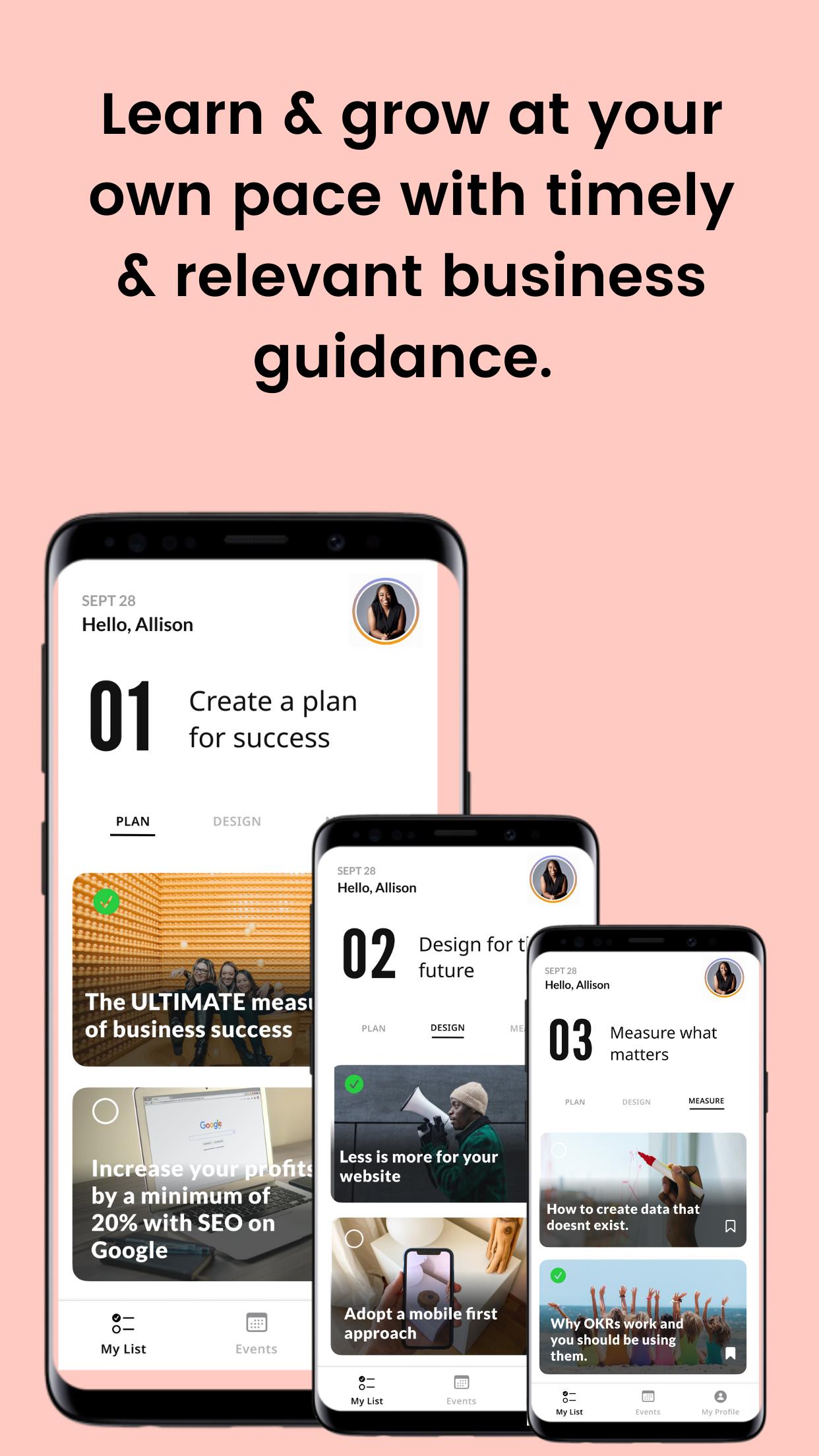
To prepare for the holidays, you will find 3 categories of critical steps to be completed for your business.
1) Plan - Preparation is key for the holidays. By following the Holiday Readiness checklist in the My MBA App, your business will be more ready than ever to conquer this holiday season and reach your goals.
2) Design - The outcomes that you expect can only happen if you design them as such. With the Holiday Readiness checklist, you can design for the best and exceed your customer expectations.
3) Measure - There is success in the numbers. Setting a goal and measuring towards that goal is gas that you need to make the engine of your business run. Knowing where you are right now, lets you know how far you need to go, and where you need to improve to get there.
You can also keep a pulse on the latest LIVE coaching events to help you get through the steps.
The My MBA App app will continue to expand to become the go-to destination for business growth and management.
Preview

Tags
EducationInformation
Developer
Modern Business Agendas (MBA)
Latest Version
0.0.6
Last Updated
2021-11-02
Category
Education
Available on
Google Play
Show More
How to play My MBA app with GameLoop on PC
1. Download GameLoop from the official website, then run the exe file to install GameLoop
2. Open GameLoop and search for “My MBA app” , find My MBA app in the search results and click “Install”
3. Enjoy playing My MBA app on GameLoop
Minimum requirements
OS
Windows 8.1 64-bit or Windows 10 64-bit
GPU
GTX 1050
CPU
i3-8300
Memory
8GB RAM
Storage
1GB available space
Recommended requirements
OS
Windows 8.1 64-bit or Windows 10 64-bit
GPU
GTX 1050
CPU
i3-9320
Memory
16GB RAM
Storage
1GB available space