VideoMaster Video Sound Editor PC
Future Moments
Download VideoMaster Video Sound Editor on PC With GameLoop Emulator
VideoMaster Video Sound Editor on PC
VideoMaster Video Sound Editor, coming from the developer Future Moments, is running on Android systerm in the past.
Now, You can play VideoMaster Video Sound Editor on PC with GameLoop smoothly.
Download it in the GameLoop library or search results. No more eyeing the battery or frustrating calls at the wrong time any more.
Just enjoy VideoMaster Video Sound Editor PC on the large screen for free!
VideoMaster Video Sound Editor Introduction
VideoMaster is a powerful video audio editor, video sound editor, and video volume booster for fixing bad audio in videos. Boost volume, enhance sound, improve voice clarity, and clean up video audio fast. Make videos louder, clearer, and more professional — without reducing video quality.
Free to download with a 3-day free trial on the annual plan.
🎚️ Edit, Boost & Fix Video Audio
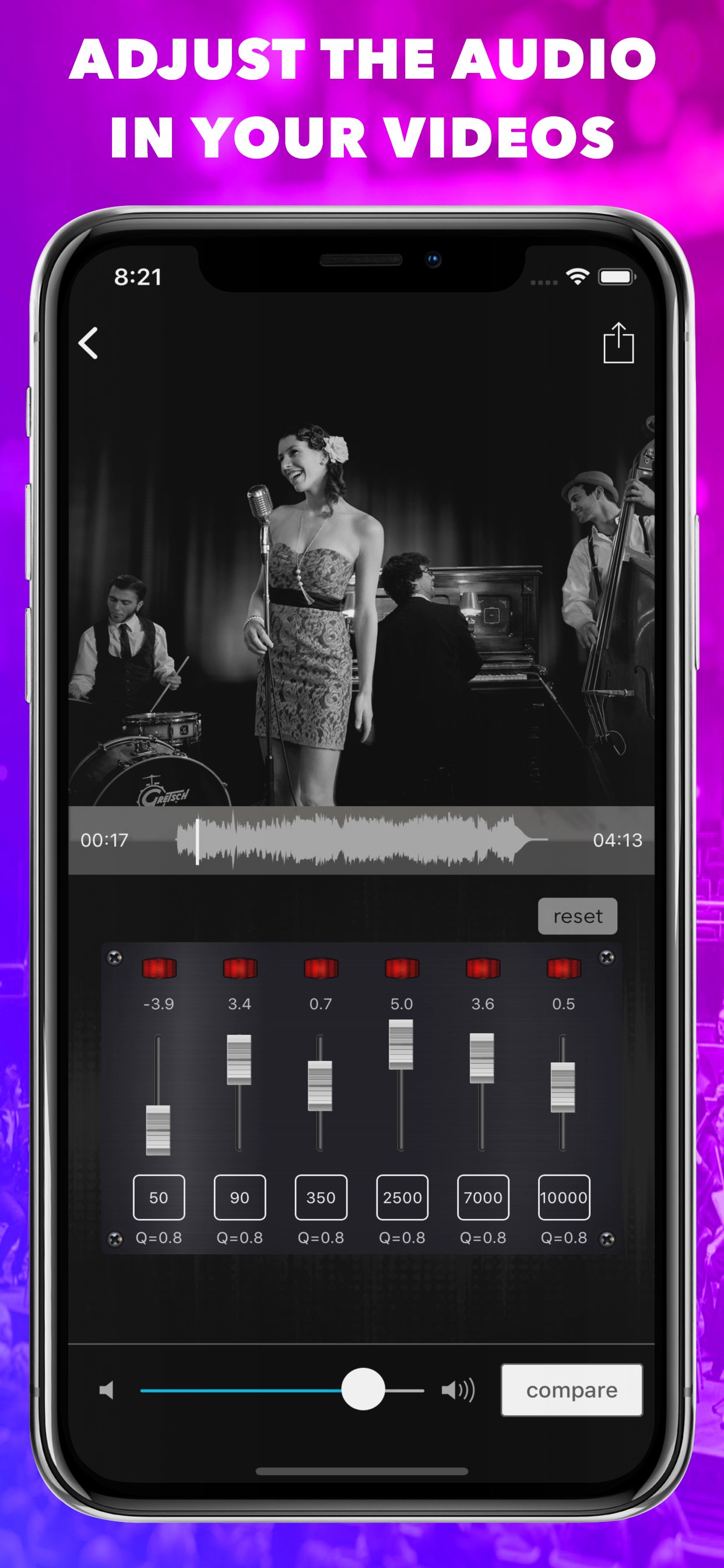
Import any video and instantly improve sound using a 6-band EQ, video volume booster, audio normalizer, and audio enhancer presets. Fix low-volume video audio, quiet voice recordings, muffled sound, and unbalanced video audio in seconds.
VideoMaster works as a video audio editor, video sound fixer, and audio enhancer for videos. No studio. No experience required.
Export videos in original resolution, compress videos for sharing, or extract audio from video as an audio file.
🧰 Key Features – Video Audio Editor Tools
• Video audio editor with professional equalizer
• Video sound editor for voice, speech & music
• Video volume booster & loudness maximizer
• Audio booster & audio enhancer for clarity
• 6-band EQ with frequency, gain & Q control
• Fix low-volume video audio without distortion
• Improve voice clarity in videos
• Balance music and dialogue in video
• Extract audio from video files
• Remove or mute audio from video
• Save video at original quality or compress
• A/B compare edited video audio vs original
• Non-destructive video audio editing
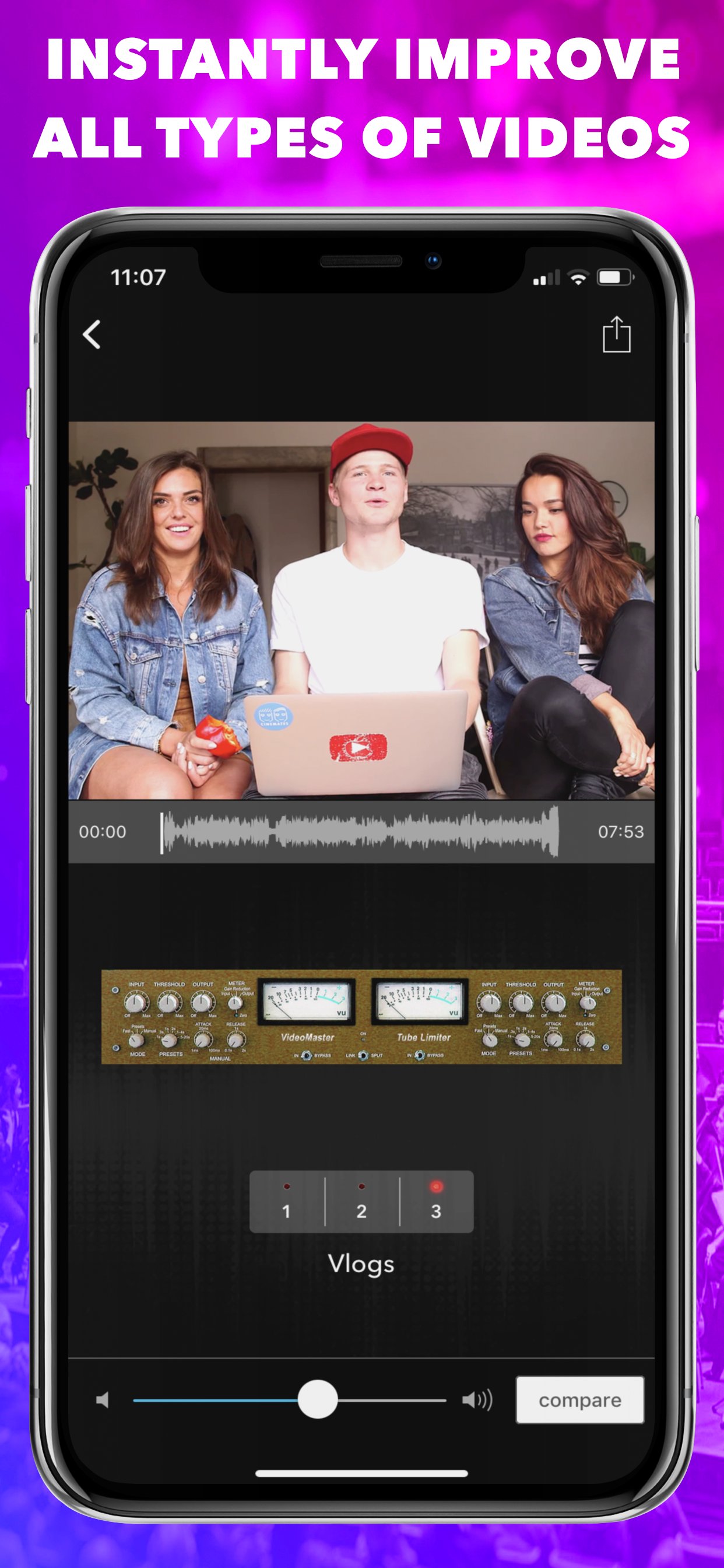
🎛️ Audio Presets for Video Sound
Vlogs, ASMR, Podcasts, YouTube, Voice, Speech, Narrative, Music, Rock, Hip Hop, Pop, Electronic, Jazz, Classical, Country, Latin, R&B / Soul
🎯 Perfect For Video Creators
• YouTube video editing
• TikTok, Shorts & Instagram Reels
• Podcast video audio editing
• ASMR & voice recordings
• Social media video marketing
• Ads, promos & product videos
• Tutorials & educational videos
• Gaming & streaming clips
• Wedding & event videos
• Travel & vlog videos
• Fitness & sports videos
• Music videos & demos
• Business, real estate & automotive videos
⭐ Why VideoMaster – Video Sound Editor
• Fast video audio editing
• Easy video sound fixing
• Powerful video volume booster
• Professional audio results
• Designed for video creators
🎧 More Apps by Future Moments
AudioMaster – Audio mastering for podcasts & music
AudioVerb – Reverb & delay for audio
VideoVerb – Reverb effects for video audio
AudioFix: For Videos – Noise reduction & audio cleanup
Preview
Tags
Video-PlayersInformation
Developer
Future Moments
Latest Version
1.24
Last Updated
2026-01-27
Category
Video-players-editors
Available on
Google Play
Show More
How to play VideoMaster Video Sound Editor with GameLoop on PC
1. Download GameLoop from the official website, then run the exe file to install GameLoop
2. Open GameLoop and search for “VideoMaster Video Sound Editor” , find VideoMaster Video Sound Editor in the search results and click “Install”
3. Enjoy playing VideoMaster Video Sound Editor on GameLoop
Minimum requirements
OS
Windows 8.1 64-bit or Windows 10 64-bit
GPU
GTX 1050
CPU
i3-8300
Memory
8GB RAM
Storage
1GB available space
Recommended requirements
OS
Windows 8.1 64-bit or Windows 10 64-bit
GPU
GTX 1050
CPU
i3-9320
Memory
16GB RAM
Storage
1GB available space