
Cap & Cut Video Editor App PC
SeaSoul Apps
Download Cap & Cut Video Editor App on PC With GameLoop Emulator
Cap & Cut Video Editor App on PC
Cap & Cut Video Editor App, coming from the developer SeaSoul Apps, is running on Android systerm in the past.
Now, You can play Cap & Cut Video Editor App on PC with GameLoop smoothly.
Download it in the GameLoop library or search results. No more eyeing the battery or frustrating calls at the wrong time any more.
Just enjoy Cap & Cut Video Editor App PC on the large screen for free!
Cap & Cut Video Editor App Introduction
CapCut is the original free Video Editor and Video Maker with Music for TikTok that is versatile and easy-to-use.
CapCut Video Editor 2023 is easy, free and powerful video editing, photo editing, showcut, and collage app that allows you to edit, merge, modify videos, images, vlogs, status, and even movies on your phone anytime, anywhere. Capcut is easy to use, you can make a wonderful video in 30 seconds. With music, effects, Youcut filters, stickers, Capcut motion, subtitles and other built-in features, Easy Cut video editor can do what CapCut Pro, InShot, ShowCut and other mobile apps cannot do. Powerful as it is, Capcut can meet all your needs for video editing, photo editing, and making collage.
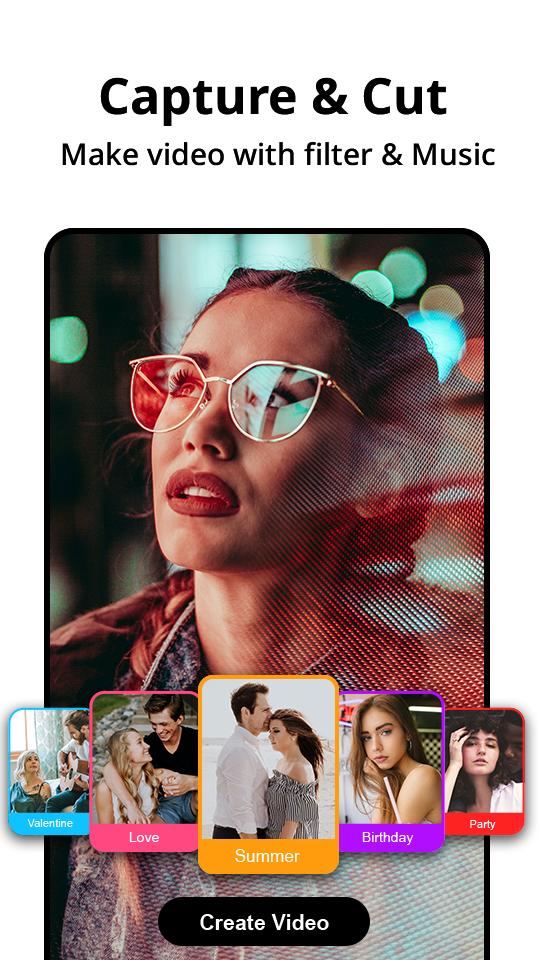
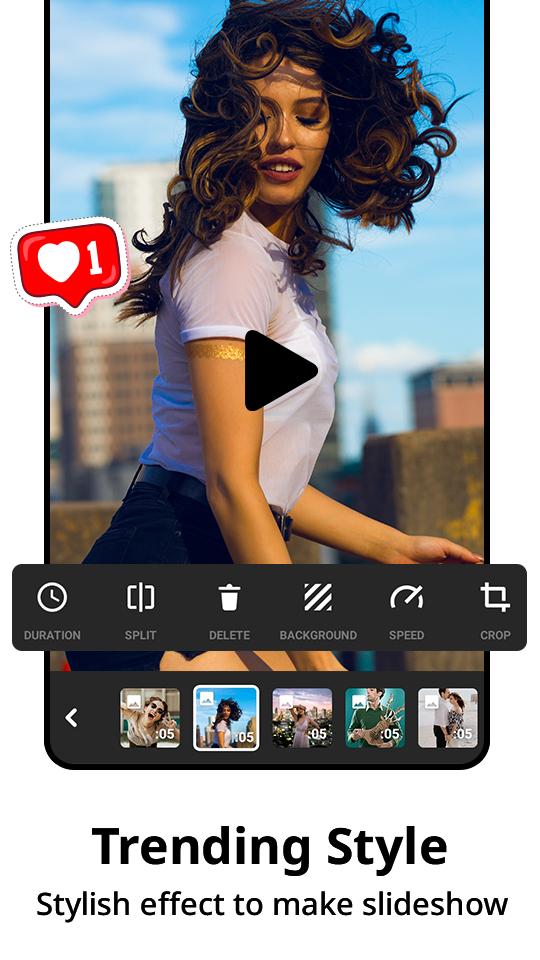
Create fancy videos with other unique features: trending styles, auto captions, text-to-speech, Capcut motion, Youcut and background removal. Show your personality and go viral on TikTok, YouTube, Instagram, WhatsApp, and Facebook!
Capcut Video Editing 2023 Special features:
• Auto captions: automate speech recognition and subtitles in videos.
• Background removal: automatically removes people from videos free of charge.
• Trending styles: enjoy creative and constantly updated options like 3D zoom, auto velocity, and more.
Capcut Text & Stickers:
• Add text to videos with different fonts and styles, find the best subtitle font with unique text templates. Subtitle font formats can be imported.
• Subtitles can be added to the timeline of video tracks and can be moved and adjusted in one step.
Capcut Trending Effects & Filters:
• Match video content with diverse filters that are updated weekly with the latest trends.
• Edit videos with hundreds of trending effects, including Glitch, Blur, 3D, etc.
• Add movie-style video filters or adjust the color by changing video brightness, contrast, etc.
Capcut Motion, Music & Sound Effects:
• Add music to videos with millions of music clips and sound effects.
• Sign in to sync your favorite TikTok music.
• Extract audio, clips, and recordings from videos.
Easy to Share
• Custom video export resolution, HD video editor supports 4K 60fps exports and smart HDR.
• Adjust the format and share your creativity on TikTok and other social media platforms.
Save your money with Capcut! Capcut Pro video editor is a free app 2023, you can use it to edit as many videos as you want, with unlimited length, and export unlimited number of videos. Capcut video editor is like iMovie or Premiere on your cell phone, but it’s FREE and really easy to learn.
Capcut Pro Editor makes video & photo editing easier than ever. With just a few clicks, you can trim and edit videos, showcut, adjust transitions, or add cool effects and text to your video and photo. Come and create the perfect video you'll love to share. Download Capcut Video Editing app 2023 now and start editing videos & photos as easy as the pros!
CapCut is a free all-in-one video editor and video maker app with everything you need to create stunning, high-quality videos. Beginners can get started with CapCut in a matter of seconds, while advanced users can enjoy all the functions they need to edit videos. Express your individuality with exclusive video editor and video maker functions. After your music video is ready, you can share it across social media with one click, accruing everyone's likes, comments and attention.
Preview
Tags
Video-PlayersInformation
Developer
SeaSoul Apps
Latest Version
1.2
Last Updated
2023-01-04
Category
Video-players-editors
Available on
Google Play
Show More
How to play Cap & Cut Video Editor App with GameLoop on PC
1. Download GameLoop from the official website, then run the exe file to install GameLoop
2. Open GameLoop and search for “Cap & Cut Video Editor App” , find Cap & Cut Video Editor App in the search results and click “Install”
3. Enjoy playing Cap & Cut Video Editor App on GameLoop
Minimum requirements
OS
Windows 8.1 64-bit or Windows 10 64-bit
GPU
GTX 1050
CPU
i3-8300
Memory
8GB RAM
Storage
1GB available space
Recommended requirements
OS
Windows 8.1 64-bit or Windows 10 64-bit
GPU
GTX 1050
CPU
i3-9320
Memory
16GB RAM
Storage
1GB available space