Unseen Message - No Last Seen PC
Boostwindow.Inc
Download Unseen Message - No Last Seen on PC With GameLoop Emulator
Unseen Message - No Last Seen on PC
Unseen Message - No Last Seen, coming from the developer Boostwindow.Inc, is running on Android systerm in the past.
Now, You can play Unseen Message - No Last Seen on PC with GameLoop smoothly.
Download it in the GameLoop library or search results. No more eyeing the battery or frustrating calls at the wrong time any more.
Just enjoy Unseen Message - No Last Seen PC on the large screen for free!
Unseen Message - No Last Seen Introduction
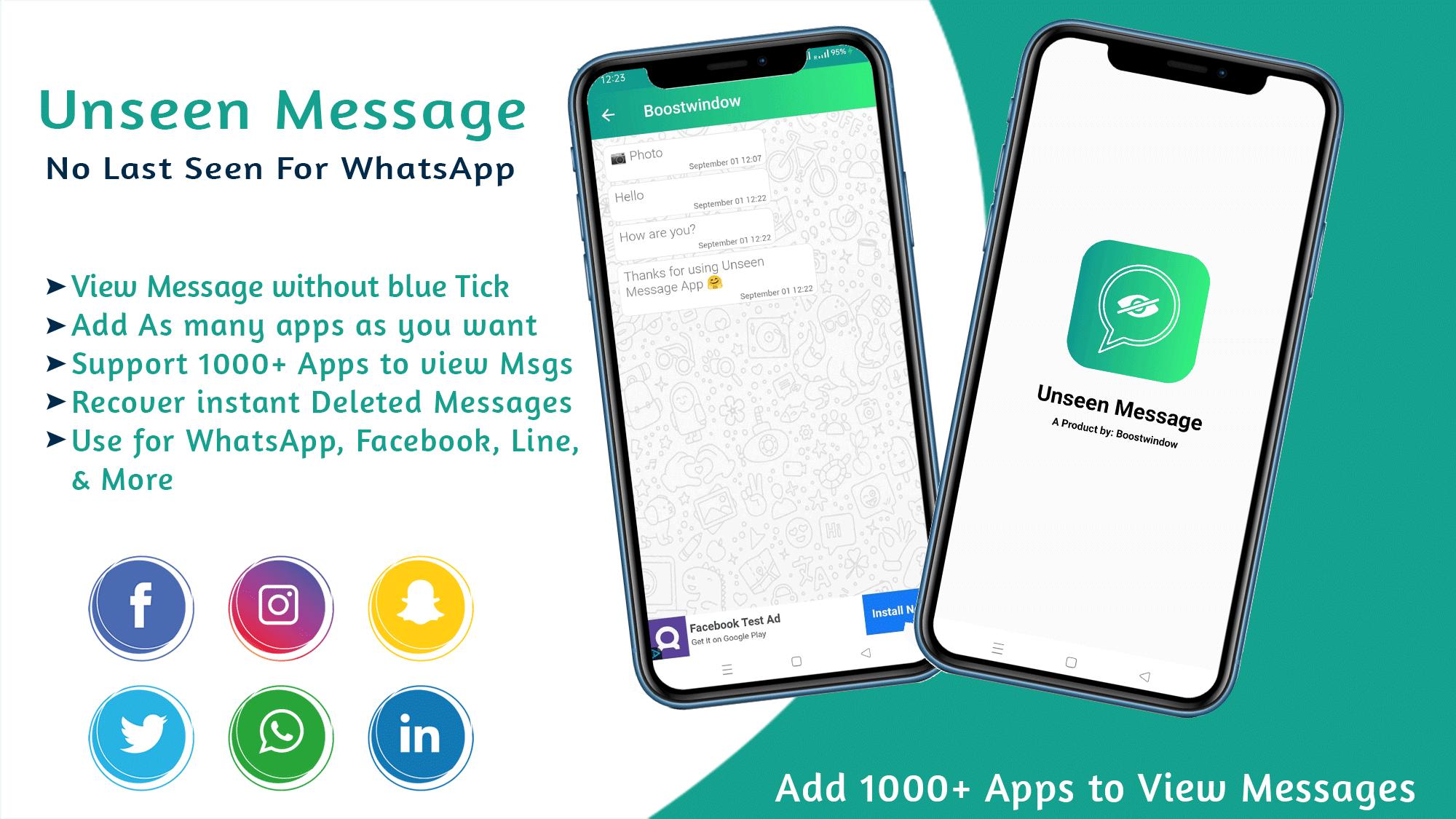
Unseen Message is a lightweight & simple app that allows you to privately read your Whatsapp messages without appearing online & without sending read receipts to their senders, read WhatsApp messages without blue tick.
If you want to read messages but don’t want to be seen status? With Unseen Message for Whatsapp, your contacts won’t know that you are reading their messages.
Unseen Message for WhatsApp is a sample tool to read incoming messages without reading signs and showing a blue tick. In this app, you can easily hide online status on Chat Applications.
This last seen hider is very easy to use: when you receive a message from one of the supported Chat Apps, it will also be displayed in the Unseen Message App.
Unseen Message App, No Seen Last Seen, Hide Read application is used for reading WhatsApp messages and Messenger messages, Line Messages, and other Messages apps without informing the other user about the blue tick or seen which Means Unseen Message App observe your messages from a hidden place that no one can see your online status.
How to use:
☛ Open the app, Now Add apps screen will appear
☛ Add your message which you want to see messages without blue tick
☛ Now you will see a Tap to open chat Button
☛ A chat screen will appear in front of you
☛ Here you will get a notification instantly if anyone messages you on WhatsApp or other added apps.
Supported Apps:
1. WhatsApp Messenger
2. Facebook Messenger
4. Viber Messanger
4. Line App
5. WeChat
6. Signal App and Many More!
Access Permission: After Downloading & installing the Unseen Message No last Seen online app the application will ask for giving permission to access notifications on your device. You have to Grant that Access permission other than this No extra permissions are required and this Application does not collect any data.
Key Features of unseen Message app:
√ Read messages without notifying the other person
√ Easy to use Messages with No last seen, Unseen, No read tick Mark.
√ Hide seen notices and blue ticks for all of your favorite Chat Apps
√ Read incoming text messages with invisible chat status.
√ Read chat messages invisibly and incognito, without your friends knowing
√ Find your conversations easily
√ Hide blue double tick
√ Easily show message notification
√ Record the time when messages are received
√ Take screenshots, share them with friends!
√ Various message management features including delete, mark as read/unread
√ Fast scroll to top/bottom, fast scroll to the bottom
DISCLAIMER:
Unseen Message is not affiliated with or endorsed in any way by Facebook, Messenger, WhatsApp, Line, WeChat, or Viber.
All trademarks displayed on these applications are the property of their respective owners. This app (Unseen Message - No Last Seen) is not affiliated or officially attached or connected to an organization, sponsored or endorsed by the Brand listed above.
None of these companies' logos are displayed on the app.
💖 Don't forget to give us a ⭐⭐⭐⭐⭐ rating and share it with your friends if you like Unseen Message - No Last Seen for Whatsapp
Preview
Tags
ToolsInformation
Developer
Boostwindow.Inc
Latest Version
1.2
Last Updated
2021-08-31
Category
Tools
Available on
Google Play
Show More
How to play Unseen Message - No Last Seen with GameLoop on PC
1. Download GameLoop from the official website, then run the exe file to install GameLoop
2. Open GameLoop and search for “Unseen Message - No Last Seen” , find Unseen Message - No Last Seen in the search results and click “Install”
3. Enjoy playing Unseen Message - No Last Seen on GameLoop
Minimum requirements
OS
Windows 8.1 64-bit or Windows 10 64-bit
GPU
GTX 1050
CPU
i3-8300
Memory
8GB RAM
Storage
1GB available space
Recommended requirements
OS
Windows 8.1 64-bit or Windows 10 64-bit
GPU
GTX 1050
CPU
i3-9320
Memory
16GB RAM
Storage
1GB available space