
Türk Telekom PC
TT Mobil İletişim Hizmetleri A.Ş.
Download Türk Telekom on PC With GameLoop Emulator
Türk Telekom on PC
Türk Telekom, coming from the developer TT Mobil İletişim Hizmetleri A.Ş., is running on Android systerm in the past.
Now, You can play Türk Telekom on PC with GameLoop smoothly.
Download it in the GameLoop library or search results. No more eyeing the battery or frustrating calls at the wrong time any more.
Just enjoy Türk Telekom PC on the large screen for free!
Türk Telekom Introduction
Turk Telekom application is with you 24/7 for all your needs! You can perform your transactions easily, safely and quickly from the Turk Telekom application.
• You can review your remaining usage in your tariff and package from the Home Page menu of your mobile account, view your current invoice/balance, and earn GB, minutes and many other gifts by playing Sil Süpür with its gifts renewed every week.
• From the Transactions menu, you can easily and safely perform bill payment, review invoice details, manage invoice settings, tariff and package information inquiry, commitment start and end inquiry, TL top-up and TL request transactions, manage line and call settings and many more.
• Our postpaid customers can access suitable tariffs and packages via the Tariffs and Packages menu, while our prepaid customers can do so via the Buy Package menu; both can take advantage of digital-exclusive offers.
• You can discover other digital services and applications suited to your needs and explore additional offers and deals via the store menu. You can also review Bi’Dunya Opportunity campaigns and benefit from discounts on popular brands.
• You can quickly access frequently used bill payment/TL top-up, package purchasing and Special for Me menus via Quick Transactions.
• From the home page of your home internet account, you can access details regarding your subscription—such as the campaign name, package speed, and contract end date—view exclusive offers as your contract nears its expiration, and play Sil Süpür to receive monthly renewed gifts. You can also examine your service's connection performance in detail and view recommendations tailored to you.
• You can view the latest speed packages suitable for your infrastructure via the Commitment and Speed Packages menu and quickly and easily renew your commitment through the application.
• Viewing and paying invoice details from the transactions menu, giving automatic payment orders, updating invoice sending preference and invoice contact information, accessing campaign and package details, application and appointment inquiry, automatic control of your internet connection quality, changing your wifi name and password, changing secure internet profile, etc. You can carry out your transactions quickly and safely.
• You can browse the most advantageous app-exclusive offers in the store menu and discover our digital services and applications. Additionally, you can check out the Bi’Dunya Opportunity campaigns and take advantage of discounts from popular brands.
• You can quickly access frequently used bill payment, campaign/commitment renewal and speed increase menus via Quick Transactions.
Additionally, in all your accounts;
• You can access our advantageous offers and information about Turk Telekom products and services from the stories.
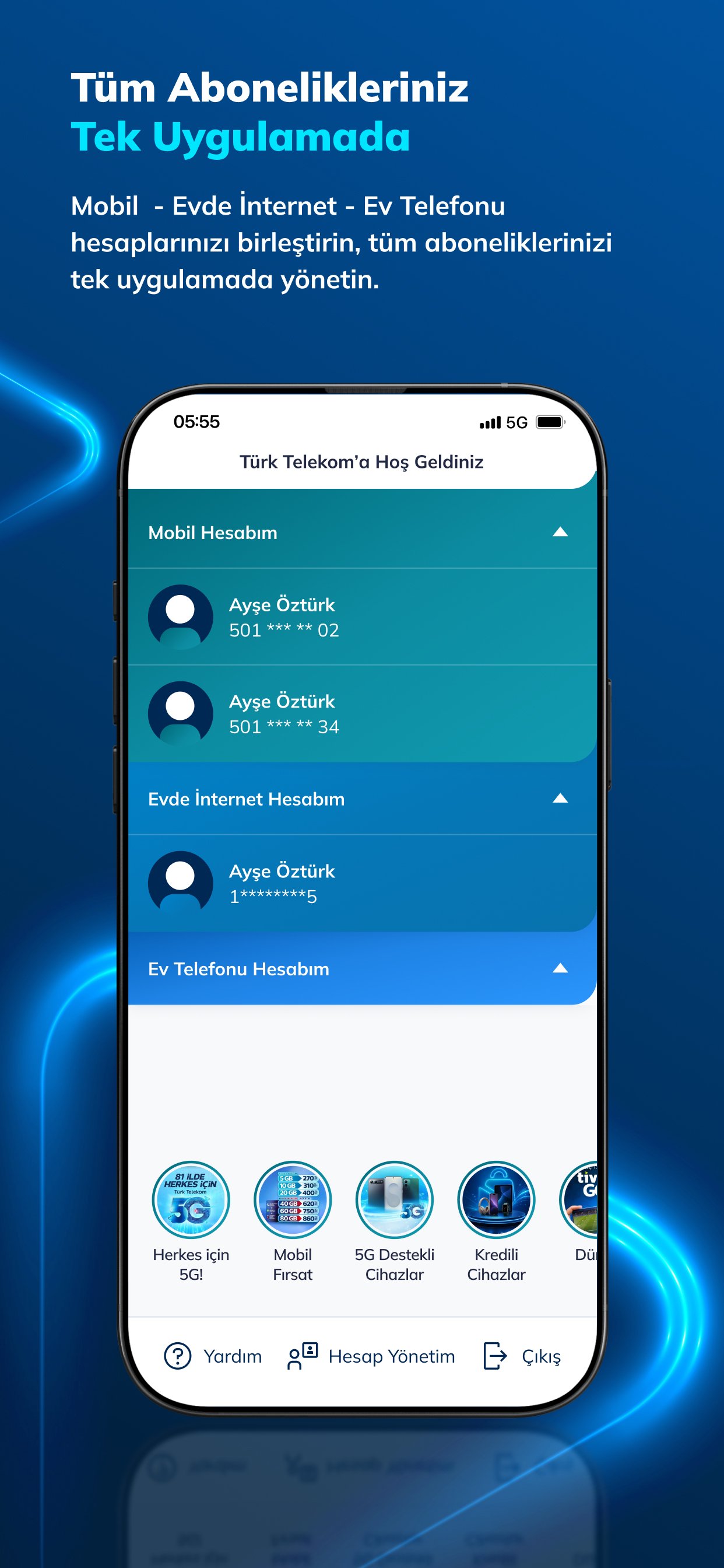
• You can combine your other Turk Telekom subscription accounts from the Account Management area, switch to your other accounts whenever you want, and have the convenience of managing all your accounts through a single application. Thus, you can perform your mobile, internet, Tivibu IPTV and home phone transactions using a single application.
Preview
Tags
ToolsInformation
Developer
TT Mobil İletişim Hizmetleri A.Ş.
Latest Version
11.0.2
Last Updated
2026-09-10
Category
Tools
Show More
How to play Türk Telekom with GameLoop on PC
1. Download GameLoop from the official website, then run the exe file to install GameLoop
2. Open GameLoop and search for “Türk Telekom” , find Türk Telekom in the search results and click “Install”
3. Enjoy playing Türk Telekom on GameLoop
Minimum requirements
OS
Windows 8.1 64-bit or Windows 10 64-bit
GPU
GTX 1050
CPU
i3-8300
Memory
8GB RAM
Storage
1GB available space
Recommended requirements
OS
Windows 8.1 64-bit or Windows 10 64-bit
GPU
GTX 1050
CPU
i3-9320
Memory
16GB RAM
Storage
1GB available space