
Transparent CDN Console PC
ServoTIC S.L.
Download Transparent CDN Console on PC With GameLoop Emulator
Transparent CDN Console on PC
Transparent CDN Console, coming from the developer ServoTIC S.L., is running on Android systerm in the past.
Now, You can play Transparent CDN Console on PC with GameLoop smoothly.
Download it in the GameLoop library or search results. No more eyeing the battery or frustrating calls at the wrong time any more.
Just enjoy Transparent CDN Console PC on the large screen for free!
Transparent CDN Console Introduction
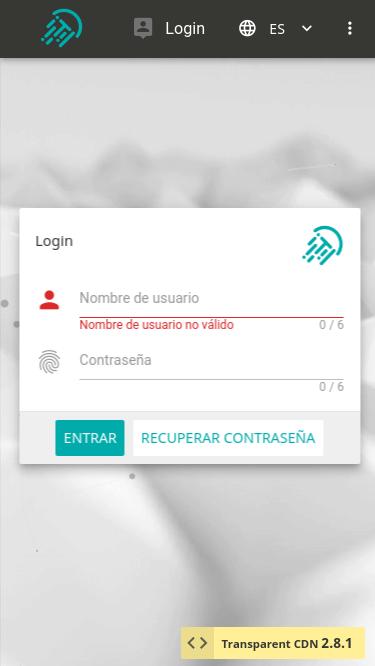
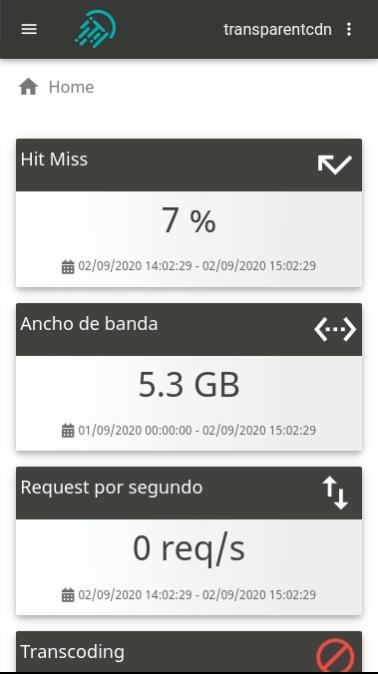
En Transparent CDN mejoramos la entrega de contenido por internet y la experiencia de usuario. Disponemos de una red de nodos distribuidos por todo el globo con la que mitigamos latencias, reducimos el tráfico de los sitios web y aceleramos la carga de las páginas. Gracias a nuestras soluciones también entregamos y adaptamos contenido multimedia (vídeo y audio bajo demanda o live streaming) a los usuarios con las mejores garantías de seguridad. Nuestro objetivo es acercar el contenido de nuestros clientes, tanto estático como multimedia al usuario final, de manera, económica, rápida y segura.
● Web Caching: consigue que tu web tenga la máxima velocidad en cualquier dispositivo y desde cualquier lugar con Transparent CDN Web Caching.
● Secure Layer: evita que las acciones maliciosas lleguen a tu servidor gracia a una capa extra de seguridad. Somos tu primera línea de defensa.
● Media: soportamos la emisión y recepción de contenidos desde cualquier tipo de dispositivo, incluyendo la retransmisión en directo desde iOS y Android.
● Transcoding Service: convertimos tus audios y vídeos bajo demanda (VoD) y directos (live) a los formatos que necesites.
Preview
Tags
ToolsInformation
Developer
ServoTIC S.L.
Latest Version
2.8.2
Last Updated
2020-09-03
Category
Tools
Available on
Google Play
Show More
How to play Transparent CDN Console with GameLoop on PC
1. Download GameLoop from the official website, then run the exe file to install GameLoop
2. Open GameLoop and search for “Transparent CDN Console” , find Transparent CDN Console in the search results and click “Install”
3. Enjoy playing Transparent CDN Console on GameLoop
Minimum requirements
OS
Windows 8.1 64-bit or Windows 10 64-bit
GPU
GTX 1050
CPU
i3-8300
Memory
8GB RAM
Storage
1GB available space
Recommended requirements
OS
Windows 8.1 64-bit or Windows 10 64-bit
GPU
GTX 1050
CPU
i3-9320
Memory
16GB RAM
Storage
1GB available space