
Tenon VPN PC
제주도원체인테크
Download Tenon VPN on PC With GameLoop Emulator
Tenon VPN on PC
Tenon VPN, coming from the developer 제주도원체인테크, is running on Android systerm in the past.
Now, You can play Tenon VPN on PC with GameLoop smoothly.
Download it in the GameLoop library or search results. No more eyeing the battery or frustrating calls at the wrong time any more.
Just enjoy Tenon VPN PC on the large screen for free!
Tenon VPN Introduction
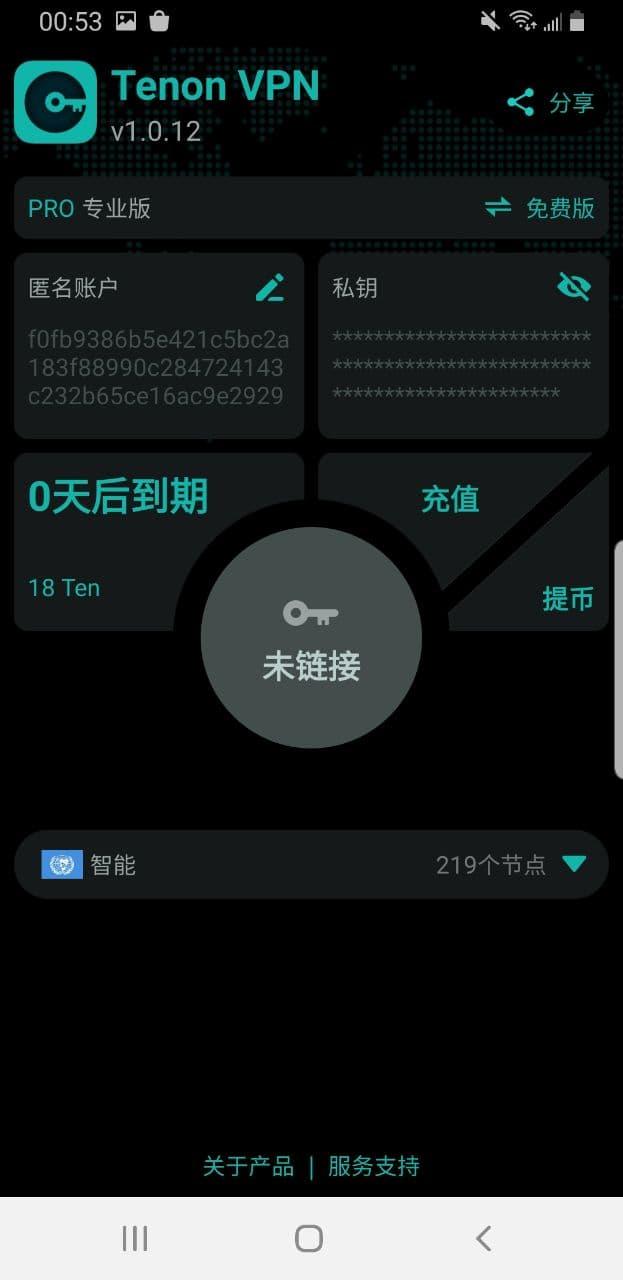
1. Tenon VPN is composed of a large number of decentralized nodes, because there is no centralized server, thus avoiding the authority of centralization, that is, you can access the network without any blocking.
2. Although Tenon VPN is decentralized, its performance is superior to a centralized VPN server because TenonVPN provides an original intelligent route that can find the best communication route through the user's current network conditions.
3. Tenon VPN is decentralized. All user data is encrypted by the user's private key. At the same time, the addition of the intelligent routing network ensures the client's anonymity in the entire decentralized world.
4. With a powerful P2P network and secure encryption technology, Tenvon VPN acts as a routing node through the user's home PC, making blocking impossible.
5. Tenon VPN is easy to use, requires no complicated configuration, and can be safely, quickly and reliably entered into the decentralized world with one-click connection.
Preview

Tags
ToolsInformation
Developer
제주도원체인테크
Latest Version
6.3.1P
Last Updated
2022-11-18
Category
Tools
Available on
Google Play
Show More
How to play Tenon VPN with GameLoop on PC
1. Download GameLoop from the official website, then run the exe file to install GameLoop
2. Open GameLoop and search for “Tenon VPN” , find Tenon VPN in the search results and click “Install”
3. Enjoy playing Tenon VPN on GameLoop
Minimum requirements
OS
Windows 8.1 64-bit or Windows 10 64-bit
GPU
GTX 1050
CPU
i3-8300
Memory
8GB RAM
Storage
1GB available space
Recommended requirements
OS
Windows 8.1 64-bit or Windows 10 64-bit
GPU
GTX 1050
CPU
i3-9320
Memory
16GB RAM
Storage
1GB available space