Soil Test Pro PC
TapLogic, LLC
Download Soil Test Pro on PC With GameLoop Emulator
Soil Test Pro on PC
Soil Test Pro, coming from the developer TapLogic, LLC, is running on Android systerm in the past.
Now, You can play Soil Test Pro on PC with GameLoop smoothly.
Download it in the GameLoop library or search results. No more eyeing the battery or frustrating calls at the wrong time any more.
Just enjoy Soil Test Pro PC on the large screen for free!
Soil Test Pro Introduction
http://www.soiltestpro.com/
Soil Test Pro makes soil sampling easier for you as a grower or service provider. Save money and work smarter. Get lab results, fertilizer recommendations and controller files for all leading monitors.
HOW IT WORKS
http://www.soiltestpro.com/video/
FEATURES INCLUDE
-- Unlimited access to Soil Test Pro’s Precision Ag Specialists
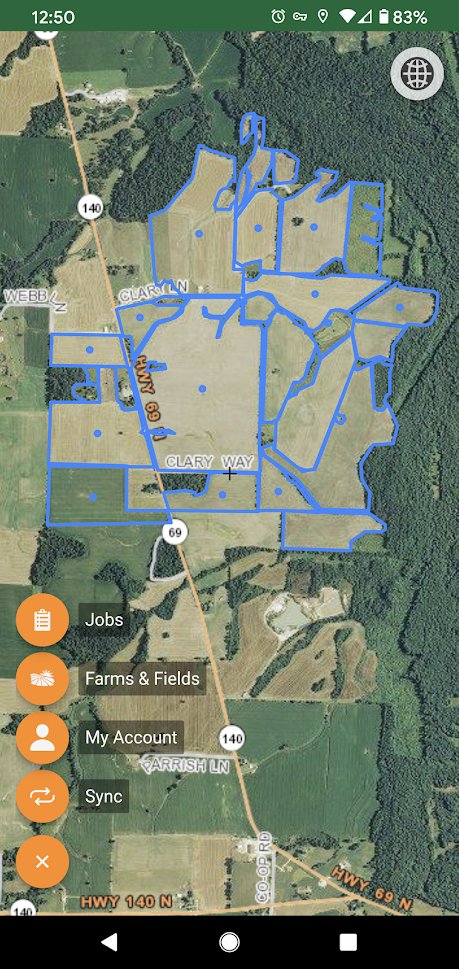
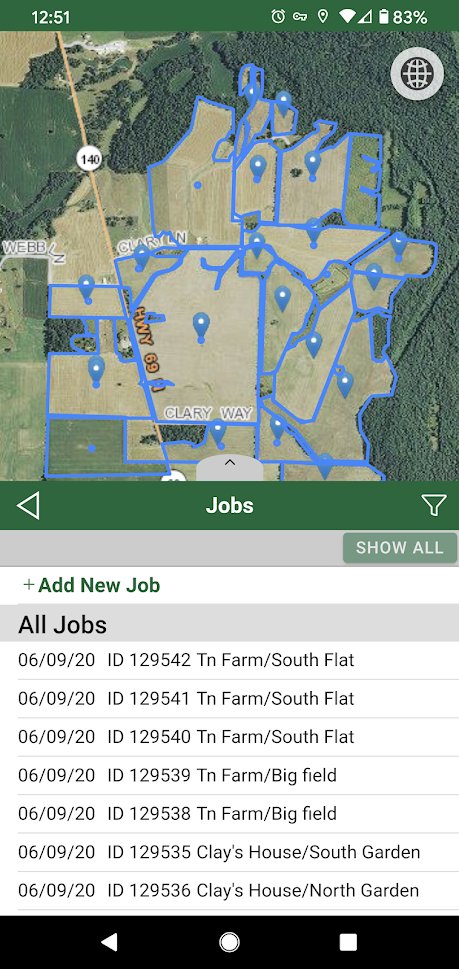
-- Aerial imagery of all fields
-- Unlimited farms and fields
-- Get test results FAST in 5-7 days
-- View complete soil testing history
-- Integrated with John Deere Operations Center
-- Integrated with Beck’s FARMserver
IN THE FIELD - on your smart phone/tablet
-- Work without cellular service
-- Draw field boundaries with GPS
-- High contrast viewing option for better visibility in sunlight
-- Sample by Whole Field, Splits or Zones
-- GPS Located bag numbers simplifies sampling
-- Save time. Customers report 100-150 acres per hour on a 5-acre grid.
AT YOUR DESK - on your Soil Test Pro Web Headquarters
-- Print shipping sheets to send to the lab with your samples
-- View and print lab results/analysis
-- View and print fertilizer recommendation maps
-- View and print your field maps
-- Export variable rate controller files
-- Draw or import field boundaries
-- Automatic Data back-up
Soil Test Pro supports most soil testing labs in the United States.
Results are posted directly to your Web Headquarters. Our Precision Ag Specialists will help you with the recommendations and creating controller files for download or delivery to your service provider. Call Customer Service anytime 855-768-2900.
Preview
Tags
ToolsInformation
Developer
TapLogic, LLC
Latest Version
2.1.9
Last Updated
2025-07-28
Category
Tools
Available on
Google Play
Show More
How to play Soil Test Pro with GameLoop on PC
1. Download GameLoop from the official website, then run the exe file to install GameLoop
2. Open GameLoop and search for “Soil Test Pro” , find Soil Test Pro in the search results and click “Install”
3. Enjoy playing Soil Test Pro on GameLoop
Minimum requirements
OS
Windows 8.1 64-bit or Windows 10 64-bit
GPU
GTX 1050
CPU
i3-8300
Memory
8GB RAM
Storage
1GB available space
Recommended requirements
OS
Windows 8.1 64-bit or Windows 10 64-bit
GPU
GTX 1050
CPU
i3-9320
Memory
16GB RAM
Storage
1GB available space