Smart App lock Fingerprint PC
Smart App Mini Studio
Download Smart App lock Fingerprint on PC With GameLoop Emulator
Smart App lock Fingerprint on PC
Smart App lock Fingerprint, coming from the developer Smart App Mini Studio, is running on Android systerm in the past.
Now, You can play Smart App lock Fingerprint on PC with GameLoop smoothly.
Download it in the GameLoop library or search results. No more eyeing the battery or frustrating calls at the wrong time any more.
Just enjoy Smart App lock Fingerprint PC on the large screen for free!
Smart App lock Fingerprint Introduction
Do you want to lock your apps or hide photos / videos from others ?
Welcome,
This App lock fingerprint provides you different themes pattern lock and fingerprint lock feature. You can hide your secret photos video through our vault lock feature. Also block any one’s number from your phone and unknown number through this smart app locker app.
Applock fingerprint is one of the Android lock app with different app hider feature, the app locker with password & pattern lock screen, smart applock that provide high secure features in the one android app.
This Gallery lock App master helps you to secure private photo vault and video vault or Hide photos and videos. Photo Lock app gives you to secure your foto lock.
Main features of the App Lock fingerprint - Hide Photos lock app
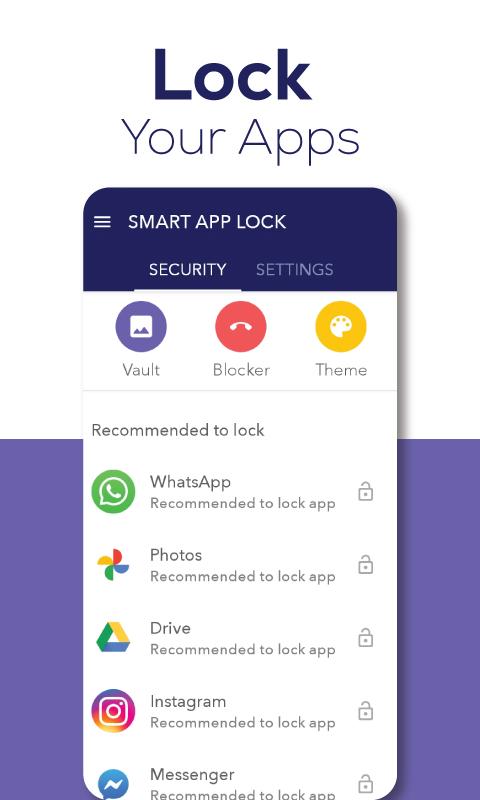
1. Protect and lock apps
- Choosing an unlimited number of apps you want to protect
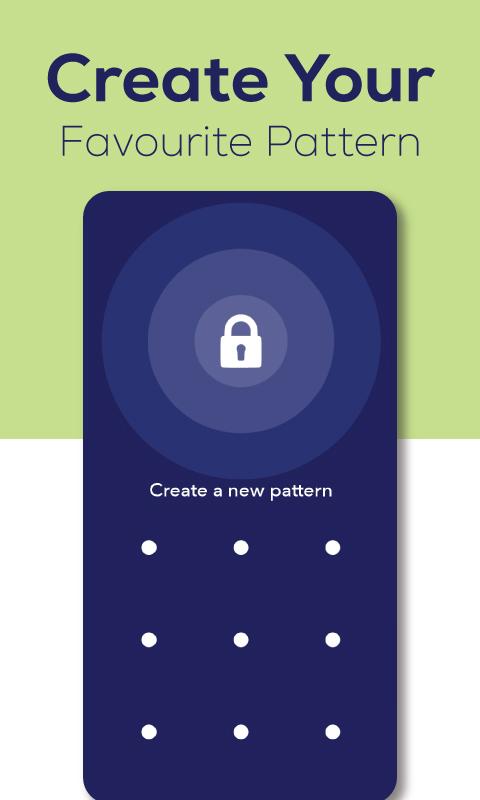
- Choose any Fingerprint lock or pattern lock.
Note: You can only lock with your fingerprint if your phone supports fingerprint unlock
2. Create hidden media files
- Create private archives on your device
- Hide pictures, audio, videos, important files
3. Notification protection
- Hide text messages or app notifications on the lock screen
- Option to hide notifications of one or more apps
4. Intruder detection
- Intruder selfie: take a photo of the people who deliberately unlocked your phone after they enter the wrong app password lock
- Choose the number of times entering the wrong password before taking the photo
- Block power off when your phone is being locked, prevent strangers from deliberately taking your device without wanting to be detected
5. Themes of Pattern Lock
- Choose any theme Lock pattern and enjoy elegant theme feature of this smart app lock finger.
- This App Locker app provides you different Gradient Themes Pattern Lock .
6. Call Blocker
- Intruder selfie: take a photo of the people who deliberately unlocked your phone after they enter the wrong app password lock
- Choose the number of times entering the wrong password before taking the photo
- Block power off when your phone is being locked, prevent strangers from deliberately taking your device without wanting to be detected
Outstanding advantages of the application
Just a few simple steps, you can password for apps and protect your privacy. Do not hesitate any longer, immediately download fingerprint app lock - set pattern lock and passcode lock apps now.
IMPORTANT NOTE: This app uses the Device Administrator permission, it is NOT required, you can enable or cancel at anytime.
-------------------------------------------------- -
Rate 5⭐️ if you feel satisfied
If you have any comments or suggestions, please leave a comment below, any useful ideas are welcome. Your contributions will help us continue to develop better the application lock for apps and phones, in future versions.
Preview
Tags
ToolsInformation
Developer
Smart App Mini Studio
Latest Version
1.0.4
Last Updated
2021-10-21
Category
Tools
Available on
Google Play
Show More
How to play Smart App lock Fingerprint with GameLoop on PC
1. Download GameLoop from the official website, then run the exe file to install GameLoop
2. Open GameLoop and search for “Smart App lock Fingerprint” , find Smart App lock Fingerprint in the search results and click “Install”
3. Enjoy playing Smart App lock Fingerprint on GameLoop
Minimum requirements
OS
Windows 8.1 64-bit or Windows 10 64-bit
GPU
GTX 1050
CPU
i3-8300
Memory
8GB RAM
Storage
1GB available space
Recommended requirements
OS
Windows 8.1 64-bit or Windows 10 64-bit
GPU
GTX 1050
CPU
i3-9320
Memory
16GB RAM
Storage
1GB available space