Battery Charge-Health Checker PC
Communication Support
Download Battery Charge-Health Checker on PC With GameLoop Emulator
Battery Charge-Health Checker on PC
Battery Charge-Health Checker, coming from the developer Communication Support, is running on Android systerm in the past.
Now, You can play Battery Charge-Health Checker on PC with GameLoop smoothly.
Download it in the GameLoop library or search results. No more eyeing the battery or frustrating calls at the wrong time any more.
Just enjoy Battery Charge-Health Checker PC on the large screen for free!
Battery Charge-Health Checker Introduction
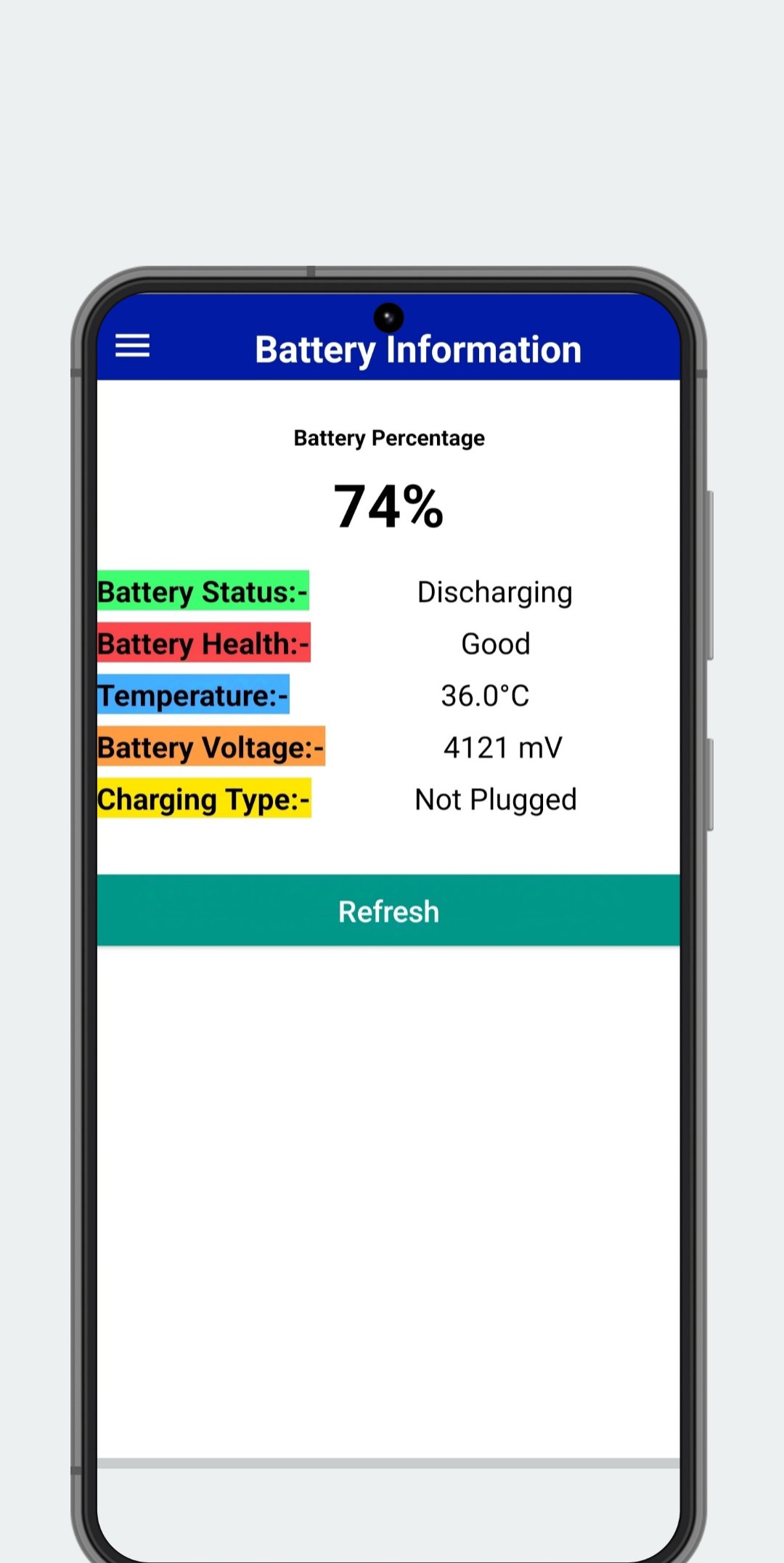
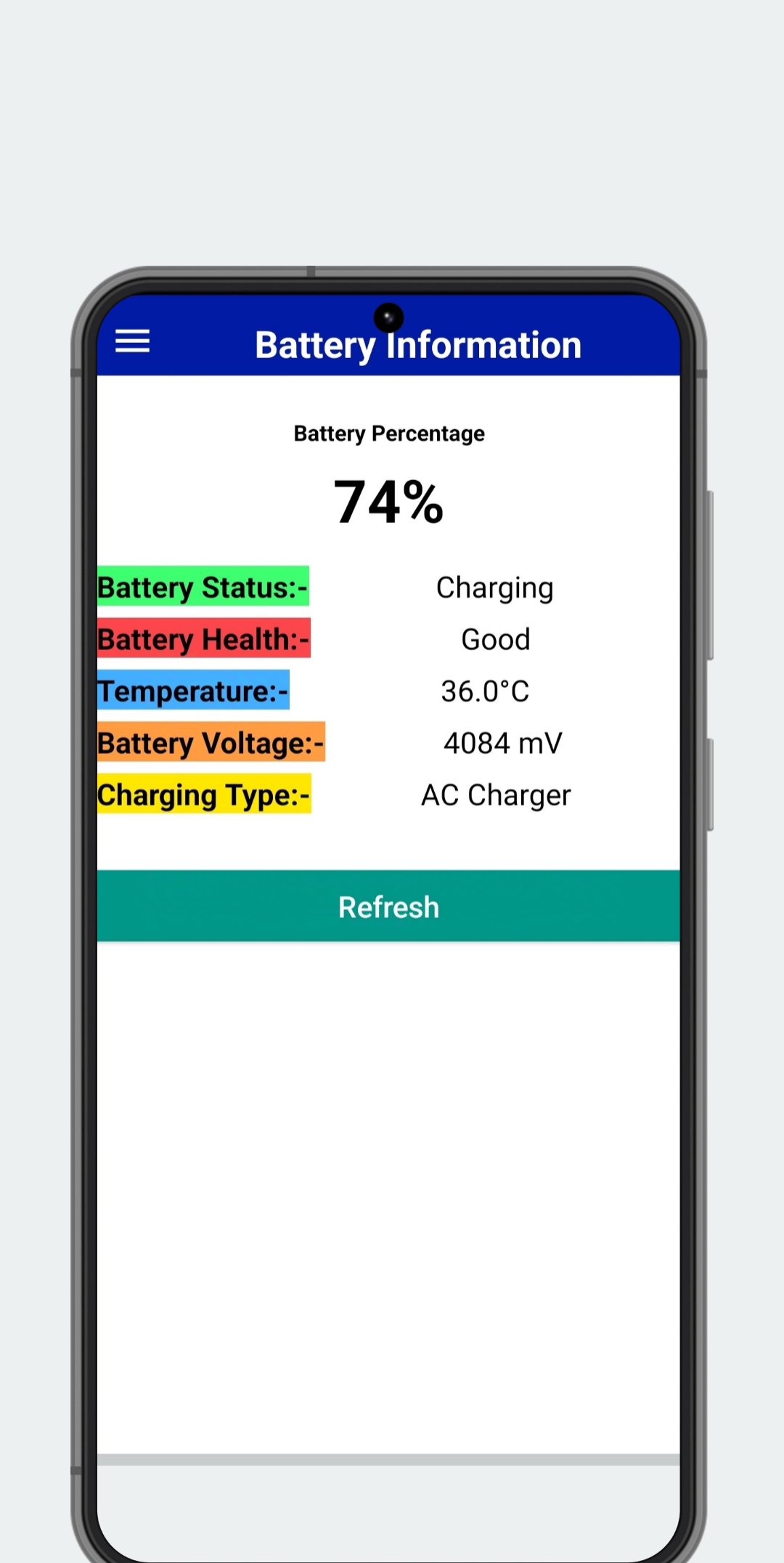
Is your battery draining too fast? Want to know how to extend its lifespan? Battery Charge-Health Checker is the essential tool for monitoring and understanding your battery's health. Get real-time insights into your battery's performance and optimize its usage with our comprehensive battery health checker.
Key Features:
* Battery Health Analysis: Get a clear picture of your battery's overall condition and identify potential issues impacting its performance.
* Precise Charge Level Monitoring: Track your battery percentage with accuracy, so you're never caught off guard.
* Real-time Charging Status: See exactly how fast your battery is charging and estimate remaining charging time.
* Detailed Voltage Information: Monitor your battery's voltage for advanced insights into its health.
* Temperature Monitoring: Keep your battery operating within optimal temperature ranges for improved longevity.
* Charging Type Identification: Know whether you're using fast charging, standard charging, or USB charging.
* Device Information at a Glance: Access your device's brand, model, and Android version quickly and easily.
Battery Charge-Health Checker empowers you to take control of your battery's health. Download now and start maximizing your battery life! Contact us at instantapphelp@gmail.com with any questions.
Preview
Tags
ToolsInformation
Developer
Communication Support
Latest Version
2.6.2
Last Updated
2026-08-22
Category
Tools
Available on
Google Play
Show More
How to play Battery Charge-Health Checker with GameLoop on PC
1. Download GameLoop from the official website, then run the exe file to install GameLoop
2. Open GameLoop and search for “Battery Charge-Health Checker” , find Battery Charge-Health Checker in the search results and click “Install”
3. Enjoy playing Battery Charge-Health Checker on GameLoop
Minimum requirements
OS
Windows 8.1 64-bit or Windows 10 64-bit
GPU
GTX 1050
CPU
i3-8300
Memory
8GB RAM
Storage
1GB available space
Recommended requirements
OS
Windows 8.1 64-bit or Windows 10 64-bit
GPU
GTX 1050
CPU
i3-9320
Memory
16GB RAM
Storage
1GB available space