Photo Scan PC
Gaba Studio Apps
Download Photo Scan on PC With GameLoop Emulator
Photo Scan on PC
Photo Scan, coming from the developer Gaba Studio Apps, is running on Android systerm in the past.
Now, You can play Photo Scan on PC with GameLoop smoothly.
Download it in the GameLoop library or search results. No more eyeing the battery or frustrating calls at the wrong time any more.
Just enjoy Photo Scan PC on the large screen for free!
Photo Scan Introduction
Do you need to scan Photos easily, quickly and safely?
Mobile Photo Scanner is the best solution on United Estates!
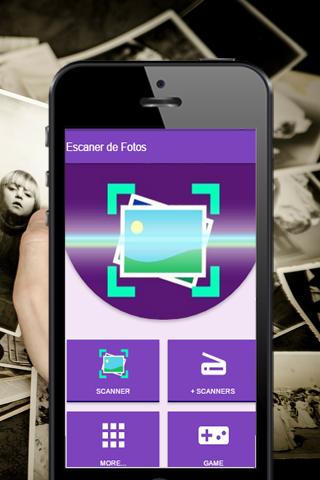
There are many photo scanner applications however, this application offers quick and easy, photo digitizing, qr codes and barcodes, to share or store quickly.
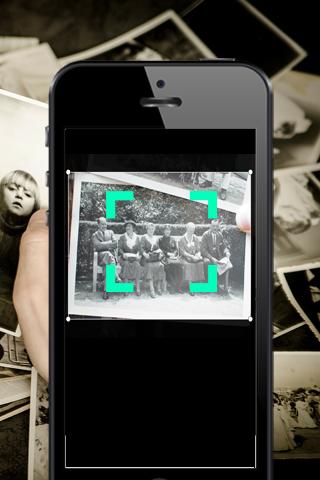
Photo Scanner is a small scanner application that turns the Android device into a portable photo scanner and scan everything as images or PDF files.
With this Photo Scanner application you can scan documents, photos, drawings, receipts, reports or anything. This photo scanner application is fast and is designed for the phone and desktop.
Photo Scanner is an application that turns your mobile phone into a portable scanner. Scans are saved on your device as images or PDF files. Name and organize your scans, or share them by:
- Dropbox, Evernote, Google Drive, OneDrive
This app has all the BIG features you need:
* Color scanning, grayscale or black and white
* Can be used in the office, school, home and anywhere else you want
* Page edges are detected automatically
* Thumbnail view of the list, sort scans by date or title
* The application of the photo scanner is optimized to work very fast.
* Universal - a single application that works on the United States phone !
* In addition, you can scan QR codes and bar codes, all in one application.
Download the Photo Scanner app now and make your life simple!
Preview
Tags
ToolsInformation
Developer
Gaba Studio Apps
Latest Version
1.16
Last Updated
2023-07-08
Category
Tools
Available on
Google Play
Show More
How to play Photo Scan with GameLoop on PC
1. Download GameLoop from the official website, then run the exe file to install GameLoop
2. Open GameLoop and search for “Photo Scan” , find Photo Scan in the search results and click “Install”
3. Enjoy playing Photo Scan on GameLoop
Minimum requirements
OS
Windows 8.1 64-bit or Windows 10 64-bit
GPU
GTX 1050
CPU
i3-8300
Memory
8GB RAM
Storage
1GB available space
Recommended requirements
OS
Windows 8.1 64-bit or Windows 10 64-bit
GPU
GTX 1050
CPU
i3-9320
Memory
16GB RAM
Storage
1GB available space