Paraphrase Tool - AI Humanizer PC
Dzine Media Apps
Download Paraphrase Tool - AI Humanizer on PC With GameLoop Emulator
Paraphrase Tool - AI Humanizer on PC
Paraphrase Tool - AI Humanizer, coming from the developer Dzine Media Apps, is running on Android systerm in the past.
Now, You can play Paraphrase Tool - AI Humanizer on PC with GameLoop smoothly.
Download it in the GameLoop library or search results. No more eyeing the battery or frustrating calls at the wrong time any more.
Just enjoy Paraphrase Tool - AI Humanizer PC on the large screen for free!
Paraphrase Tool - AI Humanizer Introduction
AI Paraphrase App to Rewrite, Humanize, Check & Improve Your Content
AI paraphrase tool is a powerful and easy-to-use writing assistant designed for mobile users who want fast, accurate, and plagiarism-free content.
This all-in-one AI paraphrasing and rewriting app helps students, bloggers, content writers, researchers, and professionals improve their writing with just a few taps.
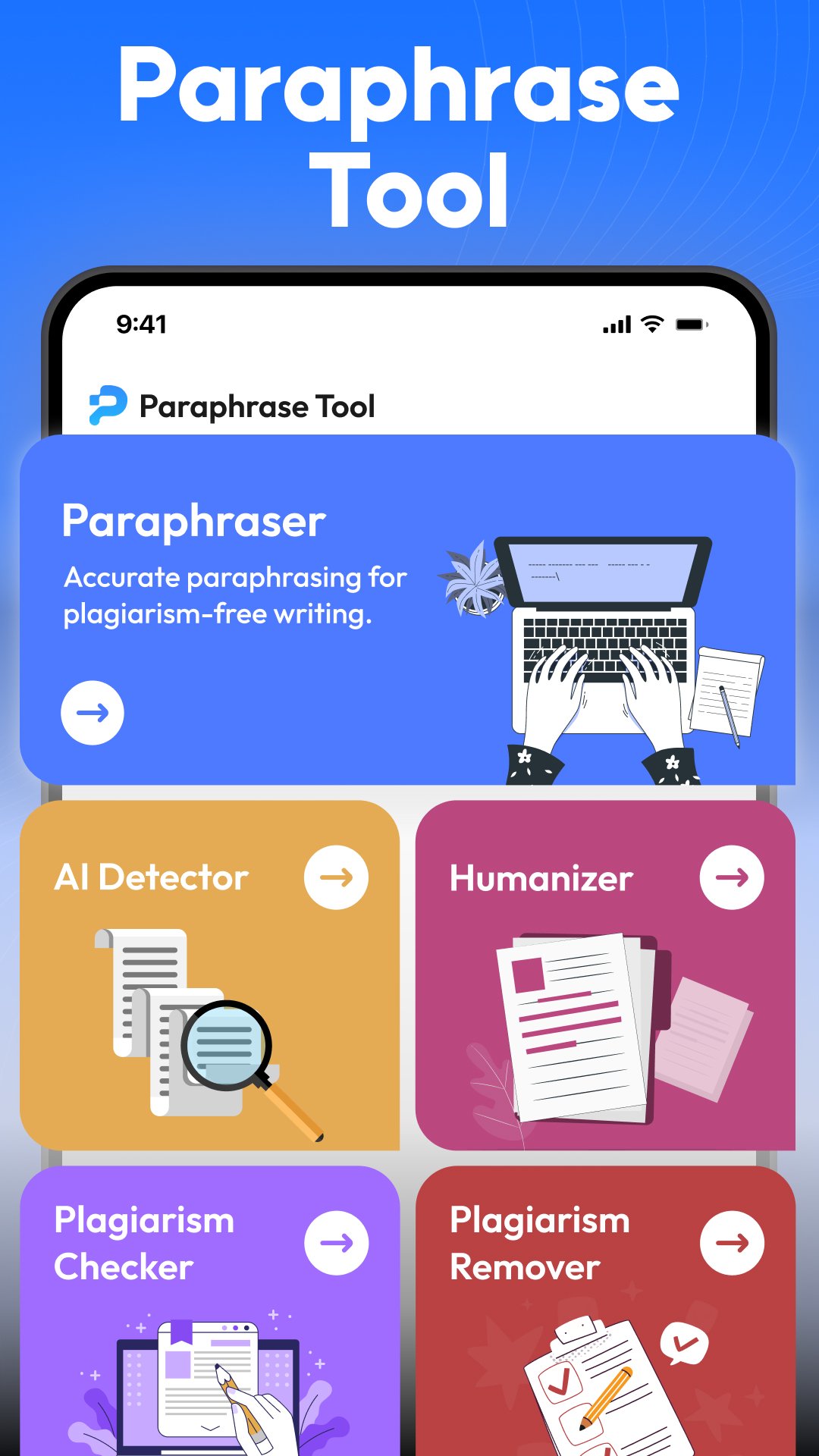
Whether you want to rephrase sentences, rewrite paragraphs, humanize AI text, check plagiarism, or detect AI-generated content, this app provides everything you need in one place.
Most Trusted AI Paraphrasing & Rewriting Tool
Our AI paraphrase tool uses smart AI algorithms to rewrite text while keeping the original meaning intact. You can reword articles, essays, assignments, emails, and blog posts without losing context or clarity.
The AI rewriter and rewording tool creates natural, reader-friendly content that sounds human and original.
This makes the app ideal for rewriting content taken from books, websites, or previously written material while avoiding plagiarism issues.
AI Humanizer for Natural Writing
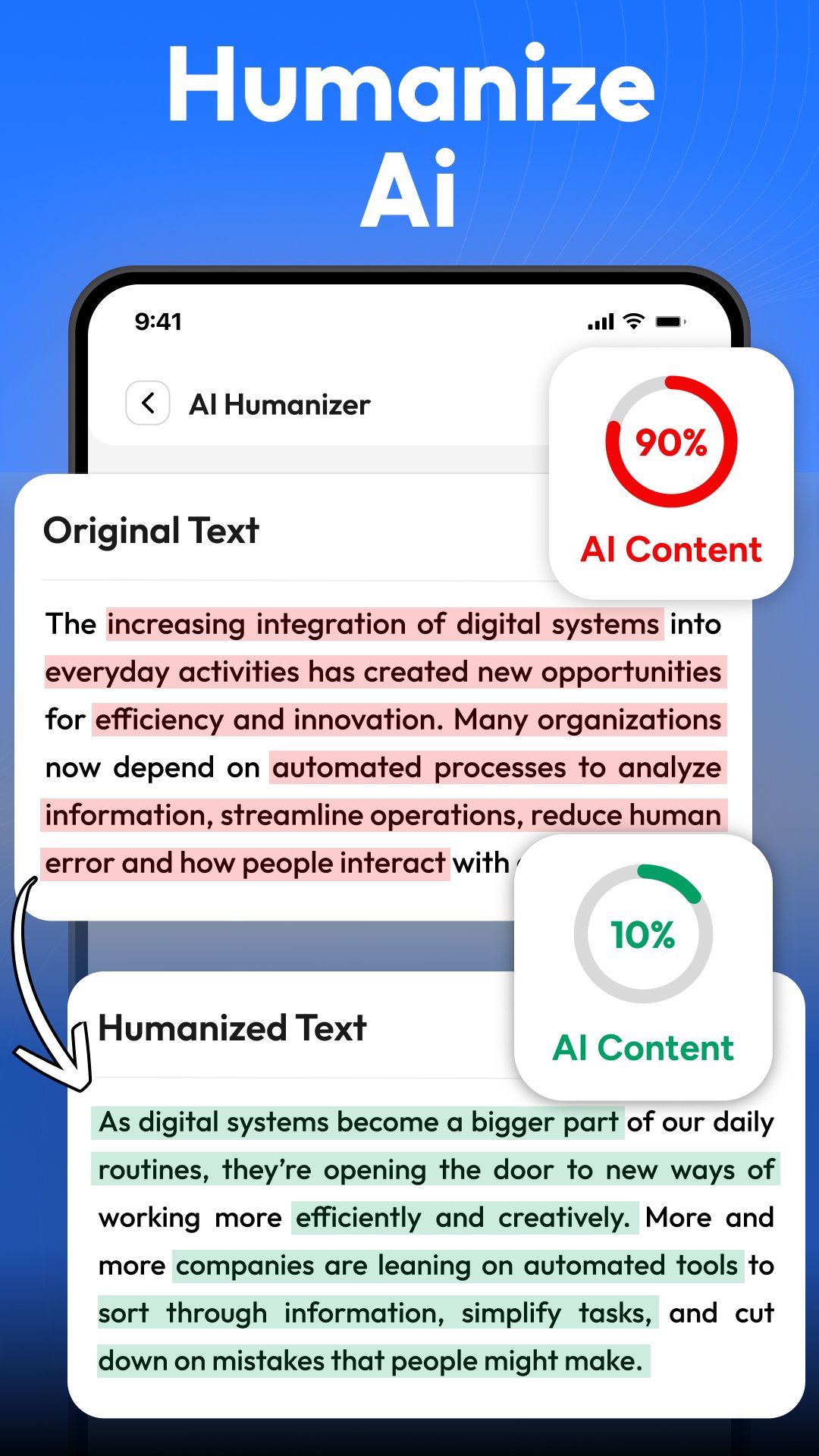
One of the newest features is the AI Humanizer. If your content sounds robotic or AI-generated, this tool converts AI text into human-like writing.
It improves tone, flow, and readability so your content feels natural and engaging. This feature is perfect for users who rely on AI writing but want a more authentic voice.
AI Detector for AI Checking
Our app now includes an AI detector and AI checker that helps you identify whether text is written by AI or humans.
This feature is useful for students, teachers, editors, and professionals who want transparency and authenticity in writing.
You can quickly analyze content and get reliable insights with the AI checker.
Plagiarism Checker & Plagiarism Remover
Avoid plagiarism with our built-in plagiarism checker. The app scans your content and identifies duplicate text.
Once detected, you can instantly use the paraphrase tool or rewriter to remove plagiarism and generate 100% unique content.
This plagiarism remover helps you meet academic, professional, and publishing standards easily.
Grammar Correction & Content Improvement
Along with paraphrasing, the app also helps improve grammar and sentence structure.
It fixes common writing mistakes while rewriting, making your content polished and professional.
USP of Our AI Paraphraser App
Our AI paraphrase tool allows you to extract text from PDF files using advanced OCR technology. You can copy text from scanned documents or PDFs and then paraphrase, rewrite, humanize, or check it for plagiarism within seconds.
Secure, Private & Reliable
Your privacy matters. This AI paraphrasing app is completely secure and private.
Input and output text is automatically deleted after processing. The app never stores or reuses your data, and it never generates the same content twice, even for identical input.
Key Features You Should Know About
AI Paraphrase Tool for rewriting text
AI Rewriter and Reword Tool for repurposing
AI Humanizer for natural writing and bypassing
AI Detector and AI Checker for authentication
Plagiarism Checker and Plagiarism Remover for ensuring originality
Grammar correction and content improvement for ensuring quality
Free paraphrasing usage is available for users on a low budget
Fast, accurate, and user-friendly interface for all kinds of users
The AI paraphrase tool is the perfect writing companion for creating original, human-like, and plagiarism-free content anytime, anywhere.
Download now and upgrade the way you write.
Subscription Information
The app includes a free version with limited access.
To unlock unlimited scans and advanced features, users can choose weekly, monthly, or annual subscriptions.
Payments are charged to your Google Play account, and subscriptions auto-renew unless you turn off the option in your account settings.
Preview
Tags
ToolsEducationInformation
Developer
Dzine Media Apps
Latest Version
1.47
Last Updated
2026-02-21
Category
Tools
Available on
Google Play
Show More
How to play Paraphrase Tool - AI Humanizer with GameLoop on PC
1. Download GameLoop from the official website, then run the exe file to install GameLoop
2. Open GameLoop and search for “Paraphrase Tool - AI Humanizer” , find Paraphrase Tool - AI Humanizer in the search results and click “Install”
3. Enjoy playing Paraphrase Tool - AI Humanizer on GameLoop
Minimum requirements
OS
Windows 8.1 64-bit or Windows 10 64-bit
GPU
GTX 1050
CPU
i3-8300
Memory
8GB RAM
Storage
1GB available space
Recommended requirements
OS
Windows 8.1 64-bit or Windows 10 64-bit
GPU
GTX 1050
CPU
i3-9320
Memory
16GB RAM
Storage
1GB available space