
Notepad - Text Editor PC
Android Tools (ru)
Download Notepad - Text Editor on PC With GameLoop Emulator
Notepad - Text Editor on PC
Notepad - Text Editor, coming from the developer Android Tools (ru), is running on Android systerm in the past.
Now, You can play Notepad - Text Editor on PC with GameLoop smoothly.
Download it in the GameLoop library or search results. No more eyeing the battery or frustrating calls at the wrong time any more.
Just enjoy Notepad - Text Editor PC on the large screen for free!
Notepad - Text Editor Introduction
Notepad – Text Editor is a fast editor for notes, text files and code on Android. No ads, no sign-up. It opens even 100 MB files that make other notepads freeze.
🚀 Large files, no lag
• Logs, data dumps and exports up to 100 MB open in seconds: only the visible lines are drawn
• Smooth scrolling, whole-file search with progress, background saving — typing never stalls
• Files with extremely long lines (minified JSON) open safely in view mode
• Unsaved text is kept even if the system closes the app
💻 Code editor
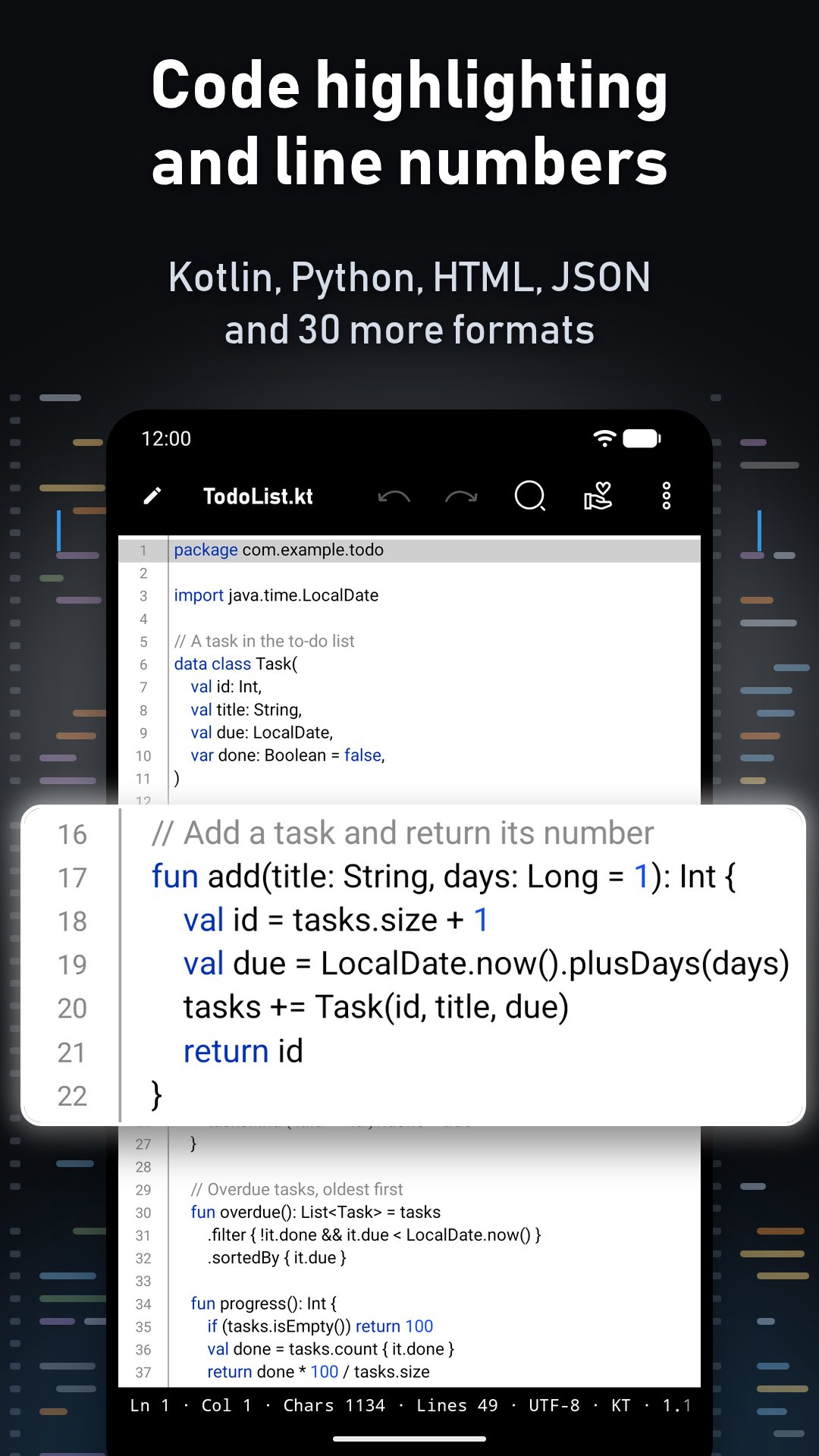
• Syntax highlighting for JSON, HTML, XML, Markdown, Shell, Python, JavaScript, TypeScript, Java, Kotlin, C/C++, C#, Go, Rust, PHP, CSS, SQL, YAML and 15 more formats
• Ready-made highlighting palettes or your own color for every code element
• Line numbers, current line highlight, status bar: line, column, encoding, size, characters
• Hardware keyboard: Ctrl+Z / Ctrl+Y, Ctrl+X / C / V, Ctrl+Delete, Home and End
✏️ Comfortable editing
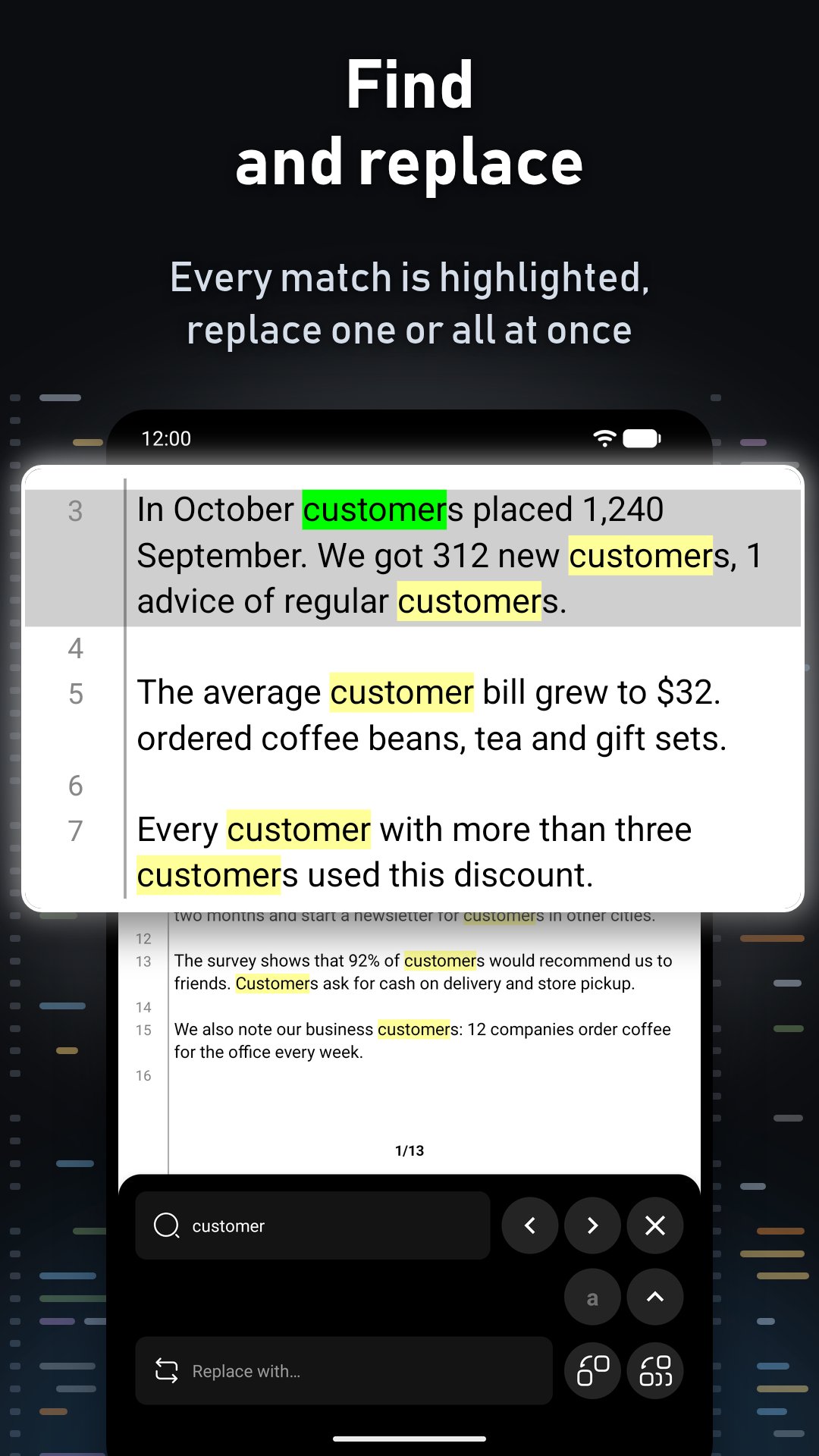
• Search highlights matches as you type; replace one by one or all at once
• Undo and redo with adjustable depth, undo with the Back button
• Cut / Copy / Paste / Select all bar, paste by tapping the cursor
• View mode lets you read without changing a file by accident
• Works correctly with Gboard, TalkBack, right-to-left text and complex scripts (Hindi, Bengali, Thai)
📂 Files and encodings
• Phone storage, SD card and cloud drives through the system file picker
• 13 encodings: UTF-8, UTF-16, Windows-1251, Windows-1252, Shift_JIS, GB18030, Big5, EUC-KR and more; Windows, Linux and macOS line endings
• Save with any extension, file info, rename, share
• Print even large files with thousands of pages
• Default file or folder on launch, sorting, hidden files, image thumbnails
🎨 Themes and design
• 6 free themes: Classic, Negative, Matrix, Sky, Dracula, Light Green, plus 3 for project sponsors: Sunset, Ocean, AMOLED
• Your own background, text, panel and icon colors, background from your gallery, any font from a file
• Cursor thickness and blinking, current line color
• Comfortable layout on tablets and foldables
• Home screen widget: see a file's text at a glance and open it with one tap
🌍 The interface is available in 73 languages.
Text Editor is made by one person. No ads, no tracking — just your text. If the app helps you, you can support the project inside the app.
Preview
Tags
ToolsInformation
Developer
Android Tools (ru)
Latest Version
1.0.80
Last Updated
Yesterday
Category
Tools
Available on
Google Play
Show More
How to play Notepad - Text Editor with GameLoop on PC
1. Download GameLoop from the official website, then run the exe file to install GameLoop
2. Open GameLoop and search for “Notepad - Text Editor” , find Notepad - Text Editor in the search results and click “Install”
3. Enjoy playing Notepad - Text Editor on GameLoop
Minimum requirements
OS
Windows 8.1 64-bit or Windows 10 64-bit
GPU
GTX 1050
CPU
i3-8300
Memory
8GB RAM
Storage
1GB available space
Recommended requirements
OS
Windows 8.1 64-bit or Windows 10 64-bit
GPU
GTX 1050
CPU
i3-9320
Memory
16GB RAM
Storage
1GB available space