
System App Manager Device Info PC
Android Tools (ru)
Download System App Manager Device Info on PC With GameLoop Emulator
System App Manager Device Info on PC
System App Manager Device Info, coming from the developer Android Tools (ru), is running on Android systerm in the past.
Now, You can play System App Manager Device Info on PC with GameLoop smoothly.
Download it in the GameLoop library or search results. No more eyeing the battery or frustrating calls at the wrong time any more.
Just enjoy System App Manager Device Info PC on the large screen for free!
System App Manager Device Info Introduction
Apps & Device Info – System Tools
A reliable utility for users who want to manage installed apps and get full device information on Android — no fake promises, no hidden tricks.
What you can do:
• Uninstall user apps manually — free up storage space fast
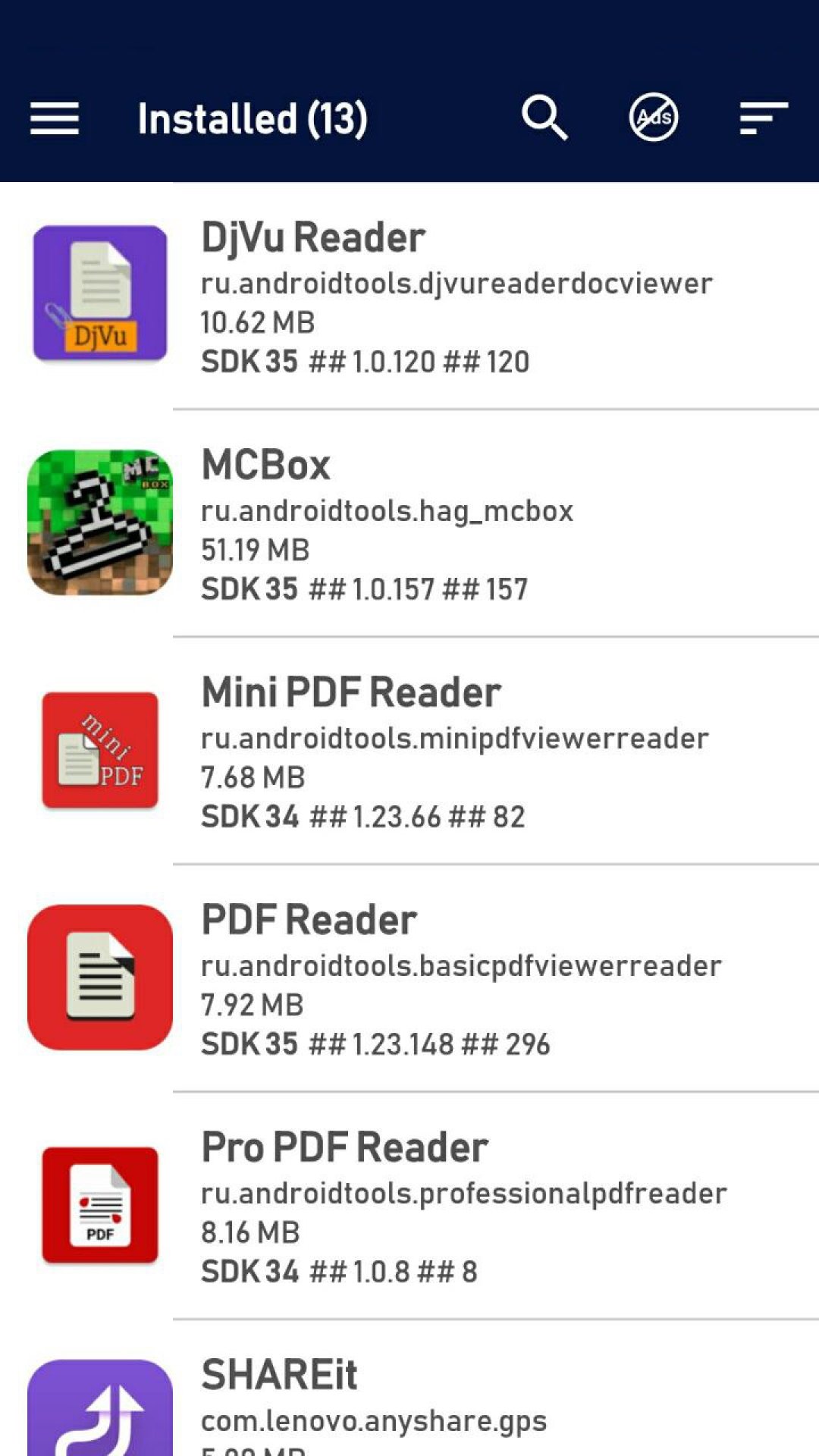
• View all system apps (pre-installed by manufacturer)
• Sort apps by name, size, or last update — easily spot unwanted apps
• See detailed app info: name, package ID, size
• Manually remove adware or suspicious apps — those that install silently, show pop-up ads, or run in background
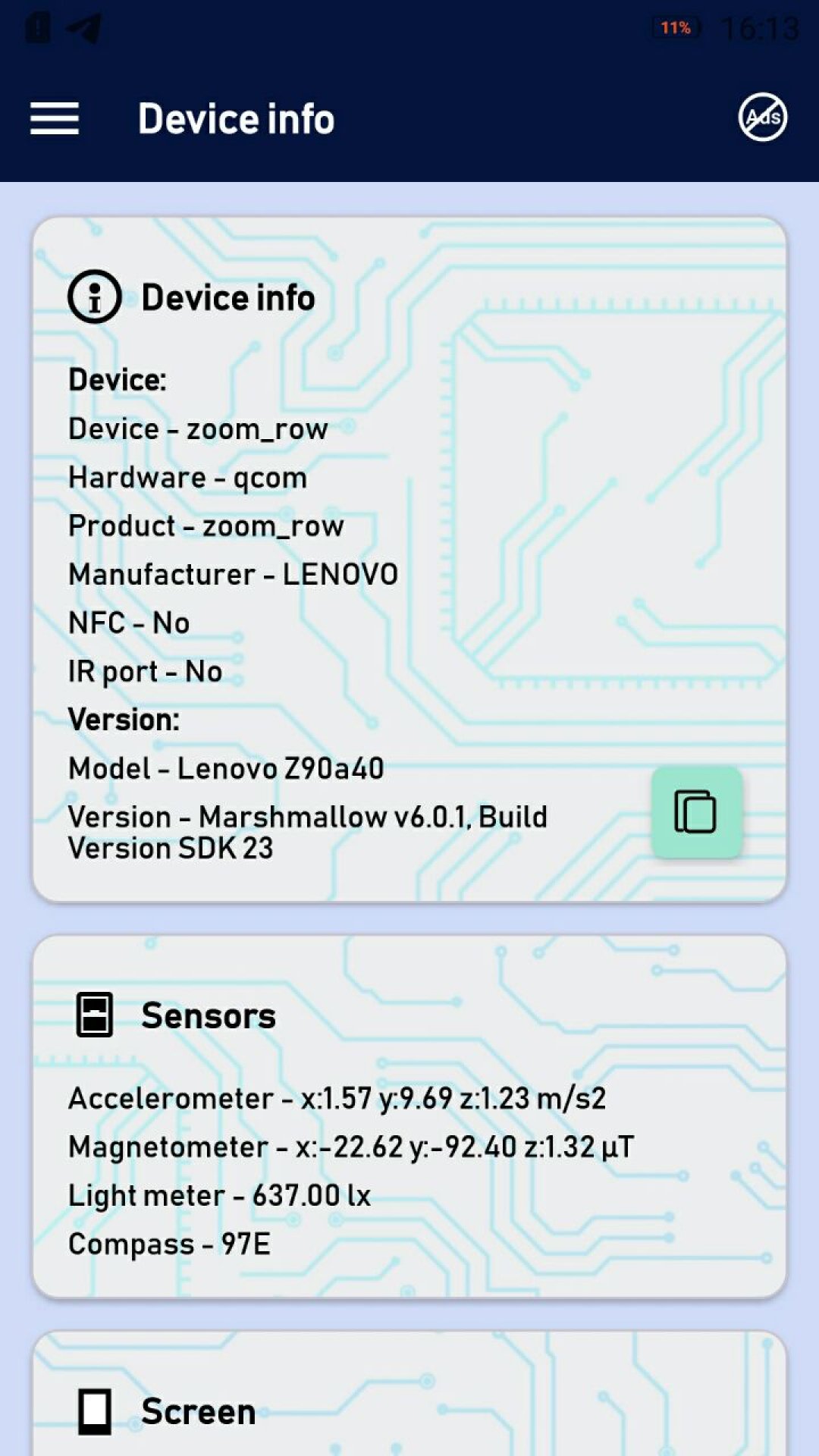
• Explore comprehensive Android device specs:
• Model (e.g. SM-N985F), manufacturer, hardware (SoC: Exynos, Snapdragon)
• Android version and SDK
• RAM and internal storage (total / free)
• Display details: resolution, screen size, density (dpi)
• NFC, IR blaster, sensors
Useful for:
– Cleaning phone from unused apps
– Diagnosing device performance and system apps
– Finding apps that slow down Android or consume memory
– Technical inspection before selling or customizing your device
Important:
• System apps cannot be uninstalled without root — this is an Android OS restriction, not a limitation of our app.
• On older rooted devices, system app removal may work if allowed by the system.
• The app works offline — no internet required.
Privacy:
We do NOT collect personal data: no contacts, files, cloud content, or accounts.
The only data possibly collected are anonymous crash reports, used solely to improve stability. These contain no personally identifiable information and are not shared with third parties.
📩 Support: help.atools@gmail.com
If something is unclear, please contact us before leaving a low rating. We read every message.
Preview
Tags
ToolsInformation
Developer
Android Tools (ru)
Latest Version
1.0.106
Last Updated
2026-07-30
Category
Tools
Available on
Google Play
Show More
How to play System App Manager Device Info with GameLoop on PC
1. Download GameLoop from the official website, then run the exe file to install GameLoop
2. Open GameLoop and search for “System App Manager Device Info” , find System App Manager Device Info in the search results and click “Install”
3. Enjoy playing System App Manager Device Info on GameLoop
Minimum requirements
OS
Windows 8.1 64-bit or Windows 10 64-bit
GPU
GTX 1050
CPU
i3-8300
Memory
8GB RAM
Storage
1GB available space
Recommended requirements
OS
Windows 8.1 64-bit or Windows 10 64-bit
GPU
GTX 1050
CPU
i3-9320
Memory
16GB RAM
Storage
1GB available space