
Graphix - color palette of pic PC
Francisco Franco
Download Graphix - color palette of pic on PC With GameLoop Emulator
Graphix - color palette of pic on PC
Graphix - color palette of pic, coming from the developer Francisco Franco, is running on Android systerm in the past.
Now, You can play Graphix - color palette of pic on PC with GameLoop smoothly.
Download it in the GameLoop library or search results. No more eyeing the battery or frustrating calls at the wrong time any more.
Just enjoy Graphix - color palette of pic PC on the large screen for free!
Graphix - color palette of pic Introduction
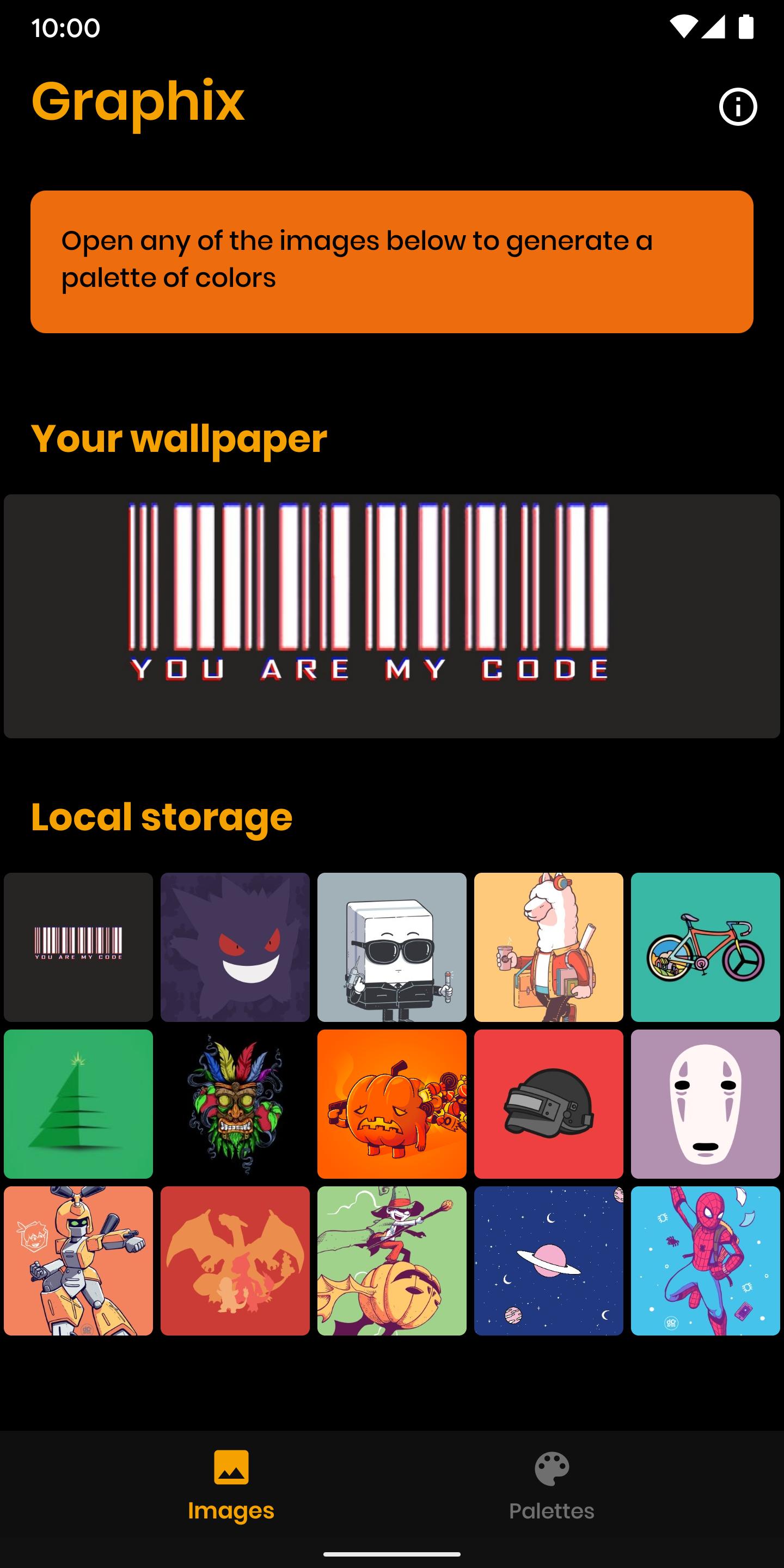
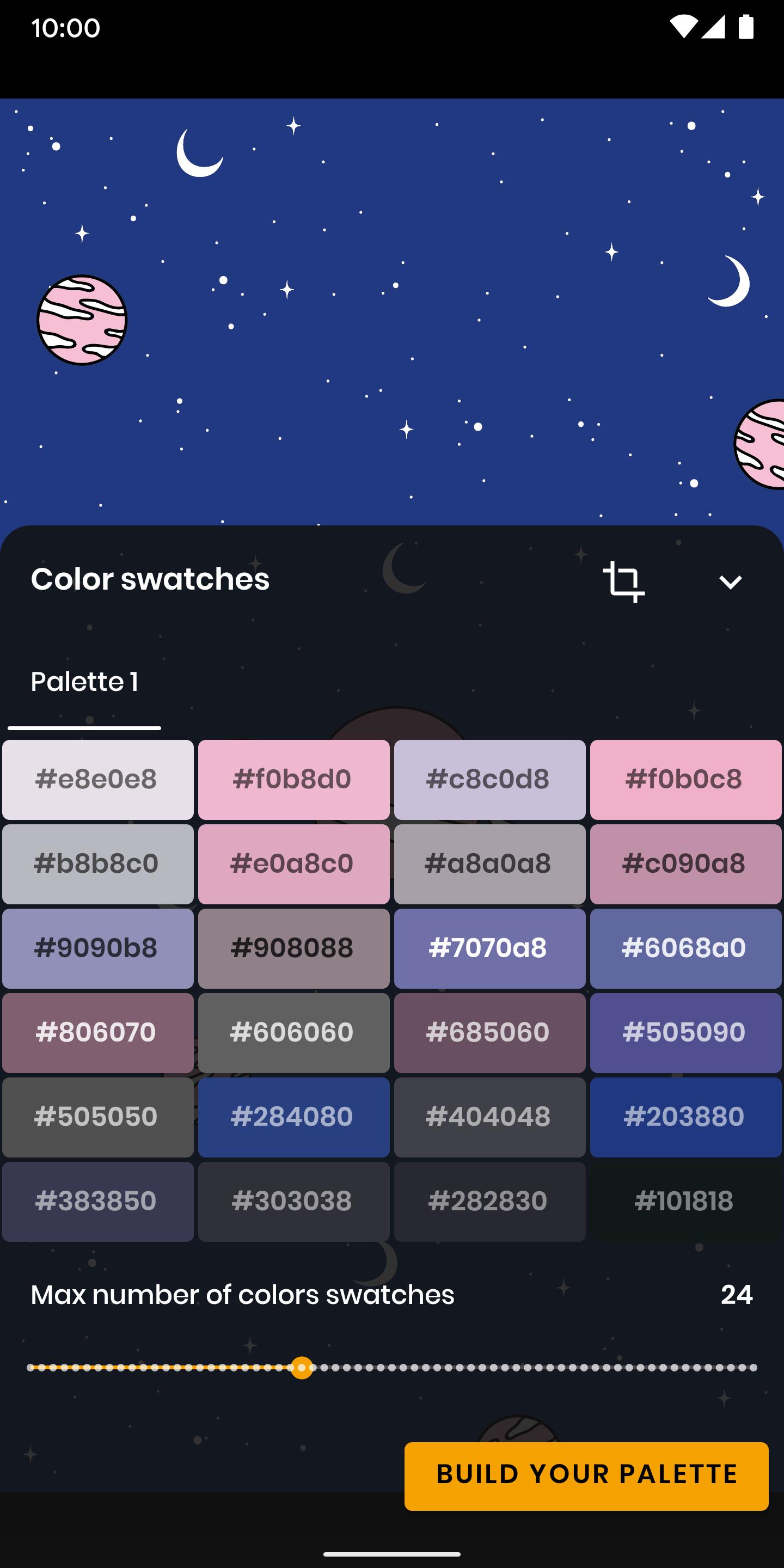
Graphix is a simple but powerful tool which lets you scan your pictures for its promeninent colors. With its intuitive and modern UI everything is as simple as a single touch of a button.
You can create palettes by scanning entire images or cropping regions of it.
These generated palettes can be shared with your friends and saved allowing you to revisit them again anytime in the future.
It's also optimized for the extra display space on tablets and works great with multi-window!
Graphix is the best and most complete tool to find which colors your pictures are made of and can be extremelly useful for any graphical design project, to craft those substratum themes and turn your home screen screen as personalized as possible.
This has direct integration with my gallery app, Focus Go https://play.google.com/store/apps/details?id=com.franco.focus.lite
With both installed you can directly generate a color palette without having to open Graphice.
Preview
Tags
ToolsInformation
Developer
Francisco Franco
Latest Version
2.0.2
Last Updated
2020-05-20
Category
Tools
Available on
Google Play
Show More
How to play Graphix - color palette of pic with GameLoop on PC
1. Download GameLoop from the official website, then run the exe file to install GameLoop
2. Open GameLoop and search for “Graphix - color palette of pic” , find Graphix - color palette of pic in the search results and click “Install”
3. Enjoy playing Graphix - color palette of pic on GameLoop
Minimum requirements
OS
Windows 8.1 64-bit or Windows 10 64-bit
GPU
GTX 1050
CPU
i3-8300
Memory
8GB RAM
Storage
1GB available space
Recommended requirements
OS
Windows 8.1 64-bit or Windows 10 64-bit
GPU
GTX 1050
CPU
i3-9320
Memory
16GB RAM
Storage
1GB available space