
Fake Text Message - Prank Text & Fake SMS Texting PC
epsilon ventures
Download Fake Text Message - Prank Text & Fake SMS Texting on PC With GameLoop Emulator
Fake Text Message - Prank Text & Fake SMS Texting on PC
Fake Text Message - Prank Text & Fake SMS Texting, coming from the developer epsilon ventures, is running on Android systerm in the past.
Now, You can play Fake Text Message - Prank Text & Fake SMS Texting on PC with GameLoop smoothly.
Download it in the GameLoop library or search results. No more eyeing the battery or frustrating calls at the wrong time any more.
Just enjoy Fake Text Message - Prank Text & Fake SMS Texting PC on the large screen for free!
Fake Text Message - Prank Text & Fake SMS Texting Introduction
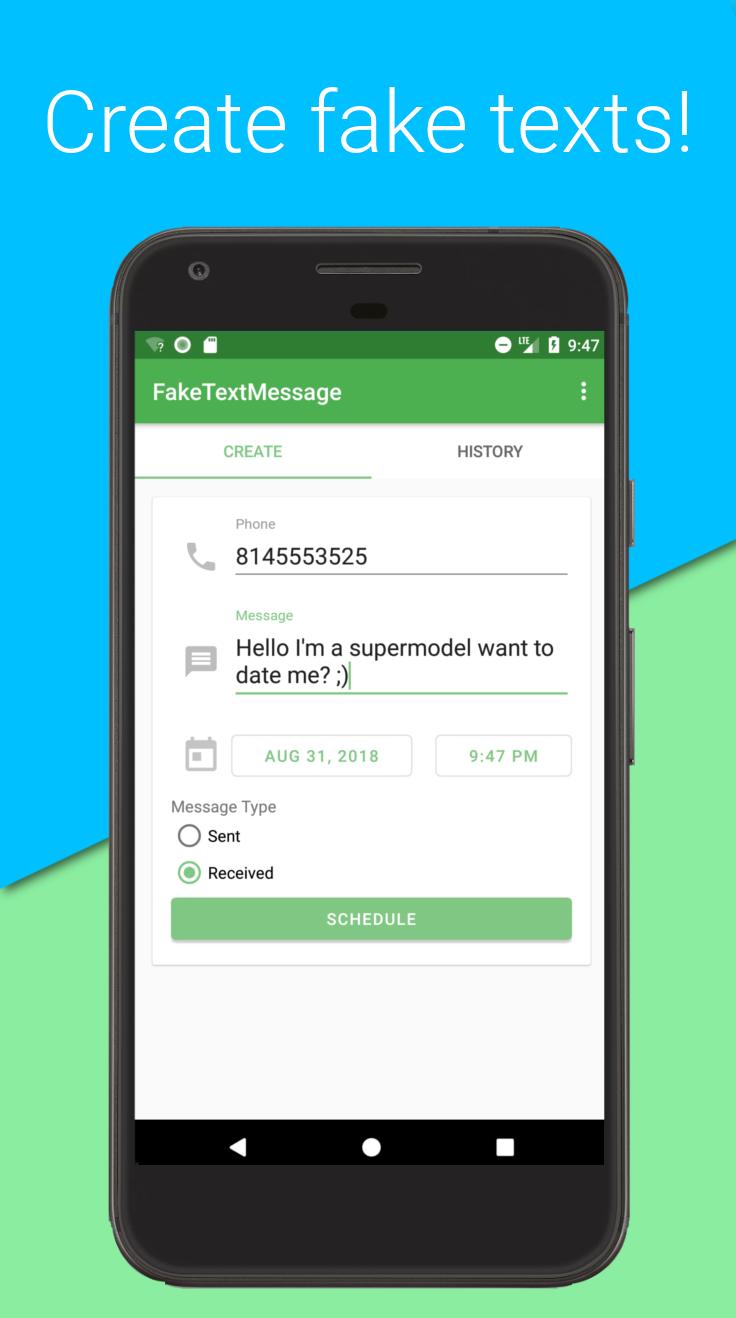
Fake Text Message is an application that helps you create fake texts to prank your friends! Fake Text Message lets you create & save fake sms messages to your phone.
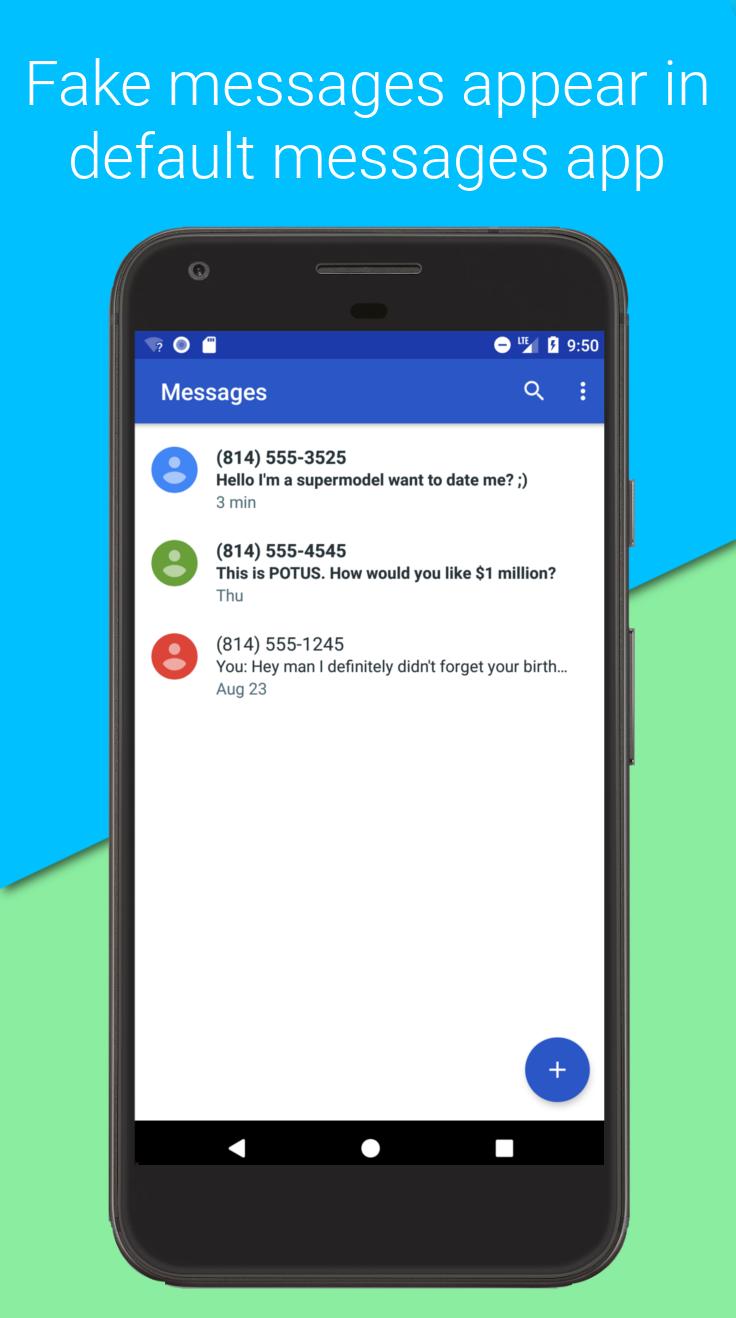
Fake Text Message saves your prank text messages directly to your message store -- all messages show up in your default messaging app. This means that messages look & act like real text messages!
Fake Text Message makes fake texting & sending fake sms messages easy! Simply enter in a phone number followed by a message & save your fake text.
Features
- Create fake sms messages
- Any prank text will show up in your messaging app to make the prank more convincing!
- Set message date & time -- make messages look like they were from any time!
- See fake message history & remove fake messages that are stored in your phone
- Create both sent & received fake messages
Note: In order for the application to work, you must allow it to become your default sms application. Don't worry, after you save your fake messages, you can set it back to your preferred app! Also, we'll remind you if you get any real texts while we're the default.
Note: If fake messages or actual received messages are not showing up in your preferred app while we are default, make sure to set preferred app to default & restart. MMS messages will need to be downloaded manually by a messaging app as only system apps can read APN settings.
Preview
Information
Developer
epsilon ventures
Latest Version
1.3
Last Updated
2019-02-12
Category
Tools
Available on
Google Play
Show More
How to play Fake Text Message - Prank Text & Fake SMS Texting with GameLoop on PC
1. Download GameLoop from the official website, then run the exe file to install GameLoop
2. Open GameLoop and search for “Fake Text Message - Prank Text & Fake SMS Texting” , find Fake Text Message - Prank Text & Fake SMS Texting in the search results and click “Install”
3. Enjoy playing Fake Text Message - Prank Text & Fake SMS Texting on GameLoop
Minimum requirements
OS
Windows 8.1 64-bit or Windows 10 64-bit
GPU
GTX 1050
CPU
i3-8300
Memory
8GB RAM
Storage
1GB available space
Recommended requirements
OS
Windows 8.1 64-bit or Windows 10 64-bit
GPU
GTX 1050
CPU
i3-9320
Memory
16GB RAM
Storage
1GB available space