Swift Translate: Screen & Chat PC
YDZ Labs
Download Swift Translate: Screen & Chat on PC With GameLoop Emulator
Swift Translate: Screen & Chat on PC
Swift Translate: Screen & Chat, coming from the developer YDZ Labs, is running on Android systerm in the past.
Now, You can play Swift Translate: Screen & Chat on PC with GameLoop smoothly.
Download it in the GameLoop library or search results. No more eyeing the battery or frustrating calls at the wrong time any more.
Just enjoy Swift Translate: Screen & Chat PC on the large screen for free!
Swift Translate: Screen & Chat Introduction
Break language barriers on any app instantly with Swift Translate — the fastest and most accurate screen translator and chat translator for Android.
Whether you're chatting on WhatsApp, using AI chat apps like Character AI and Chai AI (Chai), reading foreign websites, watching videos, or playing international games, Swift Translate overlays a smart Floating Bubble that lets you translate anything without copying, pasting, or switching apps.
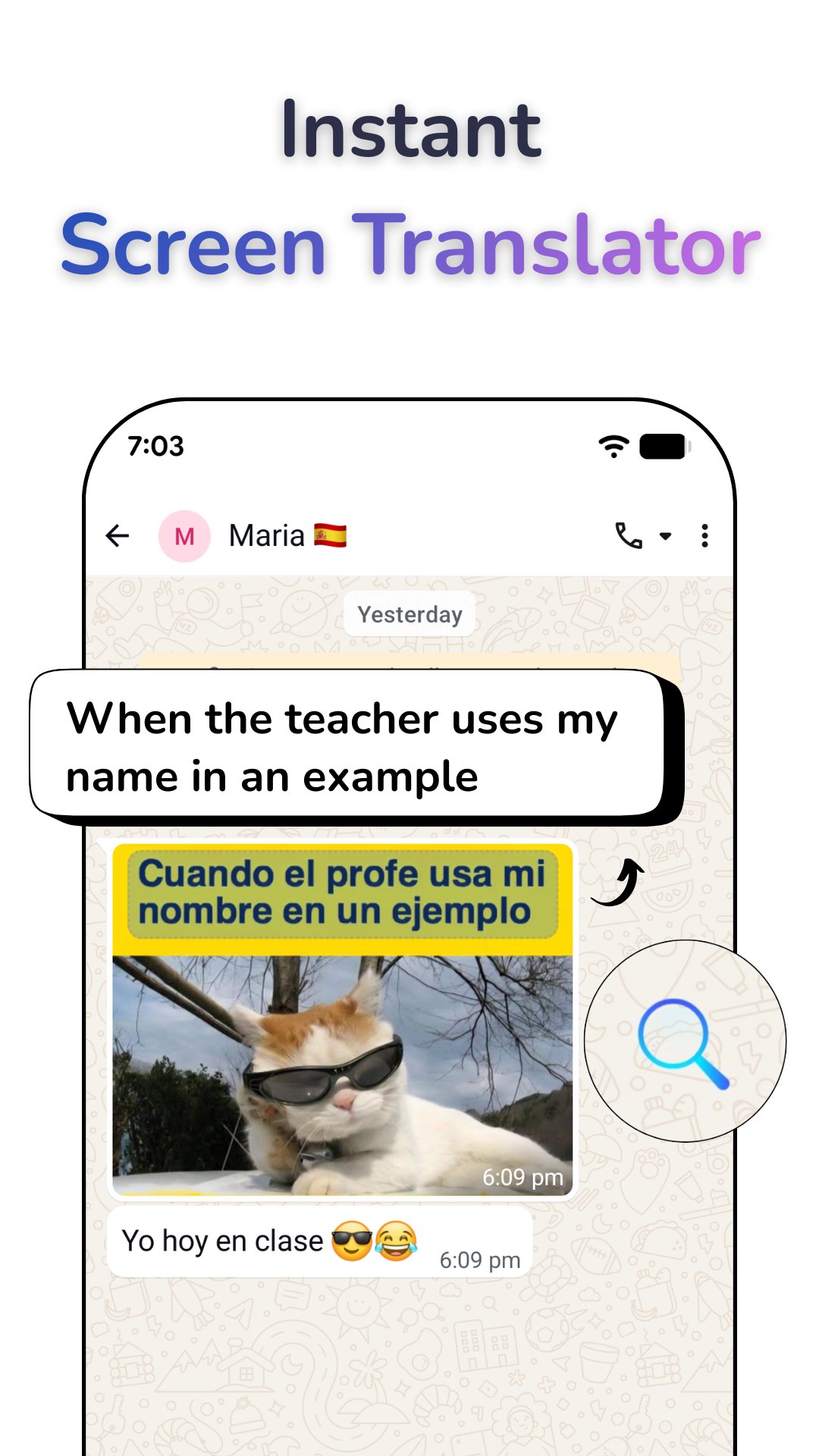
Just drag the bubble across the text — and watch it translate live on your screen.
Swift Translate is perfect if you want to:
Translate to English instantly
Translate English to Spanish (English into Spanish)
Translate Spanish to English
Translate text in any app — even when you can’t copy it
🔥 Why Millions Choose Swift Translate
⚡ Instant Screen Translation (Overlay Translator)
Translate anything on your screen instantly:
Drag the bubble over any text for live translation
Long-press to scan specific areas
Tap once for full-screen translation
Perfect for WhatsApp messages, AI chats, comics, games, websites, menus, subtitles, and more.
✅ Perfect for AI roleplay chats and story conversations (Character AI / Chai).
Works like a Google Translate overlay — but directly inside any app.
💬 Real-Time Chat Translator (WhatsApp Translator)
Translate inside your favorite messaging apps:
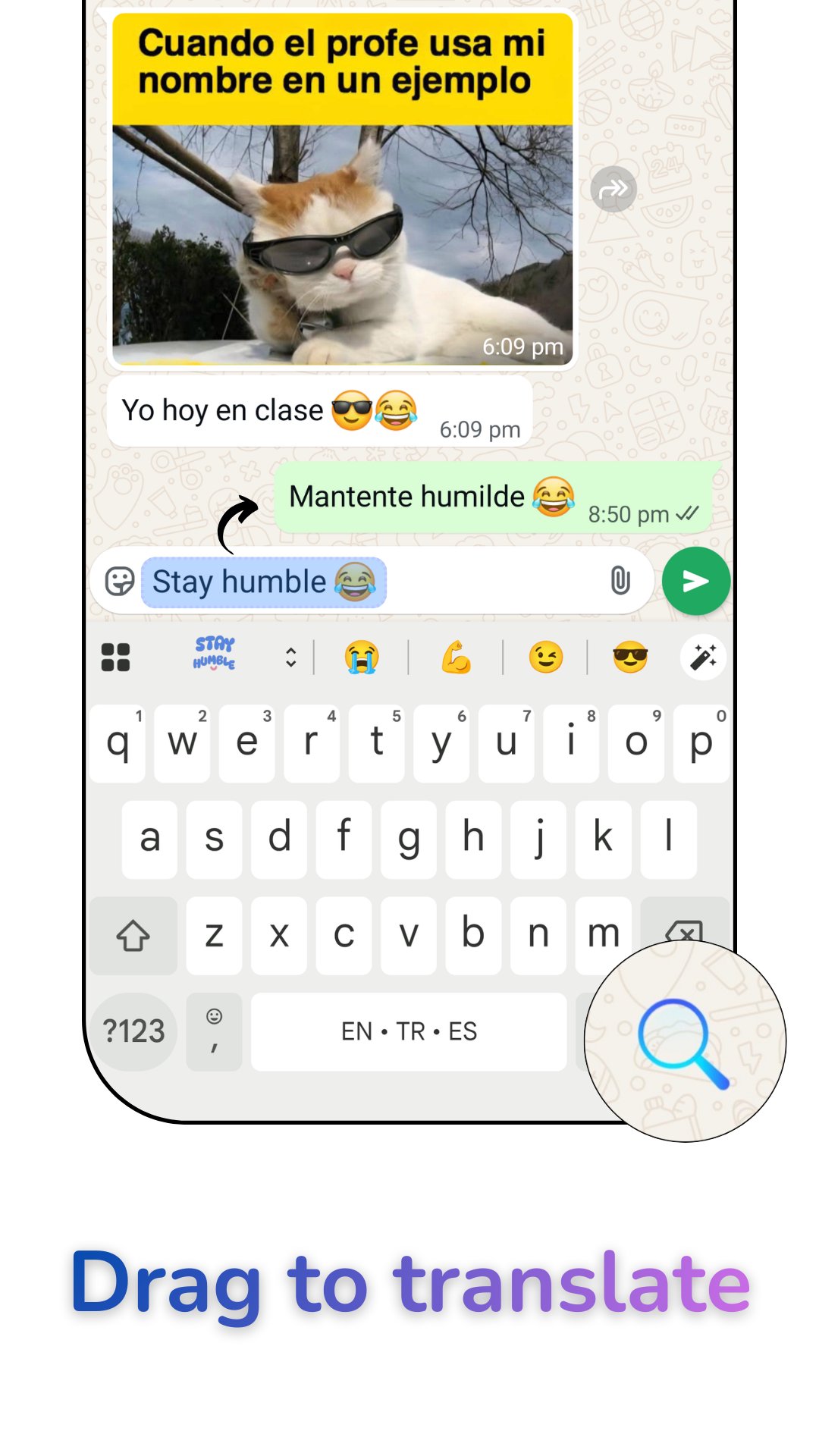
Read incoming messages in your language
Type replies in your language — send in theirs
Translate WhatsApp chats instantly
Supports WhatsApp, WhatsApp Business, Messenger, Telegram, Character AI, Chai AI (Chai) & more.
No switching apps. No copy-paste.
🎮 Perfect for Games (In-Game Translator)
Play international games with ease:
Translate in-game text instantly
Works with RPGs, MMOs, strategy games, visual novels & mobile events
Great for Japanese → English, Chinese → English, and Korean → English players
📷 Camera, Photo & Screenshot Translator (Image Translator)
Need a fast image translator?
Snap a picture of menus, signs, documents, or books
Import screenshots for fast OCR translation
Translate image text with high-accuracy text recognition
Translate image to English quickly and clearly
Popular searches like google translate image are supported with fast OCR translation — right from your camera or gallery.
🎙 Voice & Conversation Mode
Speak and get real-time translations
Two-way voice interpreter for travel and conversation
Hear pronunciations using text-to-speech
🌍 100+ Languages Supported
Translate between English, Spanish, French, German, Portuguese, Arabic, Chinese, Japanese, Korean, Hindi, and 100+ more languages with smart auto-detection.
Popular translations in the US include:
English → Spanish
Spanish → English
English → Chinese
English → Korean
🛠 Smart Tools for Everyday Use
Offline Mode: Download language packs and translate without internet
Fast & lightweight live translation engine
History Saver for reusing past translations
Smart Language Detection identifies source text automatically
🔒 Accessibility Service Disclosure
Swift Translate uses Android’s Accessibility Service to read and translate text displayed on your screen when you activate Screen Translate or Chat Translate.
We do not collect, store, or share any personal information, passwords, messages, or sensitive data.
This permission is required for floating bubble translation, full-screen translation, and in-chat translation.
📲 Translate Anything. Anytime. Anywhere.
Break language barriers on WhatsApp, Character AI, Chai AI (Chai), games, websites, and any app on your phone.
One bubble. One tap. Instant translation.
Download Swift Translate today and make the world speak your language.
Preview
Tags
ToolsInformation
Developer
YDZ Labs
Latest Version
2026.2.03
Last Updated
2026-02-03
Category
Tools
Available on
Google Play
Show More
How to play Swift Translate: Screen & Chat with GameLoop on PC
1. Download GameLoop from the official website, then run the exe file to install GameLoop
2. Open GameLoop and search for “Swift Translate: Screen & Chat” , find Swift Translate: Screen & Chat in the search results and click “Install”
3. Enjoy playing Swift Translate: Screen & Chat on GameLoop
Minimum requirements
OS
Windows 8.1 64-bit or Windows 10 64-bit
GPU
GTX 1050
CPU
i3-8300
Memory
8GB RAM
Storage
1GB available space
Recommended requirements
OS
Windows 8.1 64-bit or Windows 10 64-bit
GPU
GTX 1050
CPU
i3-9320
Memory
16GB RAM
Storage
1GB available space