
Bitdefender Mobile Security PC
Bitdefender
Download Bitdefender Mobile Security on PC With GameLoop Emulator
Bitdefender Mobile Security on PC
Bitdefender Mobile Security, coming from the developer Bitdefender, is running on Android systerm in the past.
Now, You can play Bitdefender Mobile Security on PC with GameLoop smoothly.
Download it in the GameLoop library or search results. No more eyeing the battery or frustrating calls at the wrong time any more.
Just enjoy Bitdefender Mobile Security PC on the large screen for free!
Bitdefender Mobile Security Introduction
Bitdefender Mobile Security & Antivirus delivers industry-leading protection for your Android phone or tablet. It safeguards against viruses, malware, and online threats, all while keeping your personal data safe—and with minimal battery impact.
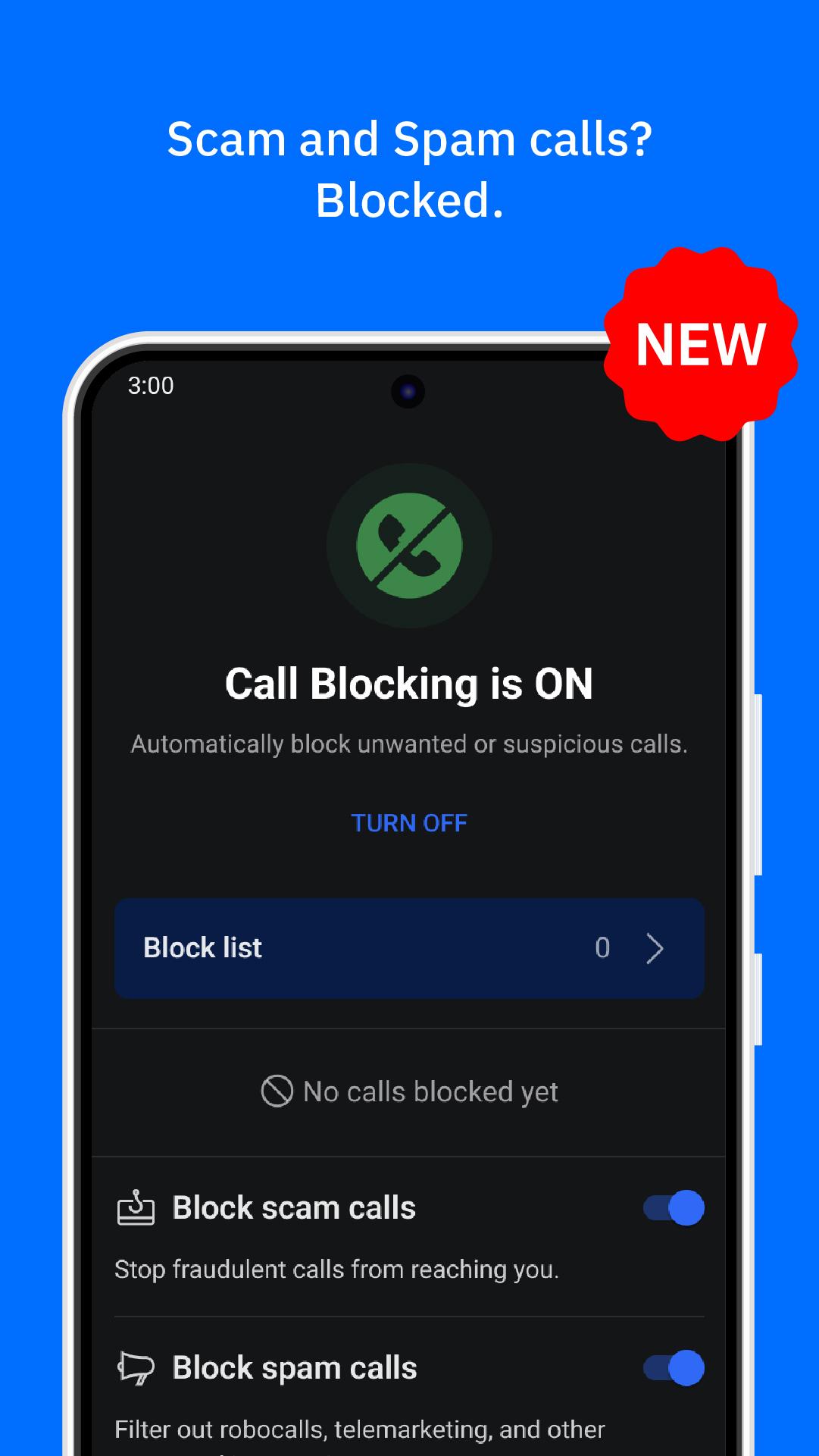
Get the best protection: Bitdefender Mobile Security & Antivirus for Android – 7 TIMES winner of AV-Test’s “Best Android Security Product” 🏆. The NEW Call Blocking feature is built on our industry-leading detection engine and strengthened through collaboration with our global user base!
🌟 Try it free for the first 14 days!
🔐 Top Mobile Security Features
✔ Antivirus Security – Keeps your Android devices safe from all new and existing threats. 3-in-1: app scanner, download scanner, and storage scanner.
✔ Virus & Malware Scanner – 100% detection rate against viruses, malware, adware, and ransomware; on-demand & on-install virus scan and malware removal.
✔ Web Protection – Protects your identity and financial assets against online threats like scams and phishing attempts.
✔ Scam Alert – Keeps you safe from phishing, scams, and fraud by scanning suspicious links in texts, messaging apps, and notifications.
✔ Call Blocking – Automatically blocks known spam and scam calls, flags suspicious ones in real time, and lets you customize who gets through with personal block lists.
✔ App Anomaly Detection – Monitors malicious app behavior in real time and detects threats before they are officially recognized as malware.
✔ Identity Protection – Scans all corners of the web for account and password leaks, alerting you in case of account breaches.
✔ App Lock – Protects your sensitive apps with biometrics.
✔ Anti-Theft – Safeguards your personal information if your Android device is stolen or lost, providing remote location and lock.
✔ Autopilot – Makes smart security recommendations based on your device usage.
✔ VPN - Up to 200 MB per day of encrypted traffic included.
🛡️ Virus & Malware Cleaner
Malware Scanner automatically scans all mobile apps and files for viruses, malware, and other threats to protect your Android device.
🚨 App Anomaly Detection
The cutting edge in cybersecurity technology is now brought to your device in an industry-first feature. With real-time behavioral app scanning, no malware can evade detection.
🔒 Scam Alert & Chat Protection
Stay safe from phishing, scam, and fraud attempts by scanning suspicious links in texts, messaging apps, and notifications. Also prevents forwarding of malicious links.
📵 Call Blocking
Stops spam and scam calls before they reach you. The feature starts with a strong detection base, flags suspicious calls automatically, and gets smarter with every number flagged by the community.
🔑 Identity Protection
Was your email address hacked? Find out if your account details or personal data have been exposed in data breaches, so you can protect your digital identity.
📊 Security Reports
Get a clear overview of your security and privacy activity with weekly reports that show files scanned, suspicious links blocked, and more.
Note: To deliver full protection, Bitdefender Mobile Security uses a few key permissions:
Note: To deliver full protection, Bitdefender Mobile Security uses a few key permissions:
• Device Admin – Enables Anti-Theft actions like remote lock
• Accessibility Service – Required to scan links in browsers and chat apps, and detect advanced threats
• Call Screening – Enables Call Blocking by identifying and filtering unwanted calls
• Foreground Services – Allow real-time scanning of newly installed or updated apps
🔒 Your privacy is our priority:
We only access what’s necessary to protect you. All data is processed securely and never shared with third parties—for any reason.
Preview

Tags
ToolsInformation
Developer
Bitdefender
Latest Version
3.3.279.2523
Last Updated
2025-09-29
Category
Tools
Available on
Google Play
Show More
How to play Bitdefender Mobile Security with GameLoop on PC
1. Download GameLoop from the official website, then run the exe file to install GameLoop
2. Open GameLoop and search for “Bitdefender Mobile Security” , find Bitdefender Mobile Security in the search results and click “Install”
3. Enjoy playing Bitdefender Mobile Security on GameLoop
Minimum requirements
OS
Windows 8.1 64-bit or Windows 10 64-bit
GPU
GTX 1050
CPU
i3-8300
Memory
8GB RAM
Storage
1GB available space
Recommended requirements
OS
Windows 8.1 64-bit or Windows 10 64-bit
GPU
GTX 1050
CPU
i3-9320
Memory
16GB RAM
Storage
1GB available space