
WiFi Map: Manage WiFi Password PC
MicroApp Developers
Download WiFi Map: Manage WiFi Password on PC With GameLoop Emulator
WiFi Map: Manage WiFi Password on PC
WiFi Map: Manage WiFi Password, coming from the developer MicroApp Developers, is running on Android systerm in the past.
Now, You can play WiFi Map: Manage WiFi Password on PC with GameLoop smoothly.
Download it in the GameLoop library or search results. No more eyeing the battery or frustrating calls at the wrong time any more.
Just enjoy WiFi Map: Manage WiFi Password PC on the large screen for free!
WiFi Map: Manage WiFi Password Introduction
Is Your Device Ready to Switch to 5G? 🚀
Discover your phone's 5G compatibility and make the leap from 4G to 5G effortlessly.
With 5G now dominant in many cities, the allure of its impressive speed is undeniable. But, how can you be certain your Android device is 5G-ready? Switch to 5G - VPN Internet is here to assist. Not only does it determine if your device is primed for 5G, but it also supports your transition to a 5G network for a riveting internet experience.
🔍 Speed Test: Delve deeper into your Internet's capabilities. This feature inside Switch to 5G tests your download and upload speeds on a 5G network. And, if you're curious about latency, it's got you covered too.
🛡️ Robust VPN Service: Elevate your online protection with our integrated VPN feature. With Switch to 5G - VPN Internet, you can access a VPN without any hitches, ensuring your browsing is private and free from prying eyes.
Proxy Perfection: Along with its powerful VPN capabilities, our app offers a robust proxy service, making your online interactions even more secure.
Switch Between Networks: Transitioning from 4G to 5G has never been easier. The app also provides manual network selection options for 3G, 4G, or 5G, ensuring you always have the best connection.
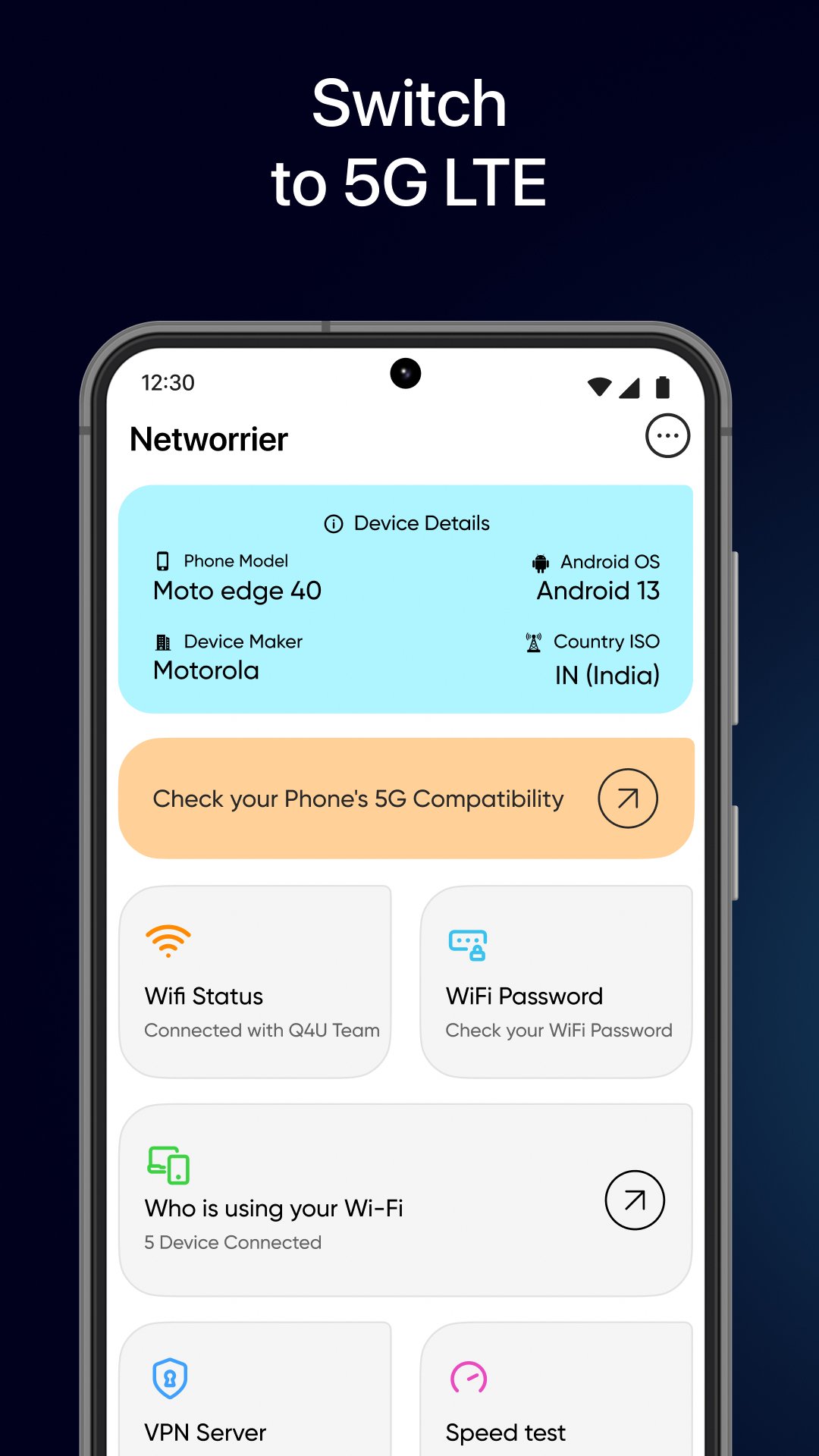
Get WiFi Status: Know your WiFi Network, IP Address, Gateway & other WiFi details.
Get WiFi Password: With the Switch to 5G: WiFi Manager App you can easily manage your networks & find WiFi password that have been used by you.
Who is on your Wi-Fi: Never be worried if somebody is stealing your WiFi. You can easily find out who is using your WiFi with the Switch to 5G: WiFi Manager App.
Check Internet Speed: Connect your WiFi or mobile internet and you can easily check internet speed using the Switch to 5G: WiFi Manager App. This works same as Ookla
App Blocker: Worried about your kids using unnecessary apps?
Simply block the apps from using the internet with App Internet Blocker feature in Switch to 5G: WiFi Manager App
Device & SIM Insights: Delve into details such as SIM number, operator name, model, and much more.
Wifi Manager - Manage your Wifi networks & check who is using your Wifi. Not only this but you can also recover Wifi passwords using the Password Manager feature.
💡 Note: This app simplifies your switch to 5G, guiding you to relevant network settings rather than altering hardware configurations.
Privacy Policy - https://microapp.in/privacy-policy.php
Terms of Use - https://microapp.in/terms.php
EULA - https://microapp.in/eula.php
For feature requests or to report any hiccups, reach out to us at: support@microapp.in
Preview

Tags
ToolsInformation
Developer
MicroApp Developers
Latest Version
12.0
Last Updated
2024-08-08
Category
Tools
Available on
Google Play
Show More
How to play WiFi Map: Manage WiFi Password with GameLoop on PC
1. Download GameLoop from the official website, then run the exe file to install GameLoop
2. Open GameLoop and search for “WiFi Map: Manage WiFi Password” , find WiFi Map: Manage WiFi Password in the search results and click “Install”
3. Enjoy playing WiFi Map: Manage WiFi Password on GameLoop
Minimum requirements
OS
Windows 8.1 64-bit or Windows 10 64-bit
GPU
GTX 1050
CPU
i3-8300
Memory
8GB RAM
Storage
1GB available space
Recommended requirements
OS
Windows 8.1 64-bit or Windows 10 64-bit
GPU
GTX 1050
CPU
i3-9320
Memory
16GB RAM
Storage
1GB available space