WiFi Spot Check & Analyzer PC
One Spire
Download WiFi Spot Check & Analyzer on PC With GameLoop Emulator
WiFi Spot Check & Analyzer on PC
WiFi Spot Check & Analyzer, coming from the developer One Spire, is running on Android systerm in the past.
Now, You can play WiFi Spot Check & Analyzer on PC with GameLoop smoothly.
Download it in the GameLoop library or search results. No more eyeing the battery or frustrating calls at the wrong time any more.
Just enjoy WiFi Spot Check & Analyzer PC on the large screen for free!
WiFi Spot Check & Analyzer Introduction
Check, measure and compare your WiFi signal.
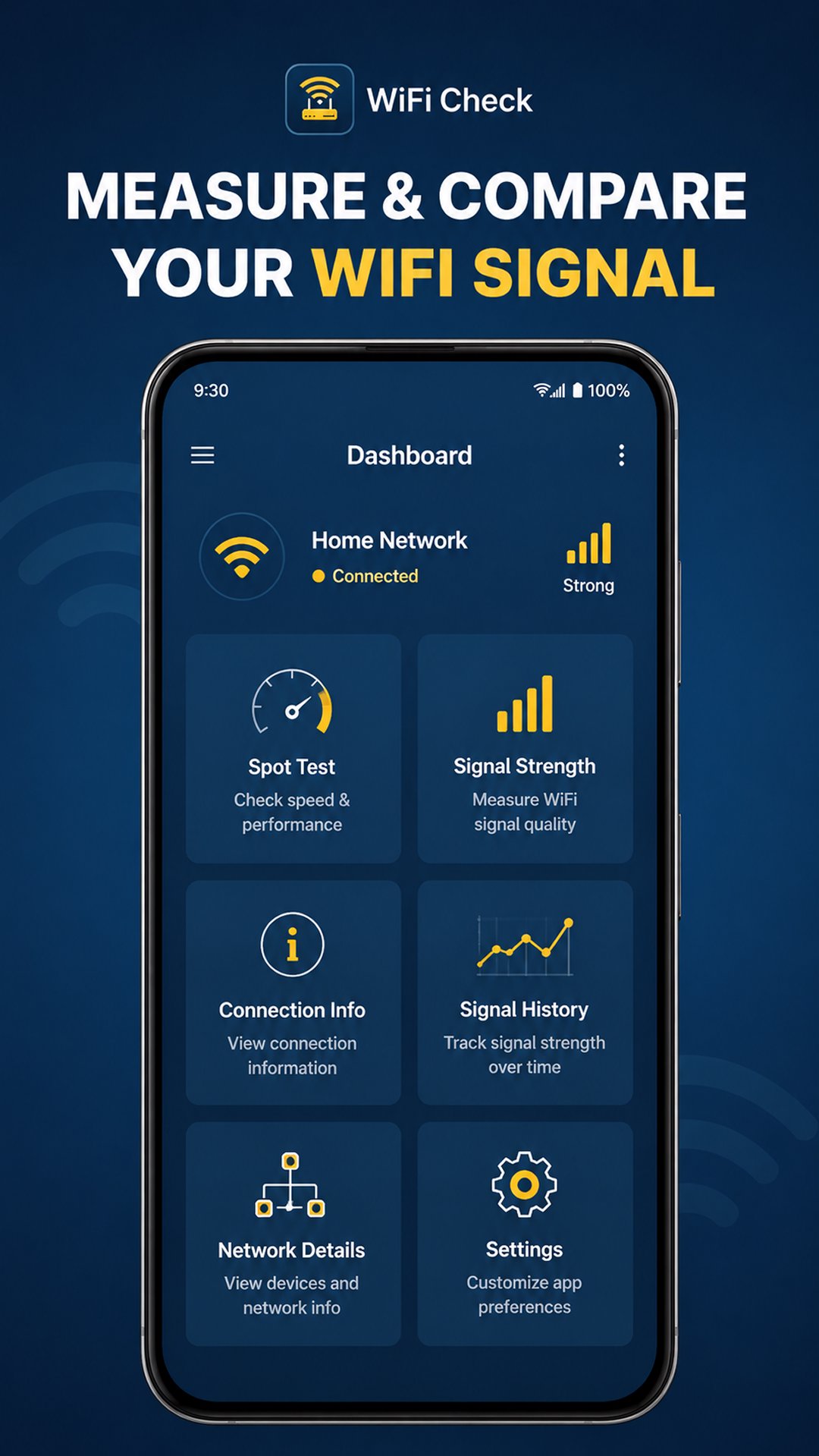
WiFi Spot Check & Analyzer helps you understand the WiFi connection currently used by your Android device. Measure WiFi signal strength in dBm, compare signal quality between different spots, monitor signal changes over time, and view useful connection and network details in one place.
Whether you are checking WiFi coverage around your home, office or another location, the app gives you clear information about your current wireless connection.
📍 Spot Test
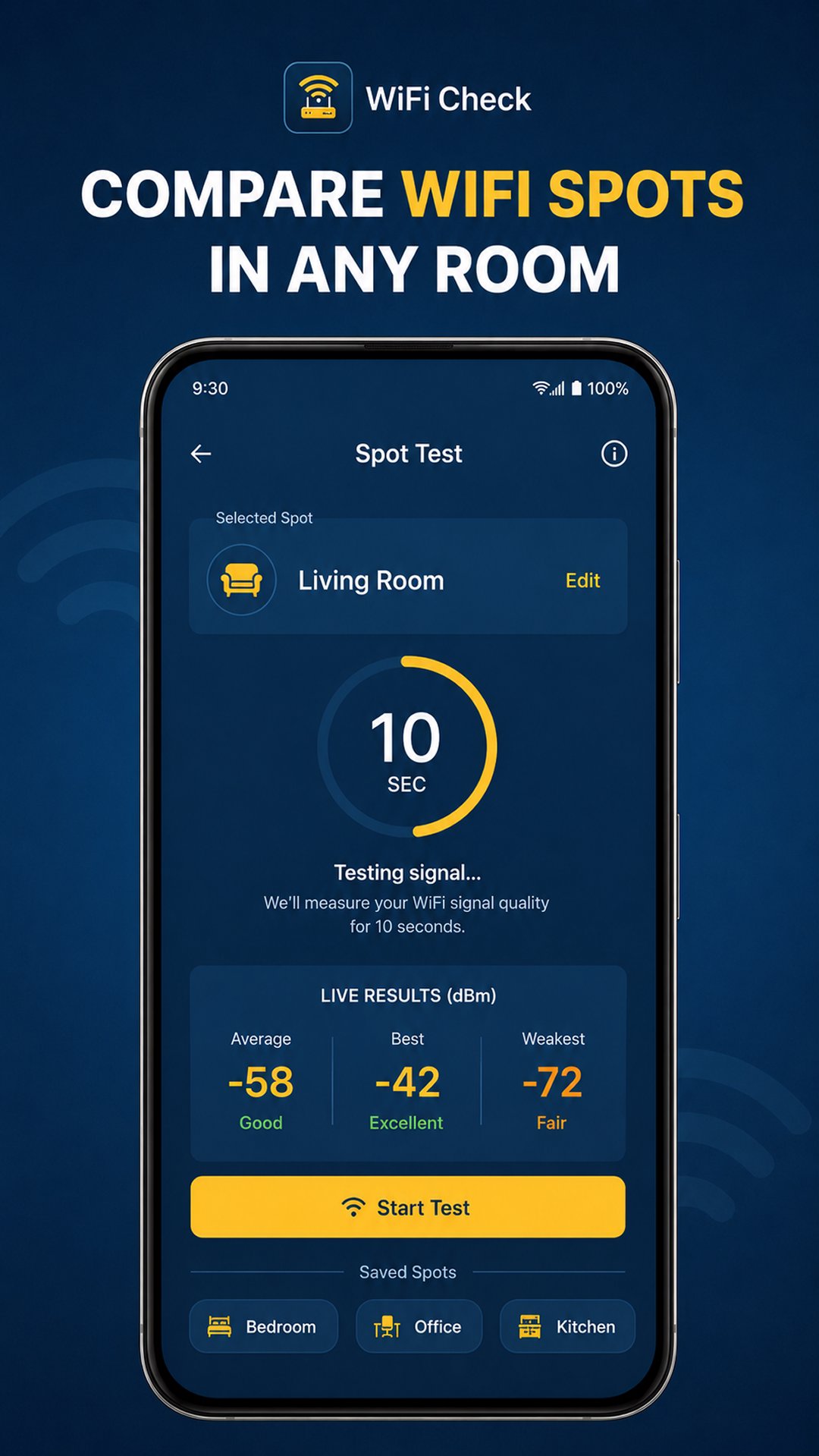
Run a 10-second WiFi Spot Test at different locations such as your living room, bedroom, office or kitchen.
Each test measures the current WiFi signal and provides:
• Average signal strength
• Best signal reading
• Weakest signal reading
• WiFi link speed
• Frequency
• Signal quality
Save Spot Test results and compare different locations to see where your connected WiFi signal is stronger or weaker.
📶 WiFi Signal Strength
Use the WiFi signal meter to view your current signal strength in dBm.
The visual signal gauge makes it easy to understand changes as you move around. Values closer to 0 dBm generally indicate a stronger WiFi signal.
The screen also displays the current WiFi link speed and frequency where available.
📊 Signal History
Monitor WiFi signal strength during the current session with an easy-to-read signal history graph.
View:
• Current RSSI
• Average RSSI
• Best RSSI
• Weakest RSSI
• Signal changes over time
Signal History can help you observe how walls, distance, device position and movement affect your current WiFi connection.
Connection Info
View useful information about your connected WiFi network, including:
• Connection status
• Signal quality
• WiFi link speed
• WiFi band
• WiFi standard
• Device IP
• BSSID
• DNS information
Information availability may vary depending on your Android version, device and network.
🌐 Network Details
Explore additional details about the current WiFi connection, including:
• Tx / Rx link speed • WiFi band • Frequency • WiFi channel • Device IP • Gateway • DNS servers
WiFi link speed represents the negotiated wireless connection rate between your device and the WiFi network. It is not an internet download or upload speed test.
🔐 Location permission
Android requires location permission for access to certain WiFi connection information, such as the network name (SSID) and BSSID on supported Android versions.
WiFi Spot Check & Analyzer focuses on the WiFi network currently connected to your device. It does not scan for nearby WiFi networks or claim to boost or increase your WiFi speed.
Use WiFi Spot Check & Analyzer when you want a simple WiFi signal meter, WiFi analyzer, Spot Test and network information tool for understanding your current wireless connection.
Preview
Tags
ToolsInformation
Developer
One Spire
Latest Version
2.2.1
Last Updated
2026-09-04
Category
Tools
Available on
Google Play
Show More
How to play WiFi Spot Check & Analyzer with GameLoop on PC
1. Download GameLoop from the official website, then run the exe file to install GameLoop
2. Open GameLoop and search for “WiFi Spot Check & Analyzer” , find WiFi Spot Check & Analyzer in the search results and click “Install”
3. Enjoy playing WiFi Spot Check & Analyzer on GameLoop
Minimum requirements
OS
Windows 8.1 64-bit or Windows 10 64-bit
GPU
GTX 1050
CPU
i3-8300
Memory
8GB RAM
Storage
1GB available space
Recommended requirements
OS
Windows 8.1 64-bit or Windows 10 64-bit
GPU
GTX 1050
CPU
i3-9320
Memory
16GB RAM
Storage
1GB available space