Easy Pose
Madcat Games
- United States$12.99$12.99Go to shop
- Argentina$0.46$0.46Go to shop
- Turkey$0.79$0.79Go to shop
Download Easy Pose on PC With GameLoop Emulator
Easy Pose, is a popular steam game developed by Easy Pose. You can download Easy Pose and top steam games with GameLoop to play on PC. Click the 'Get' button then you could get the latest best deals at GameDeal.
Get Easy Pose steam game
Easy Pose, is a popular steam game developed by Easy Pose. You can download Easy Pose and top steam games with GameLoop to play on PC. Click the 'Get' button then you could get the latest best deals at GameDeal.
Easy Pose Features
Easy Pose is a human body pose app designed for people who draw or are learning to draw.
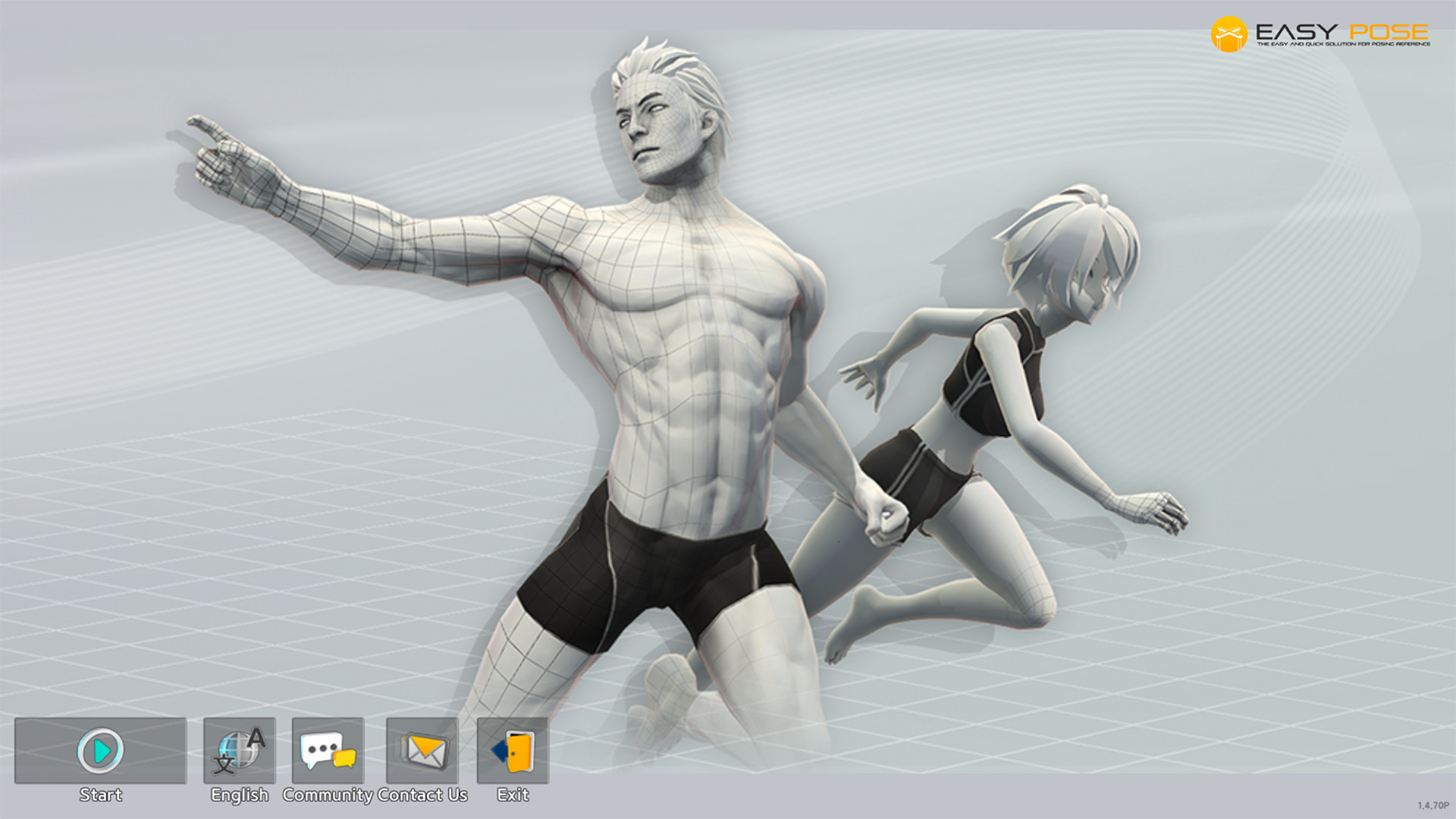
Easy Pose is a human body pose app for people who draw or is learning to draw. Have you ever wanted a professional as well as a personalized model who would perform a variety of poses to make drawing animation, illustrations, and sketching easier? Easy Pose has been created to make such a wish come true. By manipulating the 3D model on the screen, you can create poses seen in everyday life, sports, martial arts, etc., and then examine them from the desired angle.
Recognized for its excellence in functionality, Easy Pose has displayed a total of 10 million downloads from Google Play and the Apple App Store and has been selected as a recommended app numerous times. The app also made it to the finals of the innovation section in Made with Unity 18" and achieved the top ranking in the trend section of the Steam software category.
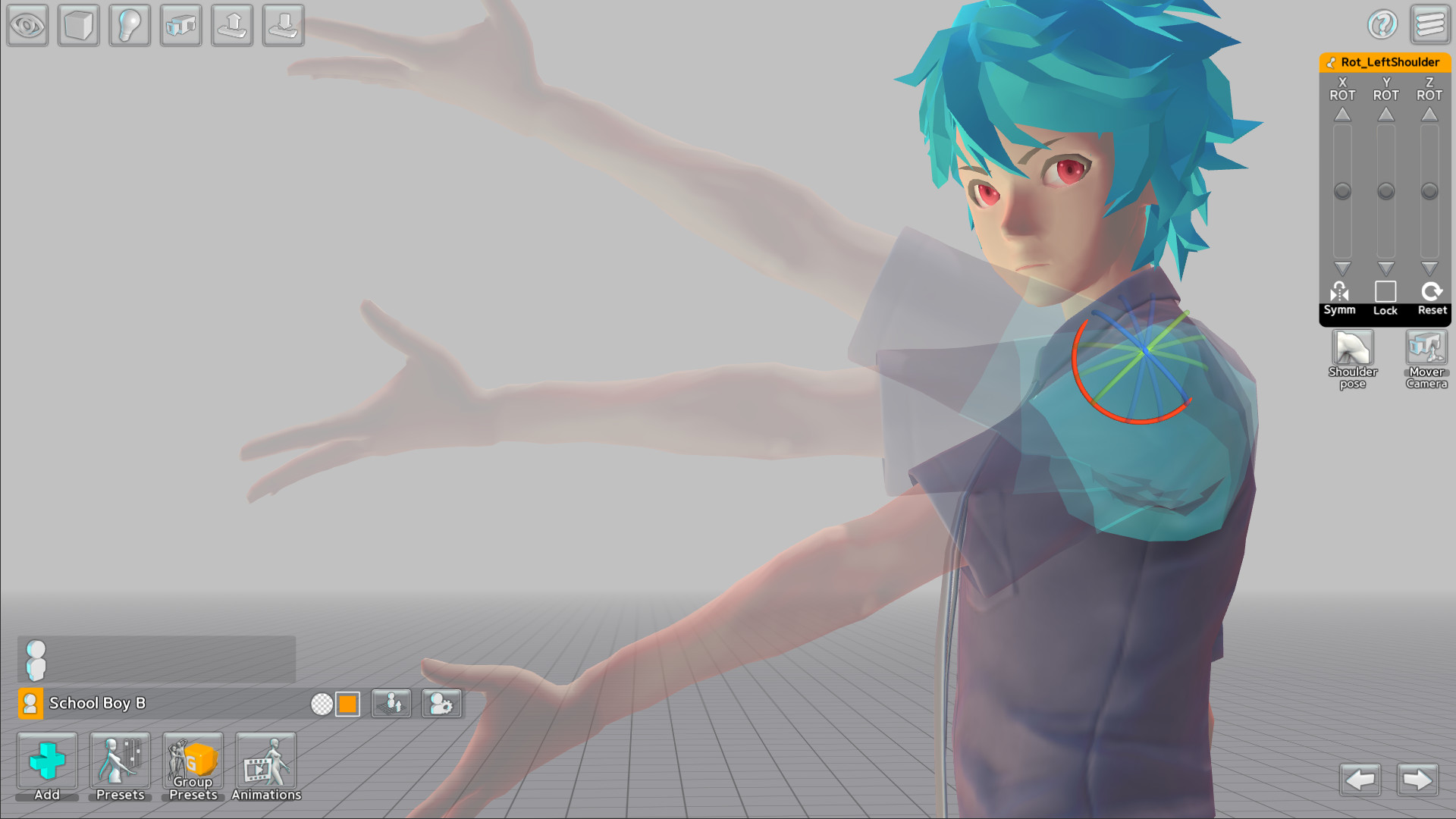
1. Easy Pose enables control over every human joint in a delicate and convenient way. Create poses in a manner that suits your taste by using the 3D gizmo and slide panel tools offered by the app. It is equipped with various functions that were not available in the existing pose apps, such as providing highlights on movable parts, initializing each joint, and utilizing symmetrical poses by taking advantage of the mirroring function.
2. Previous pose apps used wooden joint dolls or realistic eight-head ratio men and women, making it unsuitable for artists drawing animation, webtoon or game illustrations. Easy Pose is prepared with a variety of body types, ranging from four-head ratio cute men and women to six-head ratio men and women, men and women with a realistic body, and muscular men.
3. You can create numerous interesting scenes by placing multiple models onscreen at once. For example, you can produce scenes where many people are visible, such as a soccer player avoiding a tackle, a couple dancing while holding hands, and students studying in the classroom.
4. If you are experiencing difficulty making poses, take advantage of the poses provided by Easy Pose! Including frequently used poses, the app offers more than 1000 poses from various subjects such as sports, and these useful poses are constantly being updated. In addition, in order to improve the completeness of the pose, the app provides an editor that allows editing the preset poses of shoulders and hands as well as fingers
5. The app also provides a variety of small props, including figures, equipment, and teaching aids to create the desired scenarios and scenes. These are available in the props menu, and you can combine them to create backgrounds such as classrooms, study rooms, cities, and spaceships.
6. After selecting a model's hands, head, and feet, you can apply over 200 accessories, including hair, glasses, shoes, weapons and shields. These numerous props will make scenes you envisioned in a beautiful and gorgeous manner.
7. In addition to human models, Easy Pose offers a wide range of models, including dragons, horses, cars, motorcycles, bicycles, and dinosaurs. It will assist greatly in drawing on a variety of topics such as racing, medieval fantasy, military, sci-fi, and more.
8. Select a human model and then the animation menu to see various types of animations about daily life, dance, and sports, and you'll see animations with walking as well as flying motions when it features dragons, horses, and dinosaurs. In animations, it is possible to view intermediate motions that cannot be seen in static poses. Choose your desired intermediate action and go to the pose editing screen to make the pose easy to draw
9. Make use of an array of features that have been implemented to create cool scenes conveniently and with ease.
1) Strength and direction designation of direct light and back light.
2) Observe at various angles using camera.
3) Realistic shadow expression.
4) Adjustable angle of view. (Provides an exaggerated vanishing point like a panorama.)
5) Resource grouping.
6) Coloring.
7) Copy and change models.
8) Wire and box mode.
9) Auto save.
10) Save only the appearance of the model as a PNG file without background.
10. The Steam version of Easy Pose offers the following advantages over the mobile version.
1) The Easy Pose Steam version includes the mobile version of the Pro version and all DLCs released until Q1 2021.
2) The Steam version of Easy Pose gives the model a color nude. In the case of the mobile version, it is prohibited to provide color nudes of models on Google Play and the Apple App Store.
3) The Steam version of Easy Pose provides 130 sexual poses. Likewise, sexual poses are content that cannot be provided in the mobile version.
4) You can back up files saved in the Steam version of Easy Pose or transfer them to another computer. Currently, files are stored in a designated folder, but in the future, we plan to provide a function to store files in a desired folder.
5) In the future, we plan to use the workshop to support users to share pose data.
- Supported Languages - Supports Korean, English, Japanese, Russian, Spanish, Portuguese, Simplified Chinese, Traditional Chinese, Indonesian, Arabic, German, French, Finnish. We also plan to support other languages through updates if you ask.
- In order to make the most of Easy Pose, make sure to familiarize yourself with the manual.
- In case of running into words and sentences that need editing, please take a screenshot and email us with alternative words or sentences.
Download Easy Pose on PC With GameLoop Emulator
Get Easy Pose steam game
Easy Pose, is a popular steam game developed by Easy Pose. You can download Easy Pose and top steam games with GameLoop to play on PC. Click the 'Get' button then you could get the latest best deals at GameDeal.
Easy Pose Features
Easy Pose is a human body pose app designed for people who draw or are learning to draw.
Easy Pose is a human body pose app for people who draw or is learning to draw. Have you ever wanted a professional as well as a personalized model who would perform a variety of poses to make drawing animation, illustrations, and sketching easier? Easy Pose has been created to make such a wish come true. By manipulating the 3D model on the screen, you can create poses seen in everyday life, sports, martial arts, etc., and then examine them from the desired angle.
Recognized for its excellence in functionality, Easy Pose has displayed a total of 10 million downloads from Google Play and the Apple App Store and has been selected as a recommended app numerous times. The app also made it to the finals of the innovation section in Made with Unity 18" and achieved the top ranking in the trend section of the Steam software category.
1. Easy Pose enables control over every human joint in a delicate and convenient way. Create poses in a manner that suits your taste by using the 3D gizmo and slide panel tools offered by the app. It is equipped with various functions that were not available in the existing pose apps, such as providing highlights on movable parts, initializing each joint, and utilizing symmetrical poses by taking advantage of the mirroring function.
2. Previous pose apps used wooden joint dolls or realistic eight-head ratio men and women, making it unsuitable for artists drawing animation, webtoon or game illustrations. Easy Pose is prepared with a variety of body types, ranging from four-head ratio cute men and women to six-head ratio men and women, men and women with a realistic body, and muscular men.
3. You can create numerous interesting scenes by placing multiple models onscreen at once. For example, you can produce scenes where many people are visible, such as a soccer player avoiding a tackle, a couple dancing while holding hands, and students studying in the classroom.
4. If you are experiencing difficulty making poses, take advantage of the poses provided by Easy Pose! Including frequently used poses, the app offers more than 1000 poses from various subjects such as sports, and these useful poses are constantly being updated. In addition, in order to improve the completeness of the pose, the app provides an editor that allows editing the preset poses of shoulders and hands as well as fingers
5. The app also provides a variety of small props, including figures, equipment, and teaching aids to create the desired scenarios and scenes. These are available in the props menu, and you can combine them to create backgrounds such as classrooms, study rooms, cities, and spaceships.
6. After selecting a model's hands, head, and feet, you can apply over 200 accessories, including hair, glasses, shoes, weapons and shields. These numerous props will make scenes you envisioned in a beautiful and gorgeous manner.
7. In addition to human models, Easy Pose offers a wide range of models, including dragons, horses, cars, motorcycles, bicycles, and dinosaurs. It will assist greatly in drawing on a variety of topics such as racing, medieval fantasy, military, sci-fi, and more.
8. Select a human model and then the animation menu to see various types of animations about daily life, dance, and sports, and you'll see animations with walking as well as flying motions when it features dragons, horses, and dinosaurs. In animations, it is possible to view intermediate motions that cannot be seen in static poses. Choose your desired intermediate action and go to the pose editing screen to make the pose easy to draw
9. Make use of an array of features that have been implemented to create cool scenes conveniently and with ease.
1) Strength and direction designation of direct light and back light.
2) Observe at various angles using camera.
3) Realistic shadow expression.
4) Adjustable angle of view. (Provides an exaggerated vanishing point like a panorama.)
5) Resource grouping.
6) Coloring.
7) Copy and change models.
8) Wire and box mode.
9) Auto save.
10) Save only the appearance of the model as a PNG file without background.
10. The Steam version of Easy Pose offers the following advantages over the mobile version.
1) The Easy Pose Steam version includes the mobile version of the Pro version and all DLCs released until Q1 2021.
2) The Steam version of Easy Pose gives the model a color nude. In the case of the mobile version, it is prohibited to provide color nudes of models on Google Play and the Apple App Store.
3) The Steam version of Easy Pose provides 130 sexual poses. Likewise, sexual poses are content that cannot be provided in the mobile version.
4) You can back up files saved in the Steam version of Easy Pose or transfer them to another computer. Currently, files are stored in a designated folder, but in the future, we plan to provide a function to store files in a desired folder.
5) In the future, we plan to use the workshop to support users to share pose data.
- Supported Languages - Supports Korean, English, Japanese, Russian, Spanish, Portuguese, Simplified Chinese, Traditional Chinese, Indonesian, Arabic, German, French, Finnish. We also plan to support other languages through updates if you ask.
- In order to make the most of Easy Pose, make sure to familiarize yourself with the manual.
- In case of running into words and sentences that need editing, please take a screenshot and email us with alternative words or sentences.
Preview
Information
Developer
Madcat Games
Latest Version
1.0.0
Last Updated
2020-06-04
Category
Steam-game
Show More
Reviews
- gamedeal user
Feb 5, 2022
- gamedeal user
Apr 8, 2022
- gamedeal user
Apr 14, 2022
- gamedeal user
Aug 28, 2022
- gamedeal user
Jan 10, 2023
- soulless
Mar 30, 2023
- gamedeal user
Apr 17, 2023
- gamedeal user
Apr 27, 2023
- Terrarian
Aug 27, 2023
- gamedeal user
Sep 20, 2023
FAQs
PC Games Cheaper On Gamedeal | Find The Best Deals of Games Here!
Finding the right place to get the best game deals can prove to be quite a hassle when comparing game prices on multiple sites. However, you can skip through all the trouble by letting Gamedeal handle the price comparisons and grab only the best deal prices for you!
We compare game prices on all the trusted storefronts and list game deals starting with the lowest price possible at the moment. Looking for something more specific? Search it on Gamedeal and find all the best deals and cd keys discount codes to make the most out of your bucks.
Not sure what you looking for? Browse through our massive library of games from different genres to find epic deals for your favorite games from the biggest retailers in the market. Can’t afford the game you are looking for? Make sure to wishlist it and stay up-to-date with all the price changes in the future.
Say Bye to Hefty Game Deals!
Gamedeal is your one-stop shop to find all the best deals from your favorite retailers including Steam, Epic Games, Gamestop, and many more under one roof. Looking for games that cost you nothing? We have got you covered with our free games list that includes free PC and Playstation games.
We help you stay on top of the news with upcoming Steam sales and Gamestop promo codes to ensure you get the game of your choice at the lowest price possible. From old-school classics to modern AAA titles, there is something for everyone to play here.