Rainbow for DJI Mini3/Mini4 PC
Prodlder
Download Rainbow for DJI Mini3/Mini4 on PC With GameLoop Emulator
Rainbow for DJI Mini3/Mini4 on PC
Rainbow for DJI Mini3/Mini4, coming from the developer Prodlder, is running on Android systerm in the past.
Now, You can play Rainbow for DJI Mini3/Mini4 on PC with GameLoop smoothly.
Download it in the GameLoop library or search results. No more eyeing the battery or frustrating calls at the wrong time any more.
Just enjoy Rainbow for DJI Mini3/Mini4 PC on the large screen for free!
Rainbow for DJI Mini3/Mini4 Introduction
Support DJI Mini4Pro/Mini3/Mini3 Pro, M30, M4T/M4E Mavic 3E/3T, M300 and other industrial models.
.
App to unleash the full potential of your DJI drone (Phantom/Inspiration/Spark series), you can make your DJI drone shoot better with Rainbow.
function points:
* Stable, smooth operation, no lag
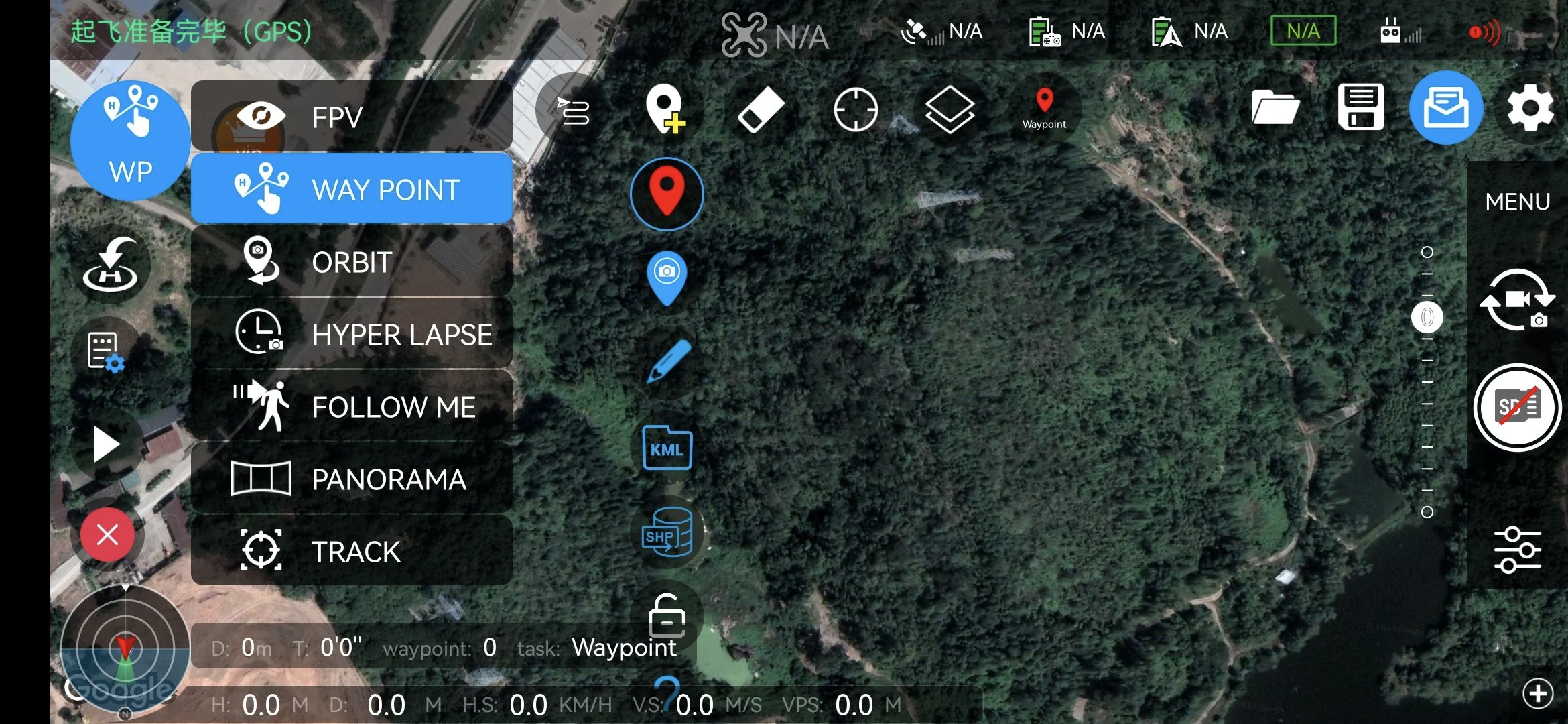
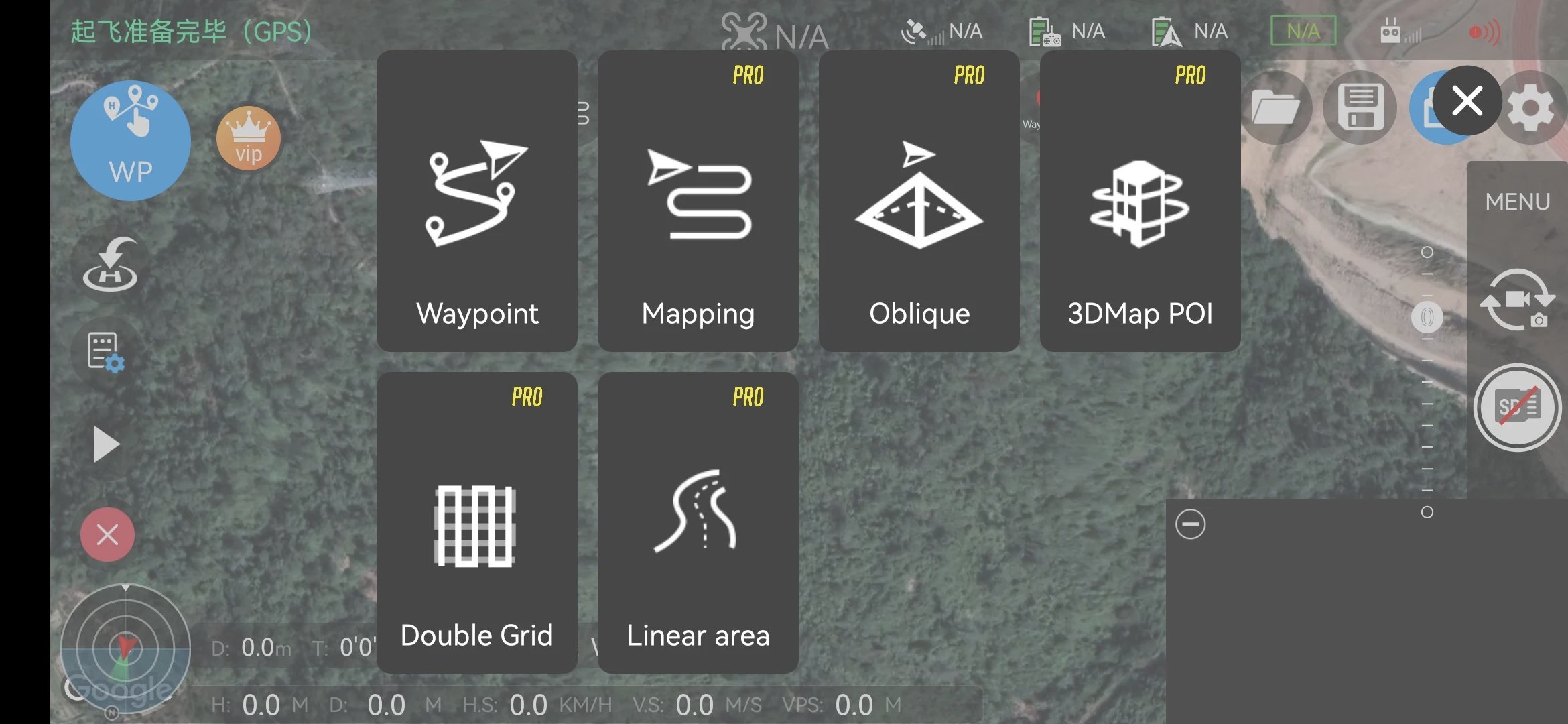
* Waypoint support, you can customize your own automatic flight, support mission continuation, save, restore, specify the starting navigation point of the flight, support navigation point actions (shooting, steering, gimbal adjustment, stop, video recording).
* Support panorama shooting
* Support orthophoto shooting, missions can be saved, continued flight, timed, isometric, hovering multiple shooting modes.
* Support aerial belt shooting, suitable for orthophotos in rivers, roads and other belt states
* Support oblique photography, cross oblique, surround oblique and other modeling shooting
* Support stereo surround 3D shooting of a single building
* Support Kml and Kml multi-region import.
* Support Shp import
* Support camera pointing in waypoint mode.
* Support tracking mode. Track the target and run around it, automatically track the target.
* Rich camera and aircraft settings.
* Rich map support, such as Gaode, Mapbox, and switchable satellite images.
* Rich setting support, such as IMU correction, compass correction, flight record, remote control multiple settings, home point update, aircraft search
* Flight voice prompts and warning support.
* A variety of help documents and interactive help guides.
If you have any suggestions or questions, please submit them through the feedback function in the software, or send them directly to email for customer support!
Preview
Tags
PhotographyInformation
Developer
Prodlder
Latest Version
5.5
Last Updated
2025-11-19
Category
Photography
Available on
Google Play
Show More
How to play Rainbow for DJI Mini3/Mini4 with GameLoop on PC
1. Download GameLoop from the official website, then run the exe file to install GameLoop
2. Open GameLoop and search for “Rainbow for DJI Mini3/Mini4” , find Rainbow for DJI Mini3/Mini4 in the search results and click “Install”
3. Enjoy playing Rainbow for DJI Mini3/Mini4 on GameLoop
Minimum requirements
OS
Windows 8.1 64-bit or Windows 10 64-bit
GPU
GTX 1050
CPU
i3-8300
Memory
8GB RAM
Storage
1GB available space
Recommended requirements
OS
Windows 8.1 64-bit or Windows 10 64-bit
GPU
GTX 1050
CPU
i3-9320
Memory
16GB RAM
Storage
1GB available space