
AI Photo Editor - Lumii PC
InShot Inc.
Download AI Photo Editor - Lumii on PC With GameLoop Emulator
AI Photo Editor - Lumii on PC
AI Photo Editor - Lumii, coming from the developer InShot Inc., is running on Android systerm in the past.
Now, You can play AI Photo Editor - Lumii on PC with GameLoop smoothly.
Download it in the GameLoop library or search results. No more eyeing the battery or frustrating calls at the wrong time any more.
Just enjoy AI Photo Editor - Lumii PC on the large screen for free!
AI Photo Editor - Lumii Introduction
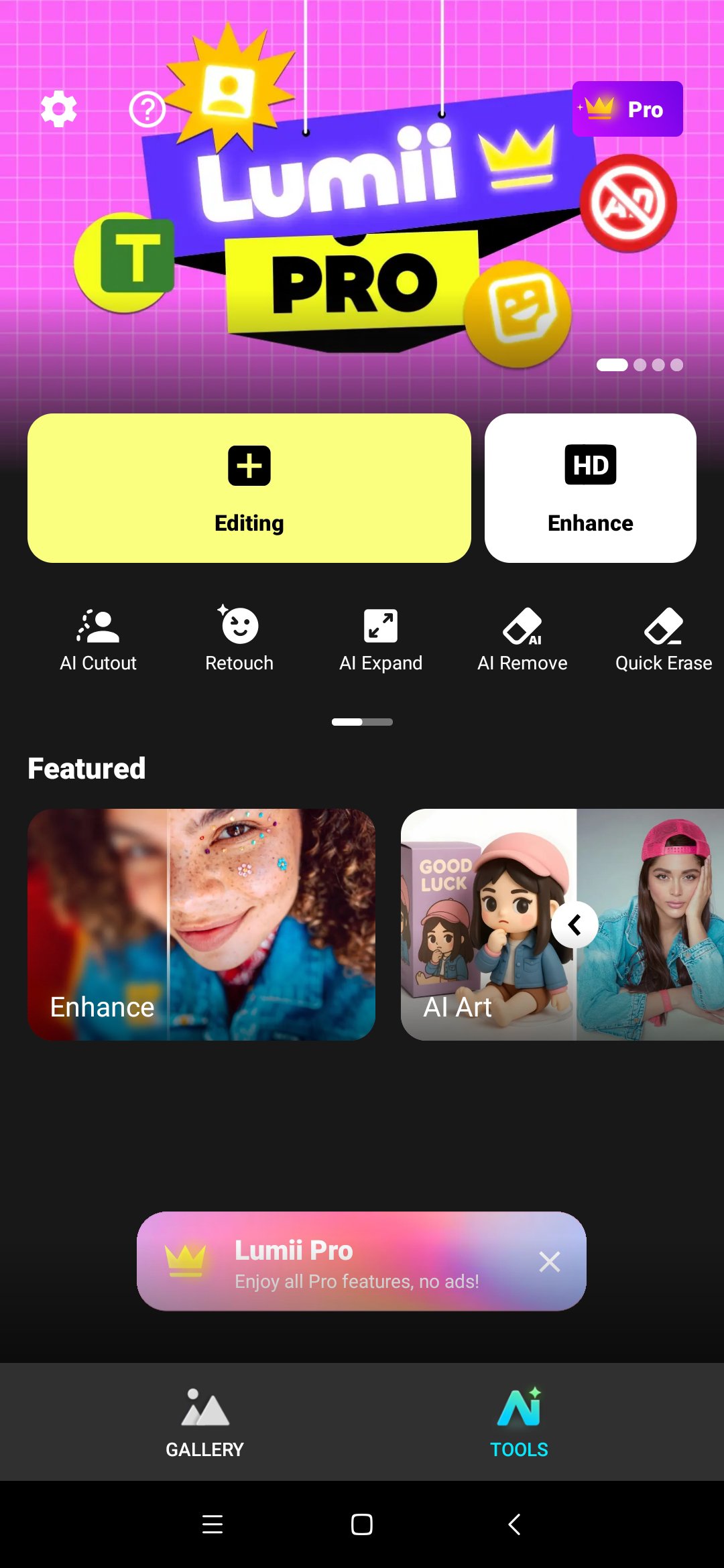
Lumii is a powerful AI Photo Editor that combines professional tools with smart AI editing features.
Easily enhance photo quality, remove backgrounds, retouch selfies, and apply 100+ trendy photo filters and effects to edit photos.
Create artistic, high-quality photos effortlessly — no professional skills required. As one of the best photo maker and presets photography apps, Lumii makes photo editing simple, fast, and fun. No ads while editing.
What you can do with Lumii (FREE and All-in-one Photo Editor Pro):
👓 Customize Photo Filters
✦ Exquisitely designed filters for pictures, presets for Instagram, make your photos stand out.
✦ Add custom exclusive photo filters and effects, such as Film, LOMO, Retro, etc.
✨ 100+ Photo Effects
✦ Exquisitely designed effects for picture, make your photos stand out. Top photo effects pro.
✦ Add popular photo effects, such as Glitch, Light Leak & Double Exposure
🖼 Auto Background Eraser
✦ Easy to repair or erase unwanted part with background eraser
✦ Mix your cutout photo with exquisite preset background
✦ Best bg remover app, just one tap to change background
😊 Useful & Fun AI Edits
✦ AI Photo Enhancer: Unblur/enhance image quality, turn your portrait or group photos into HD
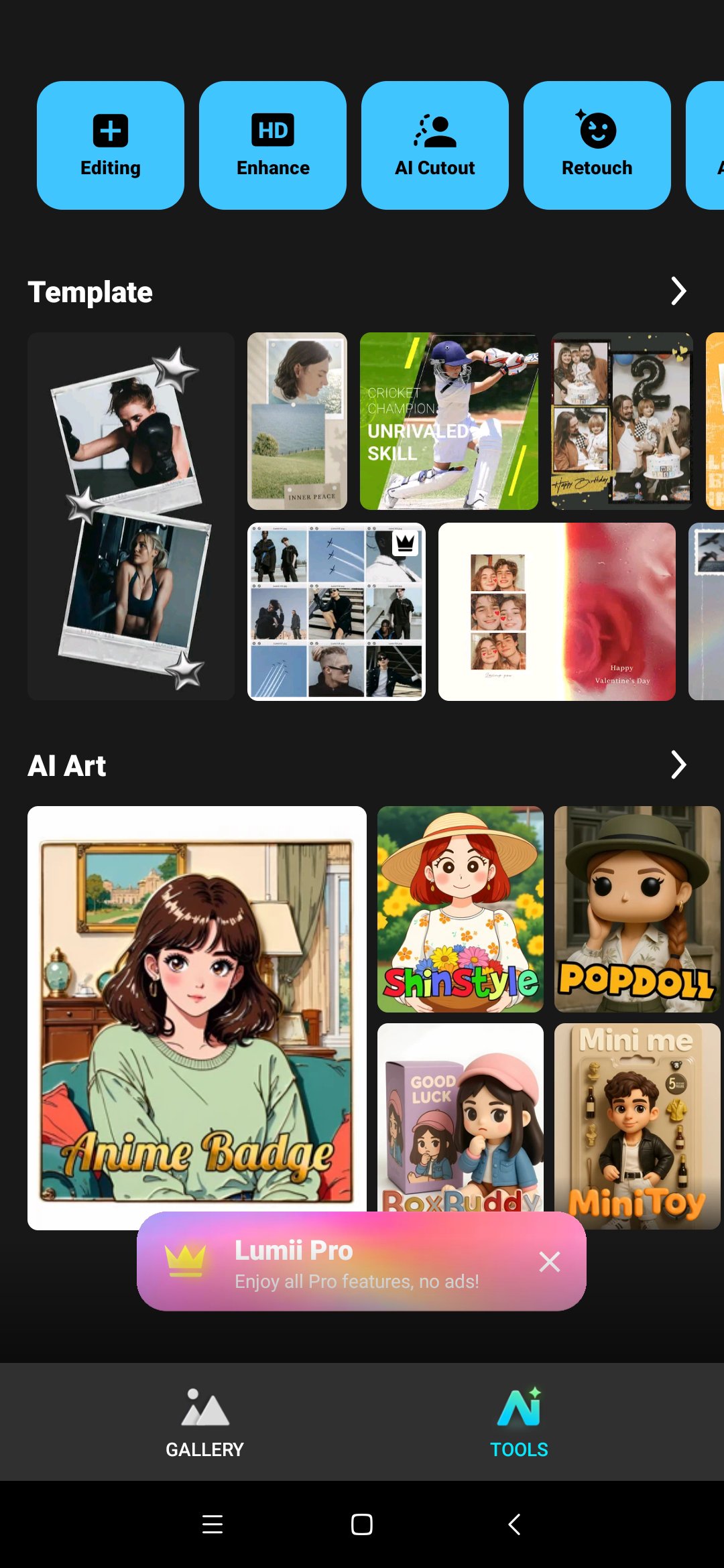
✦ AI Avatar: Enjoy Anime AI Art, create 3D Cartoon & Anime Avatars
✦ Quick Erase: Remove unwanted objects with offline convenience
✦ AI Remove: Automatically detect and remove unwanted objects
✦ Auto Retouch: Smooth skin, whiten teeth, no pimples — all in one tap
👾BG Blur, Bokeh & Mosaic
✦ AI background blur app — perfect for portrait editing and focus
✦ Add dreamy bokeh lights to make your portraits pop
✦ Easily apply mosaic to blur faces or protect privacy
🎨 Free HSL Color
✦ Easily control Hue, Saturation, Luminance (HSL), support 8 colors channels, intuitive lightroom effect photo editor pro
✦Totally FREE and advanced HSL adjustments
🍭 Curves for Photos
✦Powerful curves tools, pro level photo editor for Instagram
✦Free picture editor with advanced adjustment with 4 color options
✍️ Add text to photos
✦Add text on photo, with lots of Fonts and Stylish Text Presets for selecting
✦Add text on photo, and apply different styles
✦Best pic editor and photo lab with text
☀️ Double Exposure - Professional Blend Editor
✦Best blend editor tool, create trendy double exposure effects for pictures, easy & powerful photo editor app for Instagram
✦Lots of blend photo editor templates to choose from
🪄 Basic Photo Editing Tools
✦Adjust brightness, contrast, highlights, warmth, shadows, sharpness, exposure, etc.
✦Selective options for image enhancement, best picture editor and filters for pictures app
✦Rotate and crop photo freely (in multi aspect ratios) to adapt for social media ratios.
✦User-friendly pic editing apps for Android. Photo filters and effects app
📺 Glitch Photo Editor
✦ Amazing glitch photo effects to enhance your photos, such as VHS, vaporwave, etc.
✦ Easily adjust photo effects value to fit for different scenes.
🖼 Trendy Templates
✦ Stylish templates for various themes. Retro film, aesthetic, urban, journal and so on
✦ Exclusive artistic photo templates, easily enhance your photo work for IG sharing
📖 Photo Editing History & Draft
✦Photography editor with history support
✦Photo editor for Instagram with multi-draft workspaces
With all the powerful and distinctive features above, Lumii helps you become an expert in photo editing (enhance, photo filters and effects), and discover endless fun during the time.
Preview
Tags
PhotographyInformation
Developer
InShot Inc.
Latest Version
3.00.202
Last Updated
2026-04-17
Category
Photography
Available on
Google Play
Show More
How to play AI Photo Editor - Lumii with GameLoop on PC
1. Download GameLoop from the official website, then run the exe file to install GameLoop
2. Open GameLoop and search for “AI Photo Editor - Lumii” , find AI Photo Editor - Lumii in the search results and click “Install”
3. Enjoy playing AI Photo Editor - Lumii on GameLoop
Minimum requirements
OS
Windows 8.1 64-bit or Windows 10 64-bit
GPU
GTX 1050
CPU
i3-8300
Memory
8GB RAM
Storage
1GB available space
Recommended requirements
OS
Windows 8.1 64-bit or Windows 10 64-bit
GPU
GTX 1050
CPU
i3-9320
Memory
16GB RAM
Storage
1GB available space