
StellarWalls - wallpapers PC
DebojyotiChakraborty
Download StellarWalls - wallpapers on PC With GameLoop Emulator
StellarWalls - wallpapers on PC
StellarWalls - wallpapers, coming from the developer DebojyotiChakraborty, is running on Android systerm in the past.
Now, You can play StellarWalls - wallpapers on PC with GameLoop smoothly.
Download it in the GameLoop library or search results. No more eyeing the battery or frustrating calls at the wrong time any more.
Just enjoy StellarWalls - wallpapers PC on the large screen for free!
StellarWalls - wallpapers Introduction
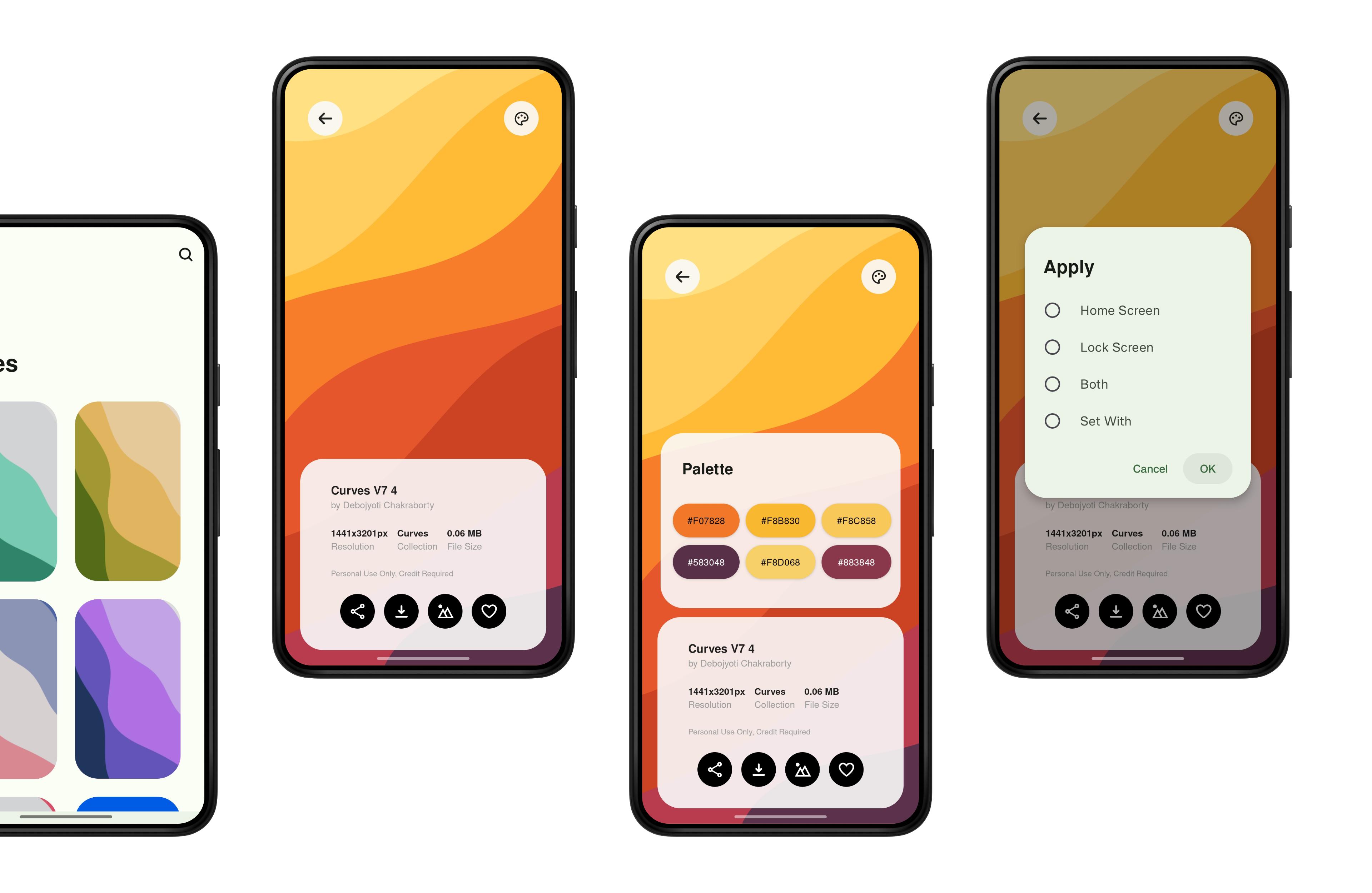
StellarWalls provides you with loads of strikingly unique and beautiful wallpapers, all neatly organized and tucked into specific categories, so that you don't have to experience the clutter 😉.
It comes with more than 190 wallpapers in it's initial release, all stored in a clean, minimal and easy to use app which has a delightful User Interface.
Some of the collections include Landscapes, Iridescence, Neon, Blob Gradients, Swirls, Material You, Curves, Wireframes, Radiance, Mesh Gradients, Ridges and many more.
✨ Features:
→ 190+ High Quality Wallpapers at the time of release.
→ Each wallpaper has a minimum resolution of 1440x3200px, enough to match most modern smartphones.
→ All wallpapers are neatly organized into 20+ categories.
→ Clean, minimal and easy to use User Interface.
→ Search functionality to find wallpapers easily.
→ You can add wallpapers to the Favorites section of the app for faster and easier access to your beloved wallpapers.
→ You are notified everytime a new wallpaper is added to StellarWalls, so that you don't miss any wallpaper.
⚠️ Note:
→ This is the free version of StellarWalls, and does not have the option to download or store wallpapers locally.
→ Some wallpapers are only displayed for preview and are restricted to use. Those wallpapers only available to use with the purchase on StellarWalls PRO.
If you want to access all wallpapers, ads-free with the option to download them locally to your device, get StellarWalls PRO from https://play.google.com/store/apps/details?id=com.debojyoti.stellar_walls_pro
⚠️ Disclaimer:
All Wallpapers in StellarWalls are meant for Personal use only! Any sharing, modification and redistribution of the wallpapers is not allowed.
Please don't Share/Repost/Resell wallpapers from StellarWalls.
If you have any issues or queries then feel free to contact me on dev.debojyotichakraborty@gmail.com, I will be more than happy to help you out 😊.
Preview

Tags
PersonalizationInformation
Developer
DebojyotiChakraborty
Latest Version
2.1
Last Updated
2024-08-10
Category
Personalization
Available on
Google Play
Show More
How to play StellarWalls - wallpapers with GameLoop on PC
1. Download GameLoop from the official website, then run the exe file to install GameLoop
2. Open GameLoop and search for “StellarWalls - wallpapers” , find StellarWalls - wallpapers in the search results and click “Install”
3. Enjoy playing StellarWalls - wallpapers on GameLoop
Minimum requirements
OS
Windows 8.1 64-bit or Windows 10 64-bit
GPU
GTX 1050
CPU
i3-8300
Memory
8GB RAM
Storage
1GB available space
Recommended requirements
OS
Windows 8.1 64-bit or Windows 10 64-bit
GPU
GTX 1050
CPU
i3-9320
Memory
16GB RAM
Storage
1GB available space