
LED Keyboard Neon Themes Glow PC
Zayzik : LED Keyboard Studio
Download LED Keyboard Neon Themes Glow on PC With GameLoop Emulator
LED Keyboard Neon Themes Glow on PC
LED Keyboard Neon Themes Glow, coming from the developer Zayzik : LED Keyboard Studio, is running on Android systerm in the past.
Now, You can play LED Keyboard Neon Themes Glow on PC with GameLoop smoothly.
Download it in the GameLoop library or search results. No more eyeing the battery or frustrating calls at the wrong time any more.
Just enjoy LED Keyboard Neon Themes Glow PC on the large screen for free!
LED Keyboard Neon Themes Glow Introduction
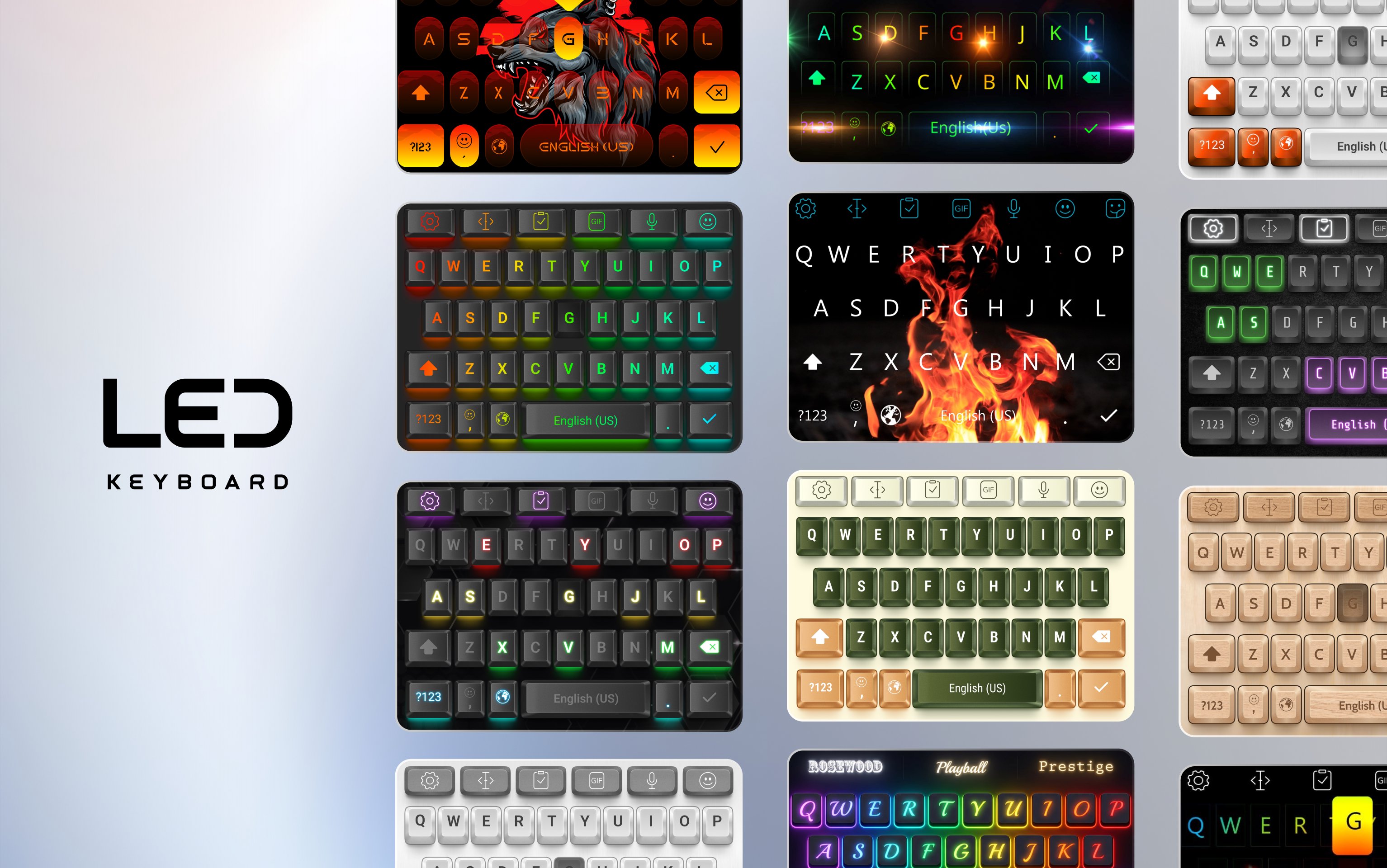
Do you want a colorful keyboard that glows while you type? Looking for a new emoji keyboard and stylish fonts, but still want dynamic RGB lighting and colorful effects? LED Keyboard is made for you! Enjoy cool fonts, emojis and glowing RGB effects that light up every key press.
🔥 🄲🄾🄾🄻 🄵🄾🄽🅃🅂 🅂🅃🅈🄻🄴
𝕐𝕠𝕦 𝕔𝕒𝕟 𝕥𝕪𝕡𝕖 𝕖𝕧𝕖𝕣𝕪𝕨𝕙𝕖𝕣𝕖 𝕨𝕚𝕥𝕙 𝕗𝕠𝕟𝕥𝕤
Μακɛ ιт ғσя ʏσʋ
✨ RGB Lighting and Glowing Effects
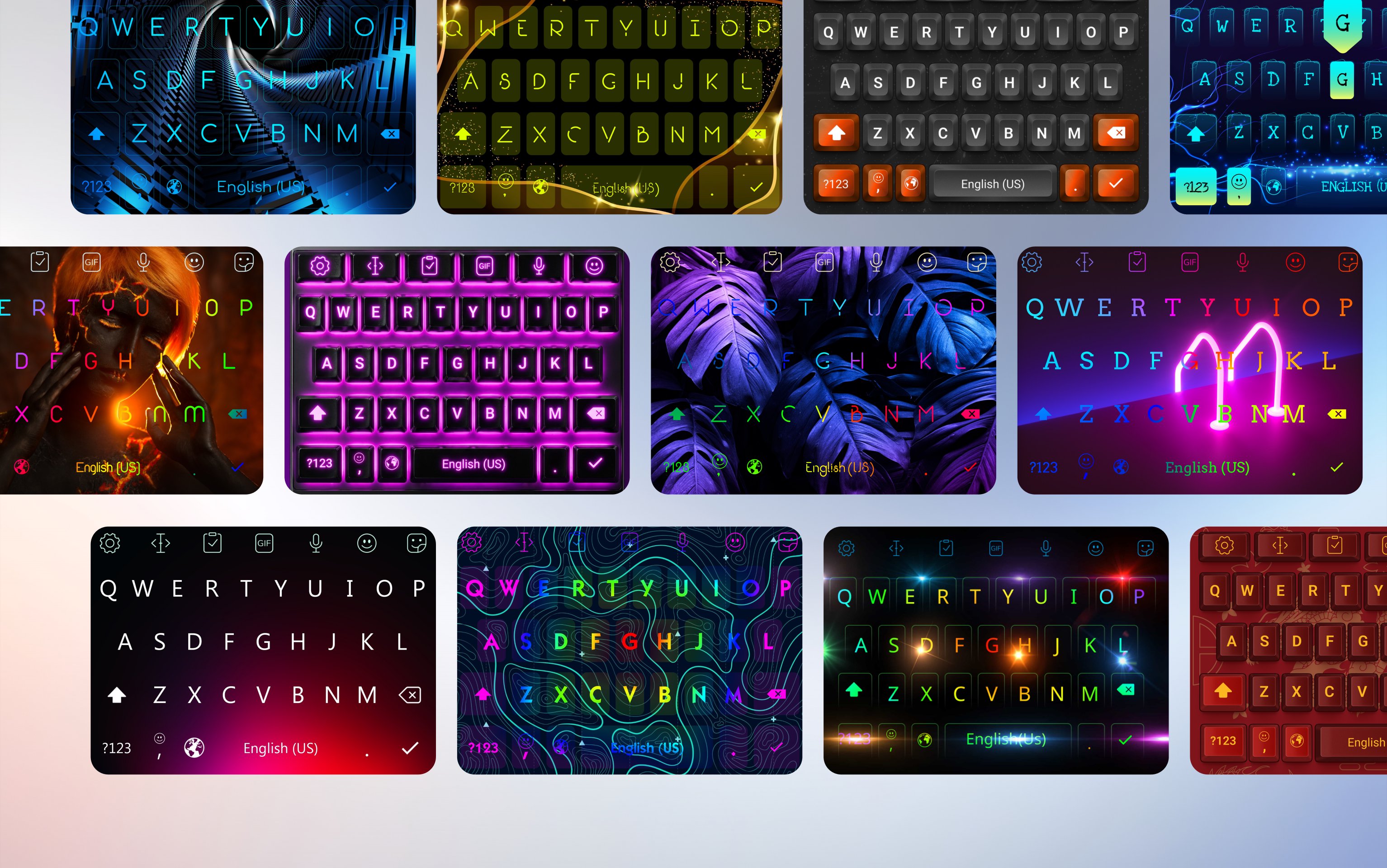
Bring your keyboard to life with colorful lighting that reacts while you type. Explore smooth RGB animations, glowing key effects, gradients and neon-inspired styles designed to make every key press feel more dynamic.
Adjust colors and effects to create anything from a subtle glow to a bright, colorful keyboard.
🎨 Keyboard Themes for Every Style
Explore neon themes, colorful designs, cute keyboard themes and aesthetic styles, love designs, gaming styles and more. Want something more personal? Use the keyboard editor to create a custom keyboard that fits your style.
Choose your own photo or background, customize key colors, adjust gradients, select fonts and combine them with lighting animations and typing sounds. Your DIY keyboard can be simple and minimal, bright and colorful, or filled with glowing RGB effects.
Explore even more styles in the theme store, including cute, romantic, pink, black, floral, gold, car, unicorn, cat, cartoon, football, wolf, rainbow, gaming and mechanical-inspired designs.
😊 Emojis, GIFs, Stickers and Symbols
Express more than words.
Quickly use emojis, animated GIFs, stickers, symbols and emoticons while chatting. Whether you want something funny, cute or expressive, they are available directly from your keyboard.
🌍 Multiple Languages
Switch between supported languages and keyboard layouts while keeping the themes, backgrounds and visual effects you like.
ncluding English, Arabic, French, German, Spanish, Portuguese, Italian, Indonesian, Malay, Filipino, Polish, Dutch, Russian, Turkish, Korean, Vietnamese and many more.
Whether your style is neon theme, cute background, colorful, aesthetic, dark or gaming-inspired, you can personalize the keyboard without changing the way you normally type.
⭐ Comfortable Everyday Typing
• Smooth swipe typing for input, while word suggestions help you type accurately and efficiently.
• Voice typing makes it easy to dictate text.
• Sparkle LED lighting effects for fun typing.
• Use copy, paste and clipboard tools more efficiently.
🔒 Privacy and Security
Your privacy matters. We do not collect or store the text you type through the keyboard. All data is handled responsibly to ensure a safe and secure typing experience.
⛔️ We are committed to protecting user privacy and data security.
📌[Disclaimers]
All content belongs to their respective owners.
If you find any copyright issues, please contact us for removal.
❤️ Thank you for choosing LED Keyboard Neon Themes Glow
📩 Contact & Support
Email: ledkeyboard.feedback@gmail.com
Preview
Tags
PersonalizationInformation
Developer
Zayzik : LED Keyboard Studio
Latest Version
20.0.11
Last Updated
2026-09-16
Category
Personalization
Available on
Google Play
Show More
How to play LED Keyboard Neon Themes Glow with GameLoop on PC
1. Download GameLoop from the official website, then run the exe file to install GameLoop
2. Open GameLoop and search for “LED Keyboard Neon Themes Glow” , find LED Keyboard Neon Themes Glow in the search results and click “Install”
3. Enjoy playing LED Keyboard Neon Themes Glow on GameLoop
Minimum requirements
OS
Windows 8.1 64-bit or Windows 10 64-bit
GPU
GTX 1050
CPU
i3-8300
Memory
8GB RAM
Storage
1GB available space
Recommended requirements
OS
Windows 8.1 64-bit or Windows 10 64-bit
GPU
GTX 1050
CPU
i3-9320
Memory
16GB RAM
Storage
1GB available space