Red Heart Keyboard Theme PC
Mumu Keyboard Design
Download Red Heart Keyboard Theme on PC With GameLoop Emulator
Red Heart Keyboard Theme on PC
Red Heart Keyboard Theme, coming from the developer Mumu Keyboard Design, is running on Android systerm in the past.
Now, You can play Red Heart Keyboard Theme on PC with GameLoop smoothly.
Download it in the GameLoop library or search results. No more eyeing the battery or frustrating calls at the wrong time any more.
Just enjoy Red Heart Keyboard Theme PC on the large screen for free!
Red Heart Keyboard Theme Introduction
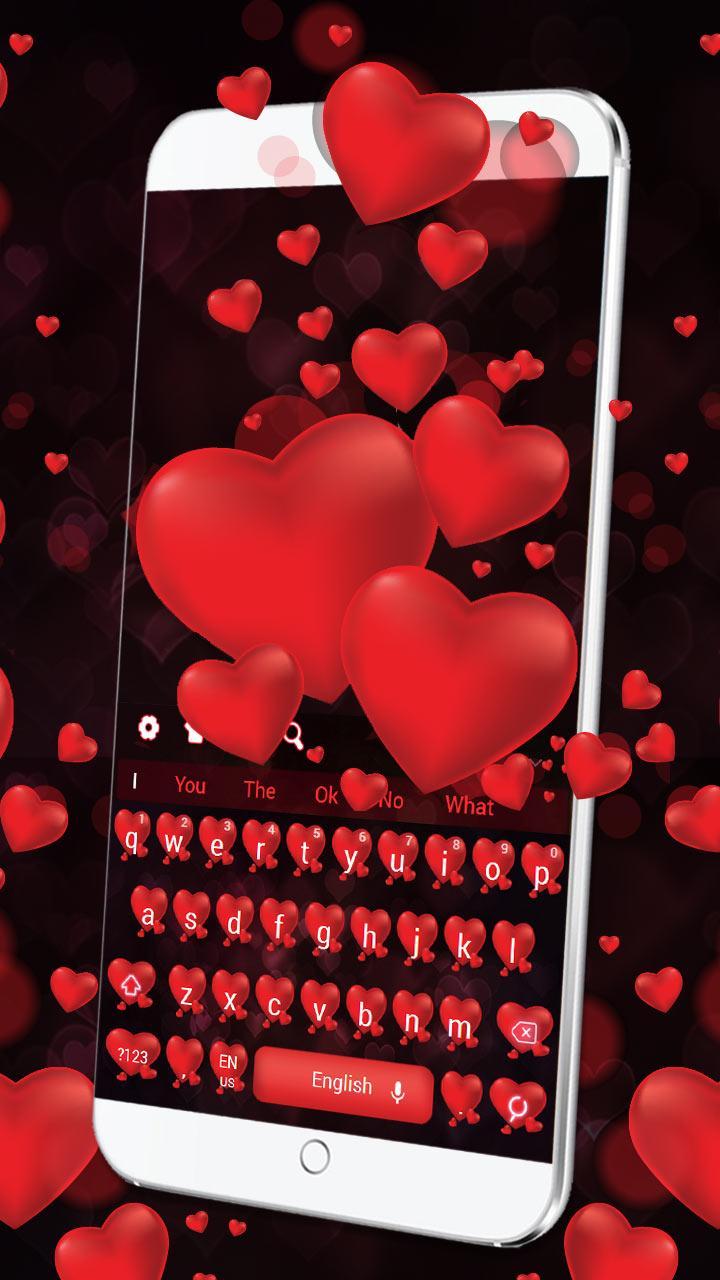
The Red Heart keyboard offers wonderful typing experience and Red Heart personalized enjoyment.
It will make your device look amazing!
How to apply the Red Heart keyboard theme?
Notes ☢:
The Red Heart theme is a theme app. It needs you to download the smart keyboard engine first. Tap the INSTALL button and download it for FREE! If you already have the smart keyboard engine app installed, just tap the APPLY button and the Red Heart keyboard theme will be applied on your phone automatically.
Features ☂:
✪Popular Emojis and Gifs☺:
Most popular emojis and gifs are supported. The auto emoji prediction feature offers precise prediction of emojis. Just type a word and our cool keyboard will suggest emojis for you.
✪ Theme Center✿:
3,000+ keyboard themes here including various categories, like tech, animal, glitter, nature, cute ones, cartoon, flowers, love, luxury, cool style, business, simple, sports, special for girls and many more. You can find all the themes you love in the theme center while enjoying the great typing experience!
✪ Supported Languages☁:
The Red Heart keyboard theme supports over 80 languages.
✪ Cool 3D Dynamic Effects✈:
Make your phone cool and awesome!
✪ Gesture Typing۞
Make your typing faster than ever. (Swype input method)
✪ About the Red Heart Keyboard:
Want to enter the world of Red Heart? Hurry up and download the Red Heart!
Cute Red Heart keyboard is a 3D button skin pack with cool 3D effects. Red Heart is also a keyboard which has plenty of simple Heart wallpapers for you to set as your phone's background.
Preview

Information
Developer
Mumu Keyboard Design
Latest Version
10001004
Last Updated
2018-03-20
Category
Personalization
Available on
Google Play
Show More
How to play Red Heart Keyboard Theme with GameLoop on PC
1. Download GameLoop from the official website, then run the exe file to install GameLoop
2. Open GameLoop and search for “Red Heart Keyboard Theme” , find Red Heart Keyboard Theme in the search results and click “Install”
3. Enjoy playing Red Heart Keyboard Theme on GameLoop
Minimum requirements
OS
Windows 8.1 64-bit or Windows 10 64-bit
GPU
GTX 1050
CPU
i3-8300
Memory
8GB RAM
Storage
1GB available space
Recommended requirements
OS
Windows 8.1 64-bit or Windows 10 64-bit
GPU
GTX 1050
CPU
i3-9320
Memory
16GB RAM
Storage
1GB available space