Icon Kompanions for KLWP/KWGT PC
BaconBits
Download Icon Kompanions for KLWP/KWGT on PC With GameLoop Emulator
Icon Kompanions for KLWP/KWGT on PC
Icon Kompanions for KLWP/KWGT, coming from the developer BaconBits, is running on Android systerm in the past.
Now, You can play Icon Kompanions for KLWP/KWGT on PC with GameLoop smoothly.
Download it in the GameLoop library or search results. No more eyeing the battery or frustrating calls at the wrong time any more.
Just enjoy Icon Kompanions for KLWP/KWGT PC on the large screen for free!
Icon Kompanions for KLWP/KWGT Introduction
YOU NEED TO HAVE THE PRO VERSION OF KUSTOM KLWP INSTALLED ON YOUR PHONE TO USE THE KOMPONENTS - https://goo.gl/UkHJ99
YOU NEED TO HAVE THE PRO VERSION OF KUSTOM KWGT INSTALLED ON YOUR PHONE TO USE THE WIDGETS - https://goo.gl/ABJVXq
This is a collection of eighteen komponents and eighteen widgets in the same style as some of the most popular icon packs on the Play Store. Six styles, with three komponents/widgets in each style
Instructions - Video - https://www.youtube.com/watch?v=-3lvkrFSXQ4&feature=youtu.be
Using a komponent
- Open the Kustom KWLP app
- Tap the + icon
- Select Icon Kompanions
- Select the komponent(s) you wish to use
- Tap on save icon
- Make Kustom the Live Wallpaper
- Return to homescreen
- Colours can be changed via the Globals menu in the editor
Using a Widget
- Longpress on homescreen and select Widget
- Scroll down and select a KWGT widget
- Rersize widget and tap on it
- KWGT app will open
- Select load preset from menu
- Tap on Installed and select Icon Kompanions
- Select the widget you which to use and press save
- Return to the homescreen
- Colours can be changed via the Globals menu in the editor
Features
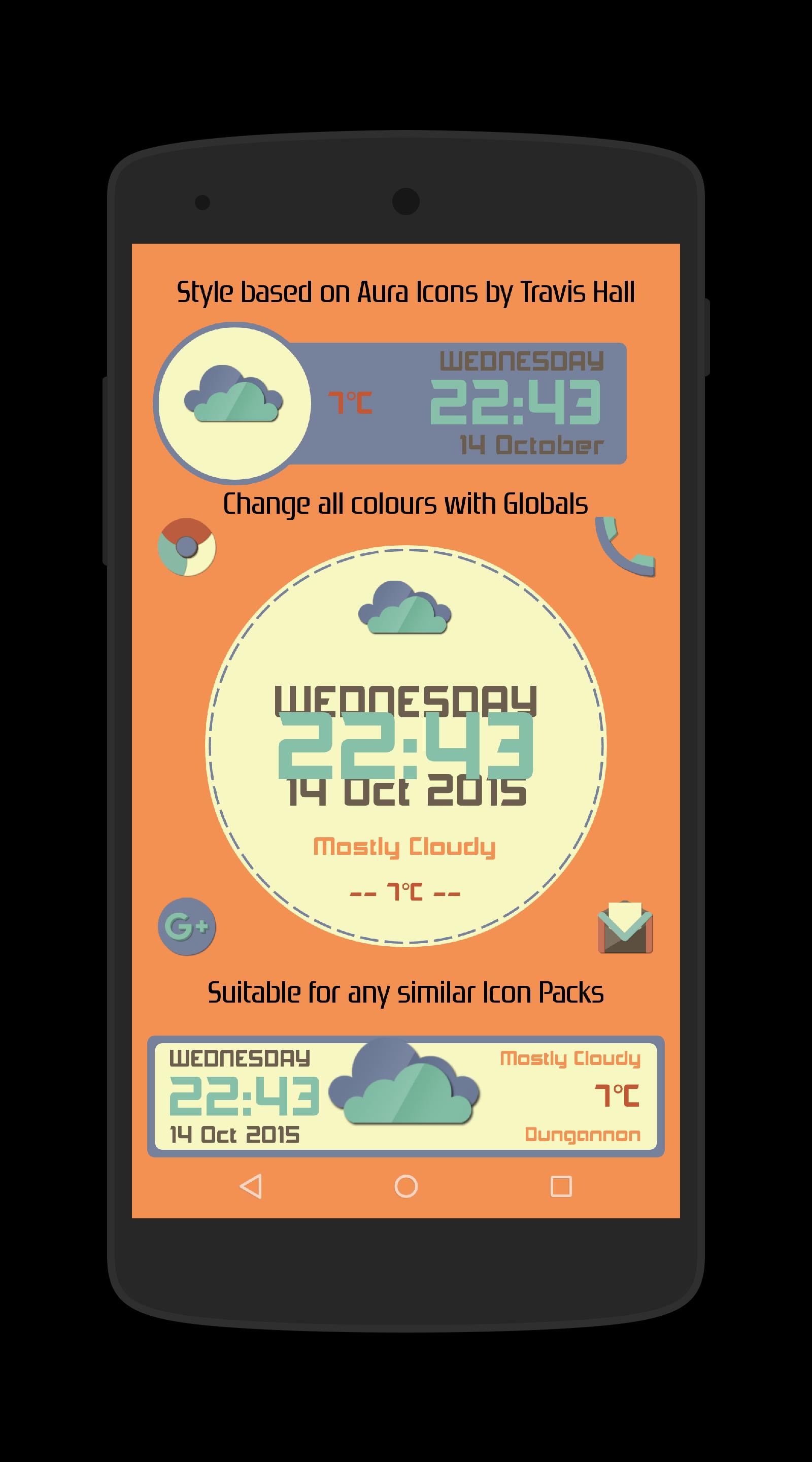
Aura - Based on Aura Icons by Travis Hall - https://plus.google.com/+TravisHall/posts
- Three komponents/widgets with Time/Date, weather/temp/condition (See Pic 1)
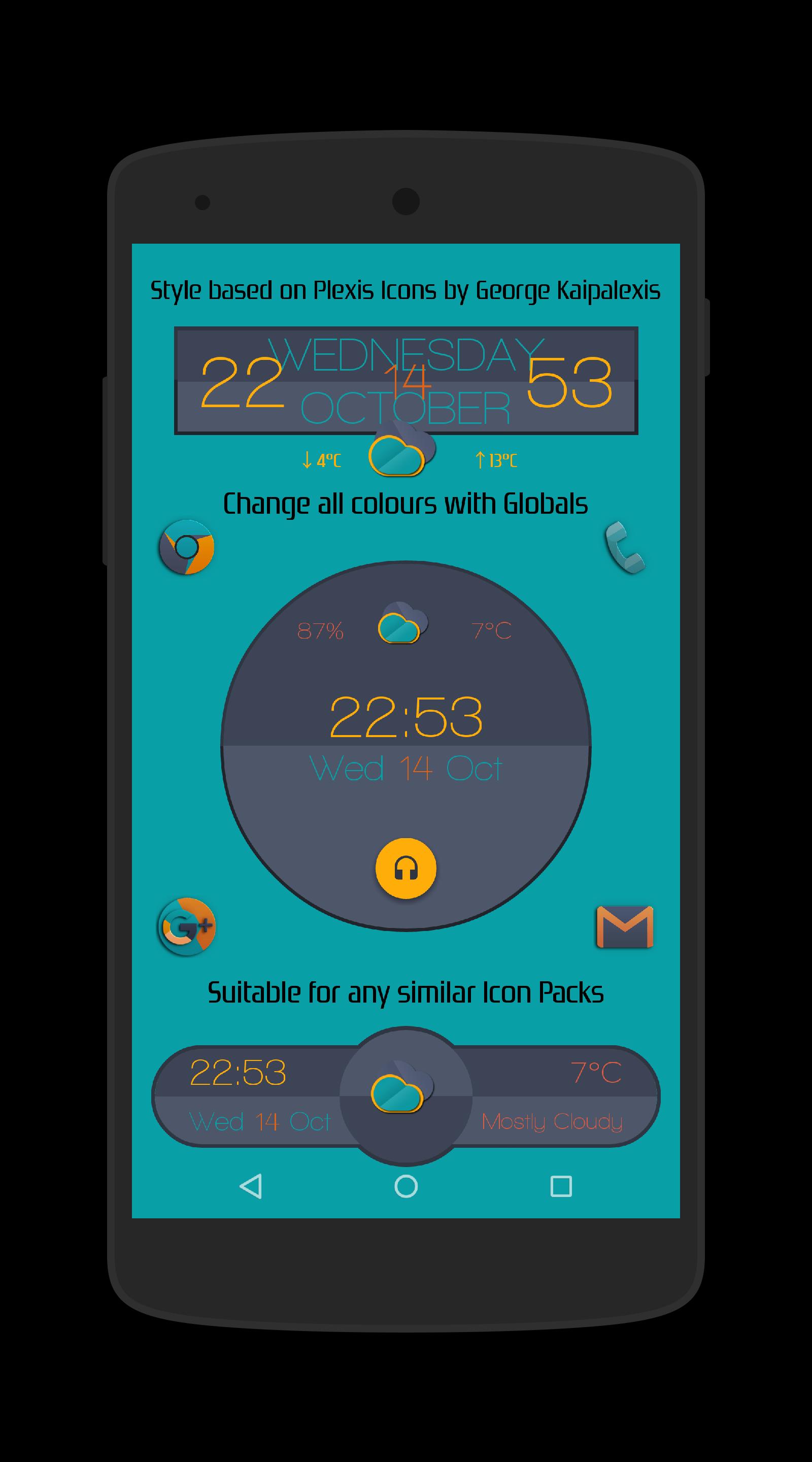
Plexis - Based on Plexis Icons by George Kaipalexis - https://plus.google.com/+GeorgeKaipalexis/posts
- Three komponents/widgets with Time/Date, weather/temp/condition (See Pic 2)
- Plexis2 has music/media playback. Tap the Headphone icon to play Music
Retrorika - Based on Retrorika Icons by Sikebo Giraz - https://plus.google.com/+SikeboGiraz/posts
- Three komponents/widgets with Time/Date, weather/temp/condition (See Pic 3)
Dynasty - Based on Dynasty Icons by DrumDestroyer - https://plus.google.com/+DrumDestroyerThemes/posts/VYBmxWJSxtE
- Three komponents/widgets with Time/Date, weather/temp/condition (See Pic 4)
- Dynasty2 has music/media playback. Tap the Headphone icon to play Music
Moonrise - Based on Moonrise Icons by Simon Martinov - https://plus.google.com/+SimonMartinov
- Three komponents/widgets with Time/Date, weather/temp/condition (See Pic 5)
Material - Based on Material/Lollipop style Icon Packs
- Three komponents/widgets with Time/Date, weather/temp/condition (See Pic 6)
- Material3 has a hidden weather menu. Tap the bar to reveal (Has a 15sec opening time before closing again)
Thanks to Zaibun Alexander for creating and sharing the weather icons used in these widgets - https://plus.google.com/101013923294281960229/posts
Aer weather set, used in the Moonrise rise komps/widgets shared by SixtyFour ThirtyTwo - https://plus.google.com/+SixtyFourThirtyTwo/posts/AhALtQujoVp
All colours in each of the komponents/widgets can be changed via the Globals menu in the editor
And, of course, you can use these komponents/widgets with any icon pack, wallpaper or whatever you wish :-D
If you have any queries, please email me instead of leaving 1* reviews
Enjoy & Thankyou
Find me on Reddit - https://www.reddit.com/user/BaconBitsNI/
or Twitter - https://twitter.com/baconbitskustom
for more Bacon
Preview
Tags
PersonalizationInformation
Developer
BaconBits
Latest Version
2.1
Last Updated
2020-09-01
Category
Personalization
Available on
Google Play
Show More
How to play Icon Kompanions for KLWP/KWGT with GameLoop on PC
1. Download GameLoop from the official website, then run the exe file to install GameLoop
2. Open GameLoop and search for “Icon Kompanions for KLWP/KWGT” , find Icon Kompanions for KLWP/KWGT in the search results and click “Install”
3. Enjoy playing Icon Kompanions for KLWP/KWGT on GameLoop
Minimum requirements
OS
Windows 8.1 64-bit or Windows 10 64-bit
GPU
GTX 1050
CPU
i3-8300
Memory
8GB RAM
Storage
1GB available space
Recommended requirements
OS
Windows 8.1 64-bit or Windows 10 64-bit
GPU
GTX 1050
CPU
i3-9320
Memory
16GB RAM
Storage
1GB available space