
INSIDERS PC
Zeryx
Download INSIDERS on PC With GameLoop Emulator
INSIDERS on PC
INSIDERS, coming from the developer Zeryx, is running on Android systerm in the past.
Now, You can play INSIDERS on PC with GameLoop smoothly.
Download it in the GameLoop library or search results. No more eyeing the battery or frustrating calls at the wrong time any more.
Just enjoy INSIDERS PC on the large screen for free!
INSIDERS Introduction
INSIDERS is the members' app of The Hills — a FinTech · EdTech · Community for people who take trading seriously.
Sign in with your member account to find everything you have earned and everything that is waiting for you, in one place.
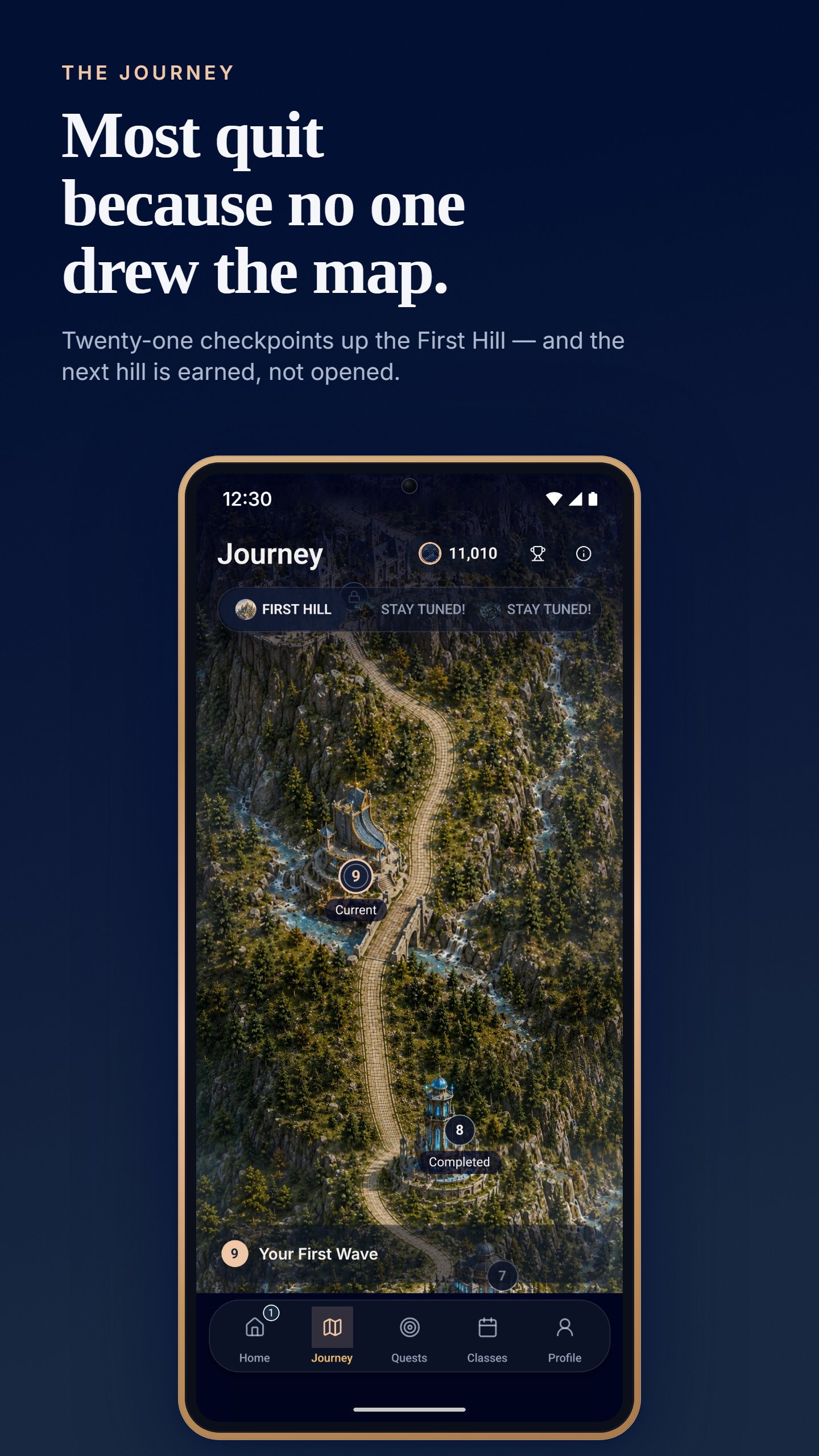
YOUR JOURNEY
A painted world you move through one checkpoint at a time. Attend, trade, scan and complete — the next stop is revealed when you reach it.
QUESTS AND MILES
Daily and weekly quests, a streak that remembers, and mystery boxes that open only while the week is still open. Miles are earned for what you actually do — check-ins, classes, trades — and spent in the Rewards shelf.
CLASSES
Prime Time, Grouping, Live Trading and more — a month of sessions you enrol in from the app, with a QR check-in at the door so your attendance counts.
CIRCLE
Your standing in the community, from Bronze to Chairman, and the privileges each Circle unlocks.
ACHIEVEMENTS AND WHO REIGNS
Laurels for the days you kept, and the community leaderboard.
INSIDERS is for members of The Hills. Membership is arranged by the community; the app signs existing members in.
Preview

Tags
EventsInformation
Developer
Zeryx
Latest Version
1.7.0
Last Updated
2026-09-06
Category
Events
Available on
Google Play
Show More
How to play INSIDERS with GameLoop on PC
1. Download GameLoop from the official website, then run the exe file to install GameLoop
2. Open GameLoop and search for “INSIDERS” , find INSIDERS in the search results and click “Install”
3. Enjoy playing INSIDERS on GameLoop
Minimum requirements
OS
Windows 8.1 64-bit or Windows 10 64-bit
GPU
GTX 1050
CPU
i3-8300
Memory
8GB RAM
Storage
1GB available space
Recommended requirements
OS
Windows 8.1 64-bit or Windows 10 64-bit
GPU
GTX 1050
CPU
i3-9320
Memory
16GB RAM
Storage
1GB available space