Spin wheel: Decision maker Ran PC
Theta Mobile
Download Spin wheel: Decision maker Ran on PC With GameLoop Emulator
Spin wheel: Decision maker Ran on PC
Spin wheel: Decision maker Ran, coming from the developer Theta Mobile, is running on Android systerm in the past.
Now, You can play Spin wheel: Decision maker Ran on PC with GameLoop smoothly.
Download it in the GameLoop library or search results. No more eyeing the battery or frustrating calls at the wrong time any more.
Just enjoy Spin wheel: Decision maker Ran PC on the large screen for free!
Spin wheel: Decision maker Ran Introduction
So many Choices!!! So many Decisions!!! So many Conflicts!!! So many Arguments!!!
We wish there was an app that could just do it for us…
Well now Decision maker: Random, Number, Name, Generator app is here to make your life easy.
Who will be the Decision Maker? That question is always asked in every social group whenever something needs to be decided. We always seek some qualities in our decision maker that give us confidence and make us trust the decision; most important of those is not being biased.
We feel ourselves stranded when questions like the following come across;
• Pick a random number between 1 and 1000?
• Choose a random color from the 256 color wheel?
• Decide what to order for dinner among 4 friends?
• Make a 4 Random Teams from a Group of 20 people?
• Choose a very difficult password?
• Flip a coin to know make a choice?
Though these decisions seem petty and very easy to make yet keeping oneself un-biased and the choices random is not an easy feat. With Decision maker: Random, Number, Name, Generator app you now have a powerful and fun decision maker and randomizer in your phone. With features like;
• Random Name Generator
• Random Number Generator
• Random Color Generator
• Coin Flip
And moving on to more interesting options like;
• Random Image Generator
• Random Quote Generator
The full feature list of the Decision maker: Random, Number, Name, Generator app covers three very distinct yet most important sections of our everyday life;
• Decision Making
• Security
• Media
We will try and give you glimpse of the power of our Decision maker: Random, Number, Name, Generator app through some details of the Randomizer that we have implemented as a random selector.
As a decision maker this Decision maker: Random, Number, Name, Generator app can;
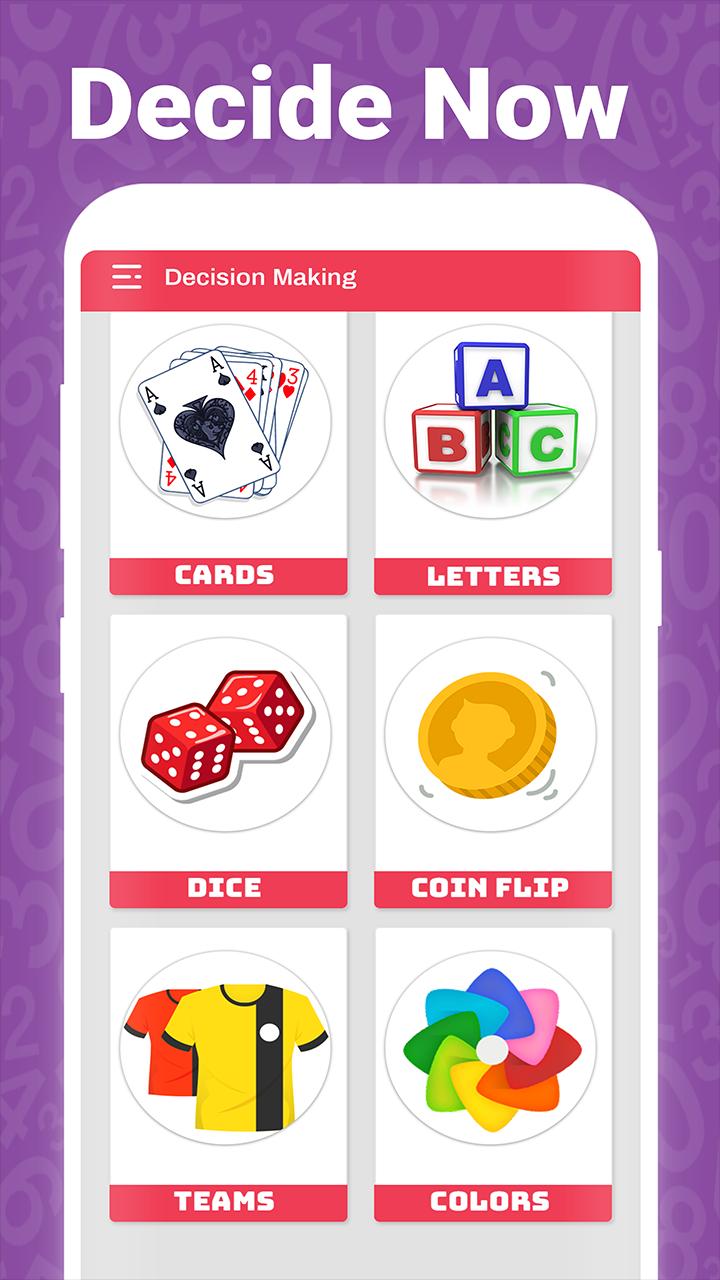
Random Number Generator
Generate a single random number from 1 to N number or Series of random numbers from 1 to N.
Random List
Generate a single random value from list given by user
Random Dice
Generate Random Dice value or random values from multiple dices as per user’s selection.
Random Coin Flip
Flip a coin for heads or tails to decide simple choices.
Random Yes or No
Display Yes or No randomly for easy decision making.
Random Color Generator
Generate a single random color or color palette of given number.
Random Team Creator
Create random number of teams given by user from the list created by user.
Random Card Picker
Generate a random card or series of cards of given number by user from the deck of 52 playing cards.
For Security this Decision maker: Random, Number, Name, Generator app can;
Random Person Generator
Generate a Random person details with name generator (including first and last name).
Random Password Generator
Generate random password with multiple difficulty levels set by user as per need.
Random Pin Generator
Generate Random Pin with multiple difficulty levels set by user as per need.
For fun this decision maker this Decision maker: Random, Number, Name, Generator app can;
Generate Random Image
Generate and display a random image from the category of choice of user.
Generate Random Quote
Generate random quote from the category of choice of the user.
Overall we have tried to cover as many possible randomizer capabilities in this one Decision maker: Random, Number, Name, Generator app. We encourage you to render your feedback so that we can improve our user experience further.
Preview
Tags
EntertainmentInformation
Developer
Theta Mobile
Latest Version
1.0
Last Updated
2018-10-31
Category
Entertainment
Available on
Google Play
Show More
How to play Spin wheel: Decision maker Ran with GameLoop on PC
1. Download GameLoop from the official website, then run the exe file to install GameLoop
2. Open GameLoop and search for “Spin wheel: Decision maker Ran” , find Spin wheel: Decision maker Ran in the search results and click “Install”
3. Enjoy playing Spin wheel: Decision maker Ran on GameLoop
Minimum requirements
OS
Windows 8.1 64-bit or Windows 10 64-bit
GPU
GTX 1050
CPU
i3-8300
Memory
8GB RAM
Storage
1GB available space
Recommended requirements
OS
Windows 8.1 64-bit or Windows 10 64-bit
GPU
GTX 1050
CPU
i3-9320
Memory
16GB RAM
Storage
1GB available space