Shadowrun Dice Roller PC
Catalyst Game Labs
Download Shadowrun Dice Roller on PC With GameLoop Emulator
Shadowrun Dice Roller on PC
Shadowrun Dice Roller, coming from the developer Catalyst Game Labs, is running on Android systerm in the past.
Now, You can play Shadowrun Dice Roller on PC with GameLoop smoothly.
Download it in the GameLoop library or search results. No more eyeing the battery or frustrating calls at the wrong time any more.
Just enjoy Shadowrun Dice Roller PC on the large screen for free!
Shadowrun Dice Roller Introduction
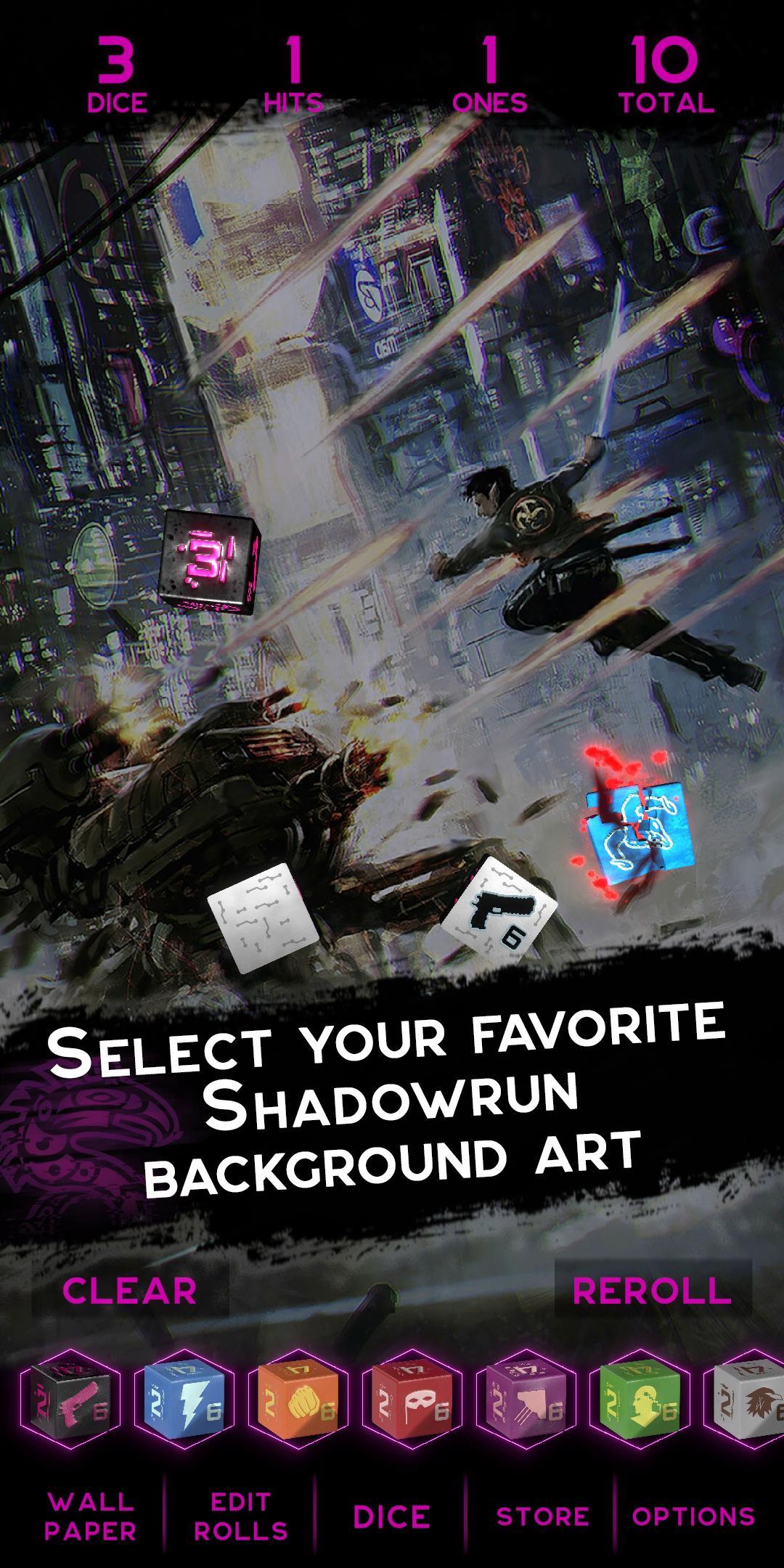
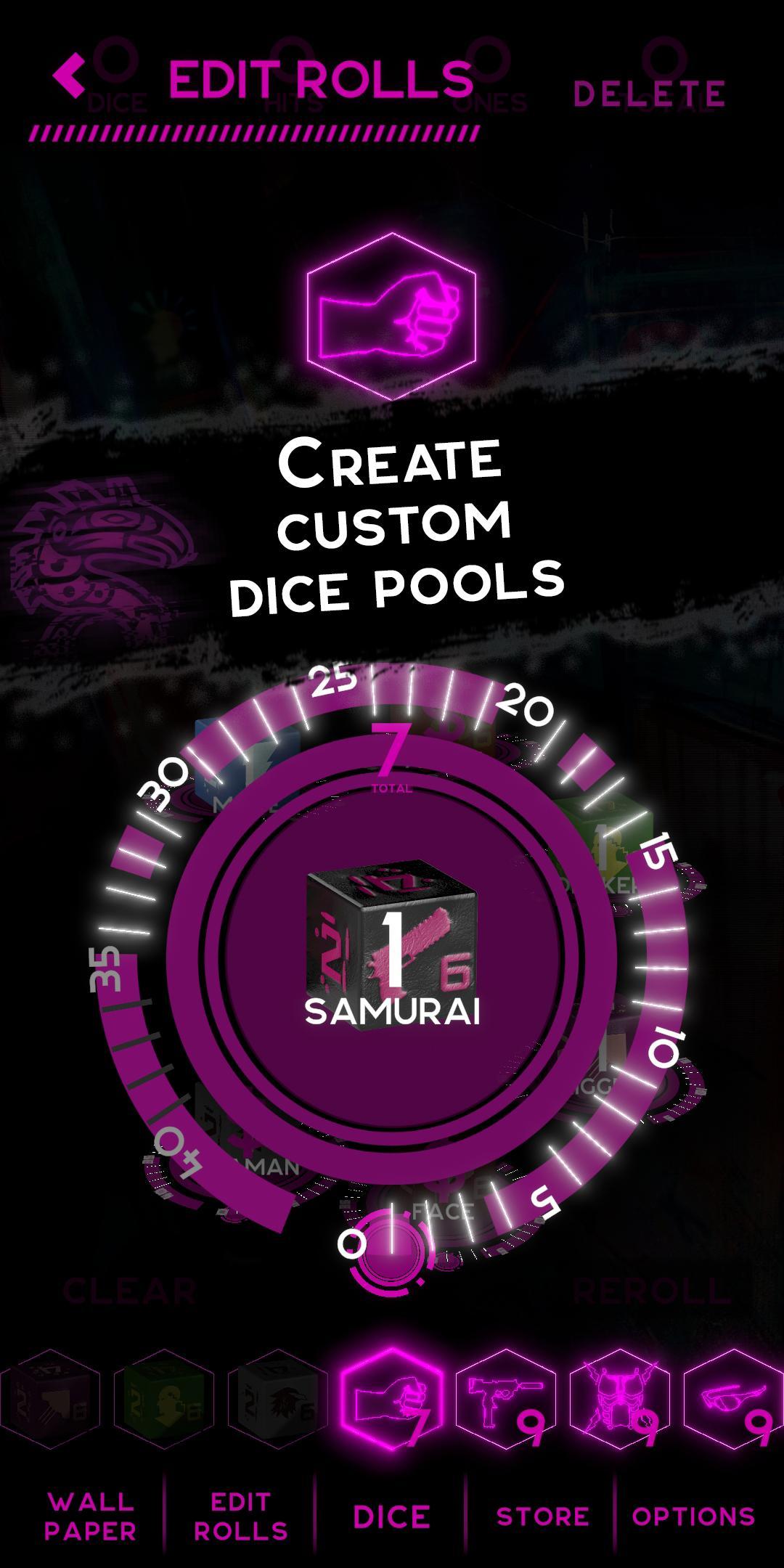
Keep Shadowrun action moving with cyberpunk style! Whether you’re calculating your dice pools on the fly or using some of your most common rolls, the app features themed dice with individual animations and sounds to make your dice easy to roll and easy to count. Features include:
Specially designed dice with Shadowrun themes, each with unique animations and sounds.
Street samurai dice included, with a sample die of each of the other types included, namely: mage die, adept die, decker die, face die, rigger die, and shaman die. Once you try them all out, you can purchase more of your favorites.
Automatic calculation of hits and glitches, while also tallying the total pips rolled for initiative purposes.
Dice pools as small as 1, as large as 40.
Roll by touching the screen—or by shaking your device.
When you buy dice beyond the free sample die, you get an accompanying piece of Shadowrun art that can be used as an app backdrop.
Works with any edition of Shadowrun—or any game that includes rolling D6s. Keep the action moving and the dice rolling. And never again worry about whether your hands can hold all the dice you’re going to roll!
Preview
Tags
EntertainmentInformation
Developer
Catalyst Game Labs
Latest Version
1.1.7
Last Updated
2021-09-12
Category
Entertainment
Available on
Google Play
Show More
How to play Shadowrun Dice Roller with GameLoop on PC
1. Download GameLoop from the official website, then run the exe file to install GameLoop
2. Open GameLoop and search for “Shadowrun Dice Roller” , find Shadowrun Dice Roller in the search results and click “Install”
3. Enjoy playing Shadowrun Dice Roller on GameLoop
Minimum requirements
OS
Windows 8.1 64-bit or Windows 10 64-bit
GPU
GTX 1050
CPU
i3-8300
Memory
8GB RAM
Storage
1GB available space
Recommended requirements
OS
Windows 8.1 64-bit or Windows 10 64-bit
GPU
GTX 1050
CPU
i3-9320
Memory
16GB RAM
Storage
1GB available space