Pictionary Air PC
Mattel
Download Pictionary Air on PC With GameLoop Emulator
Pictionary Air on PC
Pictionary Air, coming from the developer Mattel, is running on Android systerm in the past.
Now, You can play Pictionary Air on PC with GameLoop smoothly.
Download it in the GameLoop library or search results. No more eyeing the battery or frustrating calls at the wrong time any more.
Just enjoy Pictionary Air PC on the large screen for free!
Pictionary Air Introduction
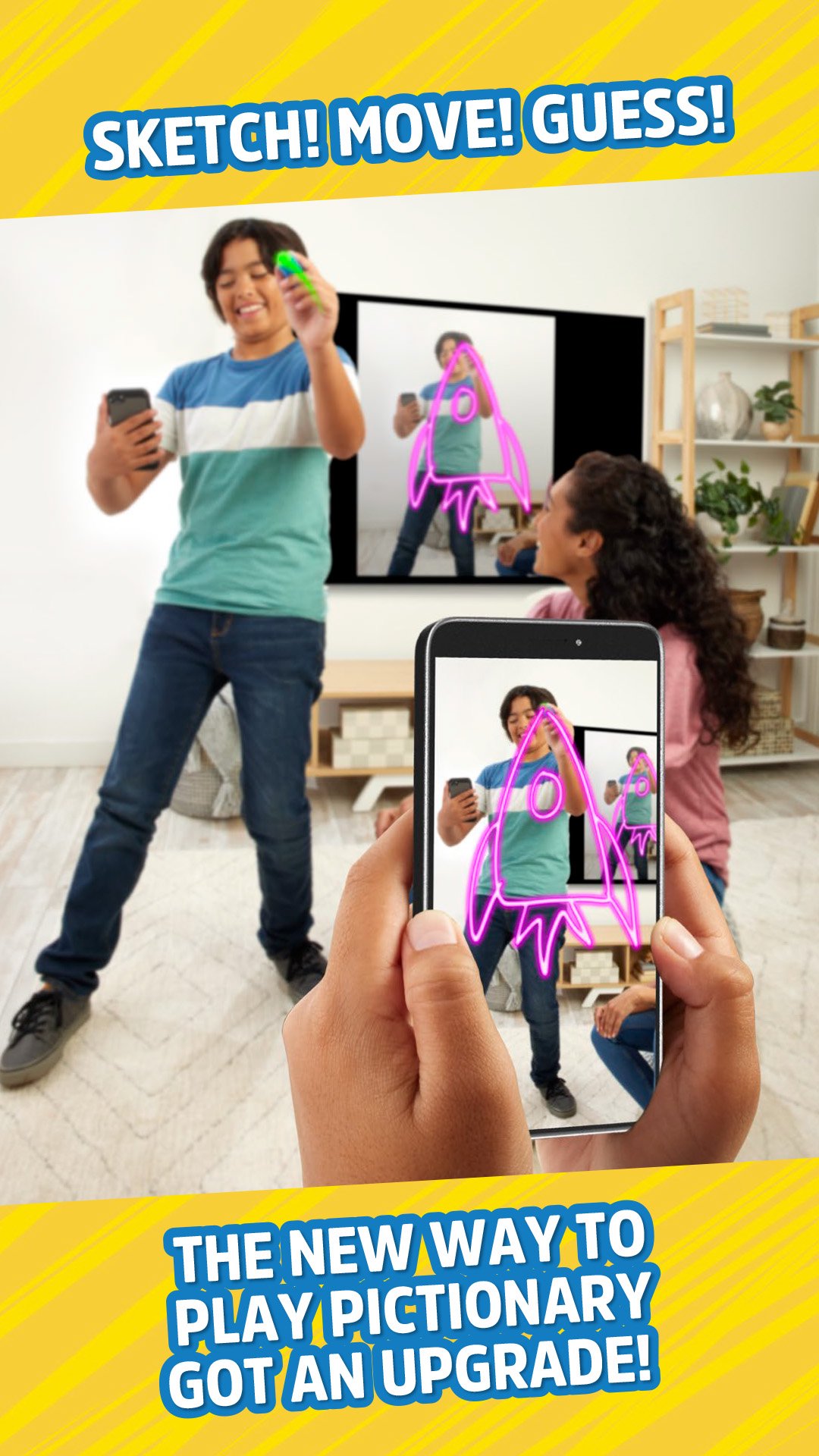
Draw in the air. See it on screen!
Pictionary Air®: Takeover brings a competitive twist to the classic drawing and guessing game. Use the Air Pen (sold separately) to draw clues in the air and watch them appear on screen while players race to guess.
Now both teams guess at the same time, turning every round into a fast-paced showdown. Guess correctly to steal the point and the pen!
If you make a mistake, just press the erase button on the pen to clear the screen and keep drawing.
Get on a roll and trigger Wild Streak Mode to earn bonus points for your team!
Want bigger laughs? Cast the game to your TV* using Apple TV® or another compatible streaming device so everyone can see the action.
Get ready to move, laugh, and draw in the air with Pictionary Air®: Takeover.
Also available:
Pictionary Air®: Harry Potter™
Pictionary Air®: Star Wars™
Pictionary Air®
Pictionary Air® 2
Pictionary Air®: Kids Vs. Grown-Ups
*Compatible smart device and streaming device required for casting.
Preview

Tags
EntertainmentInformation
Developer
Mattel
Latest Version
6.1.4
Last Updated
2026-08-18
Category
Entertainment
Available on
Google Play
Show More
How to play Pictionary Air with GameLoop on PC
1. Download GameLoop from the official website, then run the exe file to install GameLoop
2. Open GameLoop and search for “Pictionary Air” , find Pictionary Air in the search results and click “Install”
3. Enjoy playing Pictionary Air on GameLoop
Minimum requirements
OS
Windows 8.1 64-bit or Windows 10 64-bit
GPU
GTX 1050
CPU
i3-8300
Memory
8GB RAM
Storage
1GB available space
Recommended requirements
OS
Windows 8.1 64-bit or Windows 10 64-bit
GPU
GTX 1050
CPU
i3-9320
Memory
16GB RAM
Storage
1GB available space