Sign Language Tutorial PC
Chronos Studio
Download Sign Language Tutorial on PC With GameLoop Emulator
Sign Language Tutorial on PC
Sign Language Tutorial, coming from the developer Chronos Studio, is running on Android systerm in the past.
Now, You can play Sign Language Tutorial on PC with GameLoop smoothly.
Download it in the GameLoop library or search results. No more eyeing the battery or frustrating calls at the wrong time any more.
Just enjoy Sign Language Tutorial PC on the large screen for free!
Sign Language Tutorial Introduction
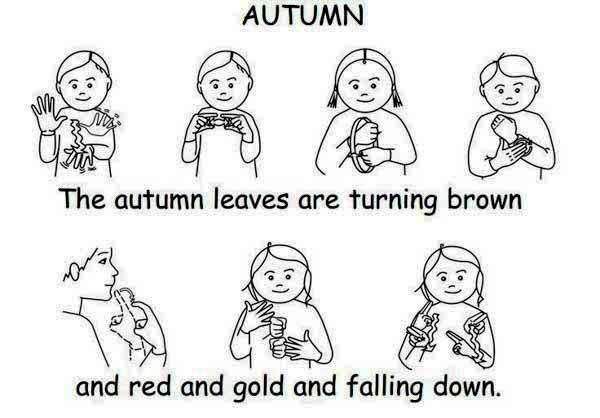
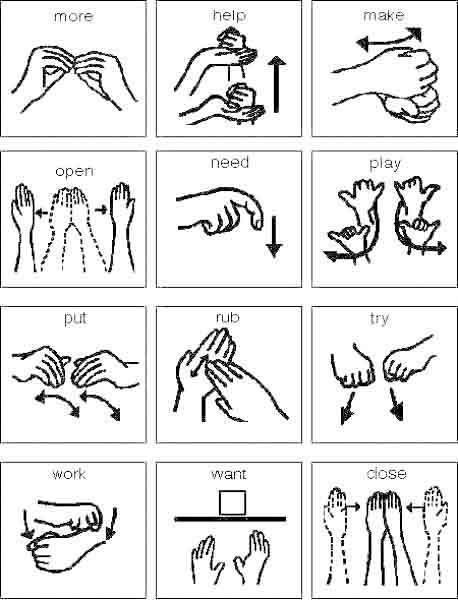
The motion based correspondence for beginner Application is proposed to empower you to take in another visual tongue in a way that is straightforward, intuitive, and all around paced. You can drag your finger on the accounts to control the speed - totally at your pace. There is a request record (when you need to know an exchange responsibility for), direct development elective, information (tips), and a best decisions envelope. You can save the signs you have to review again in your own particular best picks coordinator where you can retreat to it and practice more; and shockingly better - you can exchange unmistakable what signs you've made sense of how to Twitter and Facebook. Offer with your colleagues, make learning correspondence through signals for understudy fun, and dynamic!! Start NOW - download and get your first pile of signs today! The correspondence by means of motions for understudy Application Pack offers you everything - the entire social event - of current available gatherings and future releases! Everything for $9.99. This in like manner empties advancements. Packs: • Know Your ABCs - Take in the motion based correspondence for novice letter set (included, FREE!) • Know Your Numbers - Take in each one of the numbers (included, FREE!) • Widespread Signals - Survey what you unquestionably know (included, FREE!) • Handshape Activities - Warm up your hands, and get used to the unmistakable handshape positions. Get your muscles to twist up discernibly smoothly careful. (included, FREE!) • The Nuts and fasteners! A better than average way to deal with start! (included, FREE!) • More Essential Signs! Yet again, an amassing of more essential signs. (free) • Looking Great Today! A social occasion of signs that is related to looks, outline, and changed complimenting phrases. (free) • Emotional scenes! A gathering of signs for different perspectives, emotions, assessments. (free) • Life of the Gathering! An amassing of signs/phrases proposed to fit what will be said at social affairs, or at bars. (free) • Feasting and Marking! Signs and articulations for eating out, for the diner business. (free) • Foodies, Cheer! Signs and articulations covering food, dishes, drinks, and various courses related to eating. (free) • The Wild Calls! Unmistakable signs and articulations of our indigenous natural surroundings. Romanticize if you like outside, climbing, or road trips an extensive measure. (free) • Awesome Planning! Signs related to time, booking, plans, days of the week, and anything is possible from that point. (free) • Dollar and Signs! Everything related to money, arranging, invoicing, making portions and whatnot. (free) • Nation Name Signs! Take in the name signs of countries around the world. • Hues! Take in each one of the signs for shades with a couple of articulations! (Free) •Nyle's Sampler! Components Nyle DiMarco, champ of American's Next Best Model and ABC's Hit the move floor with The Stars. (Free)
Preview
Information
Developer
Chronos Studio
Latest Version
1.0
Last Updated
2017-11-24
Category
Education
Available on
Google Play
Show More
How to play Sign Language Tutorial with GameLoop on PC
1. Download GameLoop from the official website, then run the exe file to install GameLoop
2. Open GameLoop and search for “Sign Language Tutorial” , find Sign Language Tutorial in the search results and click “Install”
3. Enjoy playing Sign Language Tutorial on GameLoop
Minimum requirements
OS
Windows 8.1 64-bit or Windows 10 64-bit
GPU
GTX 1050
CPU
i3-8300
Memory
8GB RAM
Storage
1GB available space
Recommended requirements
OS
Windows 8.1 64-bit or Windows 10 64-bit
GPU
GTX 1050
CPU
i3-9320
Memory
16GB RAM
Storage
1GB available space