Relution Teacher PC
M-Way Solutions GmbH
Download Relution Teacher on PC With GameLoop Emulator
Relution Teacher on PC
Relution Teacher, coming from the developer M-Way Solutions GmbH, is running on Android systerm in the past.
Now, You can play Relution Teacher on PC with GameLoop smoothly.
Download it in the GameLoop library or search results. No more eyeing the battery or frustrating calls at the wrong time any more.
Just enjoy Relution Teacher PC on the large screen for free!
Relution Teacher Introduction
Centralized management of all mobile devices and apps for smooth, interactive lessons
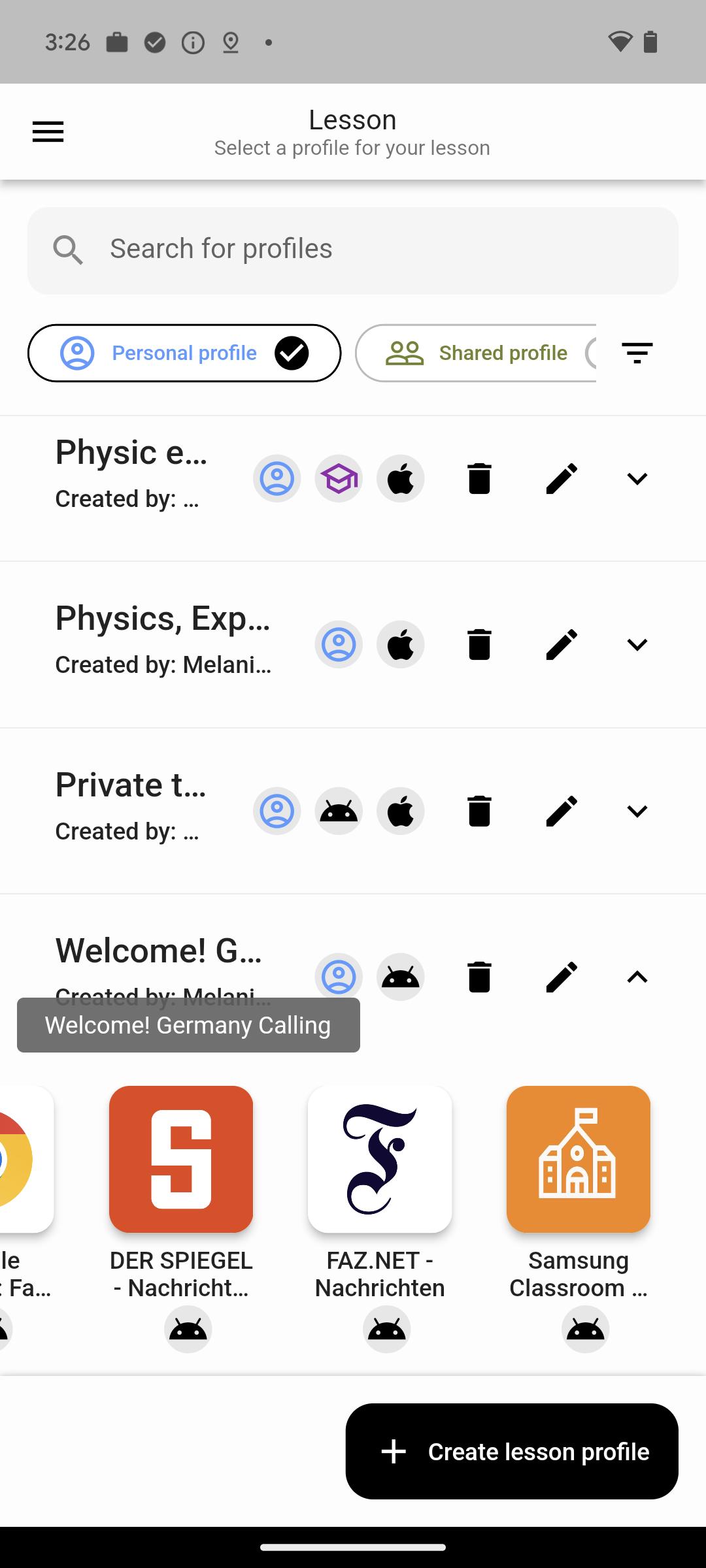
Relution Teacher supports teachers in delivering chaos-free lessons with tablets. Lesson-specific profiles can be created and pre-configured to be used directly in the classroom. With just a few clicks, settings are applied to student devices: apps and web links relevant to the lesson appear automatically, and features that are not needed are disabled. Outside of class, all device functions and apps are available again.
In ad-hoc mode, students from different classes can be grouped together to allow teachers to be flexible in their daily work. Admin mode helps teachers manage the entire school organization. This allows administrator(s), even independently of the teacher, to terminate a foreign class at any time.
Important:
The Relution Teacher App is part of the Relution platform and can only be used with an Education license and appropriate credentials. The installation of the app on the device should be done in coordination with the respective IT administrator(s) of the organization. For unrestricted classroom control, it is recommended to combine it with the Samsung Classroom Management App.
Features of the app:
- Create public and private lesson profiles for lesson preparation.
- Manage and edit existing lesson profiles
- Adding and managing apps Adding and managing relevant system apps.
- Provide and manage web links for accessing required web pages
- Restricting system features for student devices
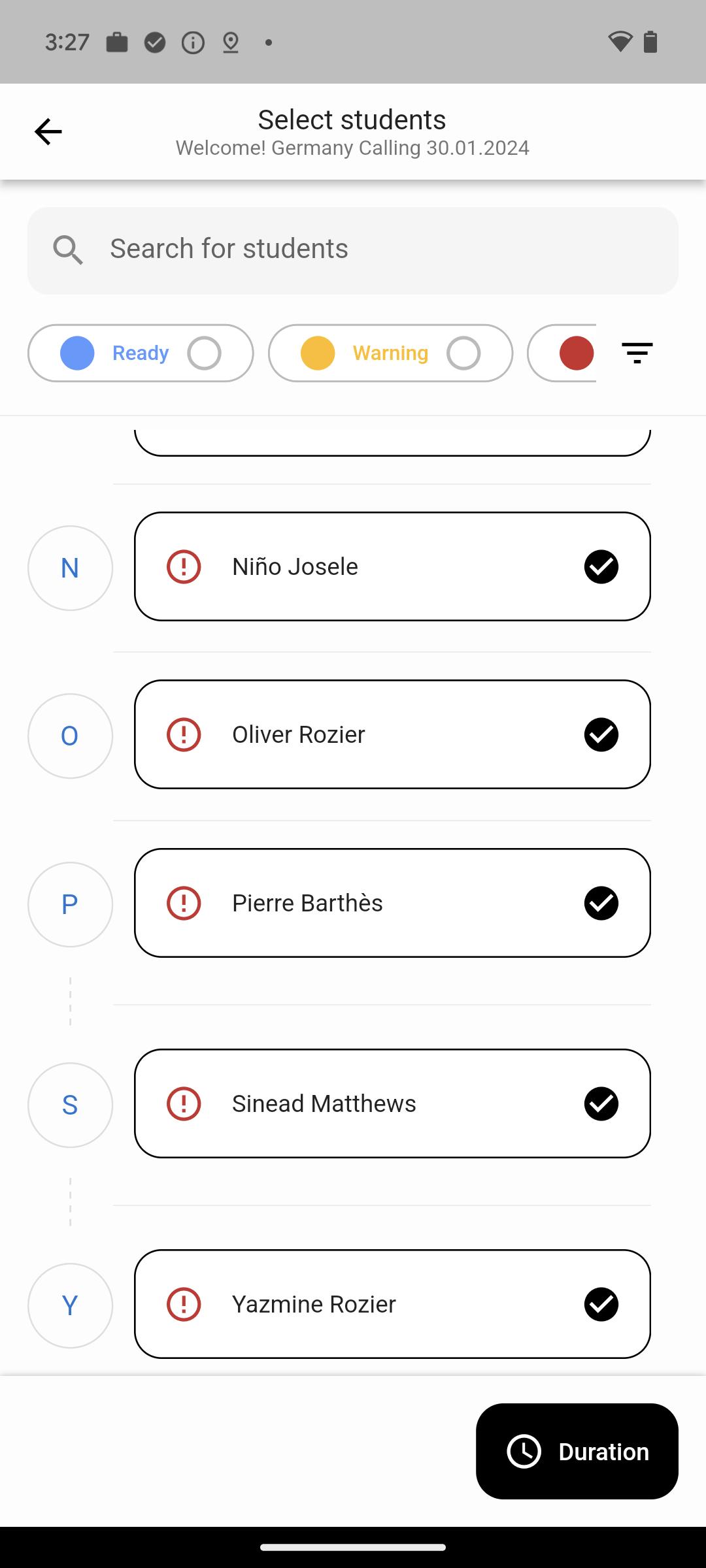
- Using predefined classes with assigned students from Relution
- Removal of absent students from class
- Displaying problems on student devices
- Displaying the school's timetable from Relution
- Manual adjustment of lesson profile or lesson duration
- Execution of lesson and examination mode
- Automatic application of the selected lesson profile to student devices of the class
- Ad-Hoc mode for own composition of classes and students
- Admin mode gives an overview of all active lessons and allows the administration to edit or terminate lessons
About Relution:
Relution is a mobile device management (MDM) solution developed in Germany. The system enables data protection-compliant operation, optionally in the company's own infrastructure or in a German cloud. With Relution, the cross-platform inventory, configuration, equipping and securing of all devices succeeds, regardless of operating system, type and manufacturer. The MDM system ensures the up-to-dateness and operability of all end devices for smooth operations in schools, public authorities, administrations and companies through central and uniform remote management.
Further information at www.relution.io
Preview
Tags
EducationInformation
Developer
M-Way Solutions GmbH
Latest Version
5.21.1
Last Updated
2025-08-04
Category
Education
Available on
Google Play
Show More
How to play Relution Teacher with GameLoop on PC
1. Download GameLoop from the official website, then run the exe file to install GameLoop
2. Open GameLoop and search for “Relution Teacher” , find Relution Teacher in the search results and click “Install”
3. Enjoy playing Relution Teacher on GameLoop
Minimum requirements
OS
Windows 8.1 64-bit or Windows 10 64-bit
GPU
GTX 1050
CPU
i3-8300
Memory
8GB RAM
Storage
1GB available space
Recommended requirements
OS
Windows 8.1 64-bit or Windows 10 64-bit
GPU
GTX 1050
CPU
i3-9320
Memory
16GB RAM
Storage
1GB available space