
Ocene - Ocene i moj esDnevnik PC
BokaDev
Download Ocene - Ocene i moj esDnevnik on PC With GameLoop Emulator
Ocene - Ocene i moj esDnevnik on PC
Ocene - Ocene i moj esDnevnik, coming from the developer BokaDev, is running on Android systerm in the past.
Now, You can play Ocene - Ocene i moj esDnevnik on PC with GameLoop smoothly.
Download it in the GameLoop library or search results. No more eyeing the battery or frustrating calls at the wrong time any more.
Just enjoy Ocene - Ocene i moj esDnevnik PC on the large screen for free!
Ocene - Ocene i moj esDnevnik Introduction
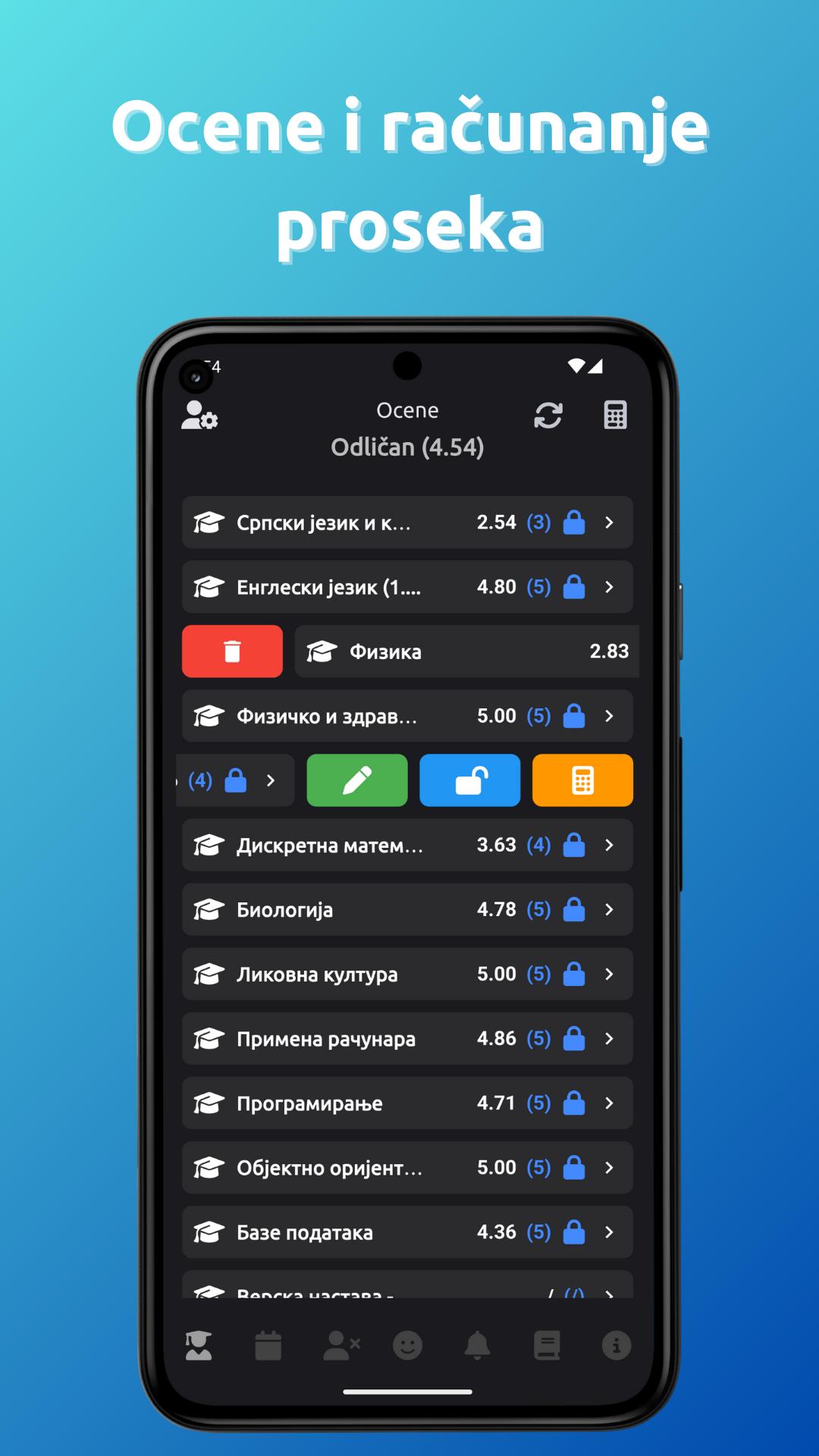
Grades is an ideal app for students and parents who use their phones to track their academic performance, class schedules, bell schedules, and deadlines. You can quickly review your grades, calculate averages, track activities and absences, simulate grades, and calculate points for high school or college admission. You can also add notes and reminders to keep it more organized. The "My esDnevnik" function allows you to access the online diary from the application.
Grades and Average Calculation: This option calculates your average for you. You can conclude the grade as you wish, even if you do not have an average for the same. You don't have to enter all subjects and grades manually - the application can automatically import all your subjects, grades, activities and absences from the official esDnevnik!
Dual Shift Class Schedule: App Ratings supports morning and afternoon shift class schedules. You can add as many classes as you want, and the application will automatically show you the schedule for today.
Reminders: Quickly and easily add a reminder as desired.
Notes: Want to write something down? In the Grades application, you can add notes quickly and easily.
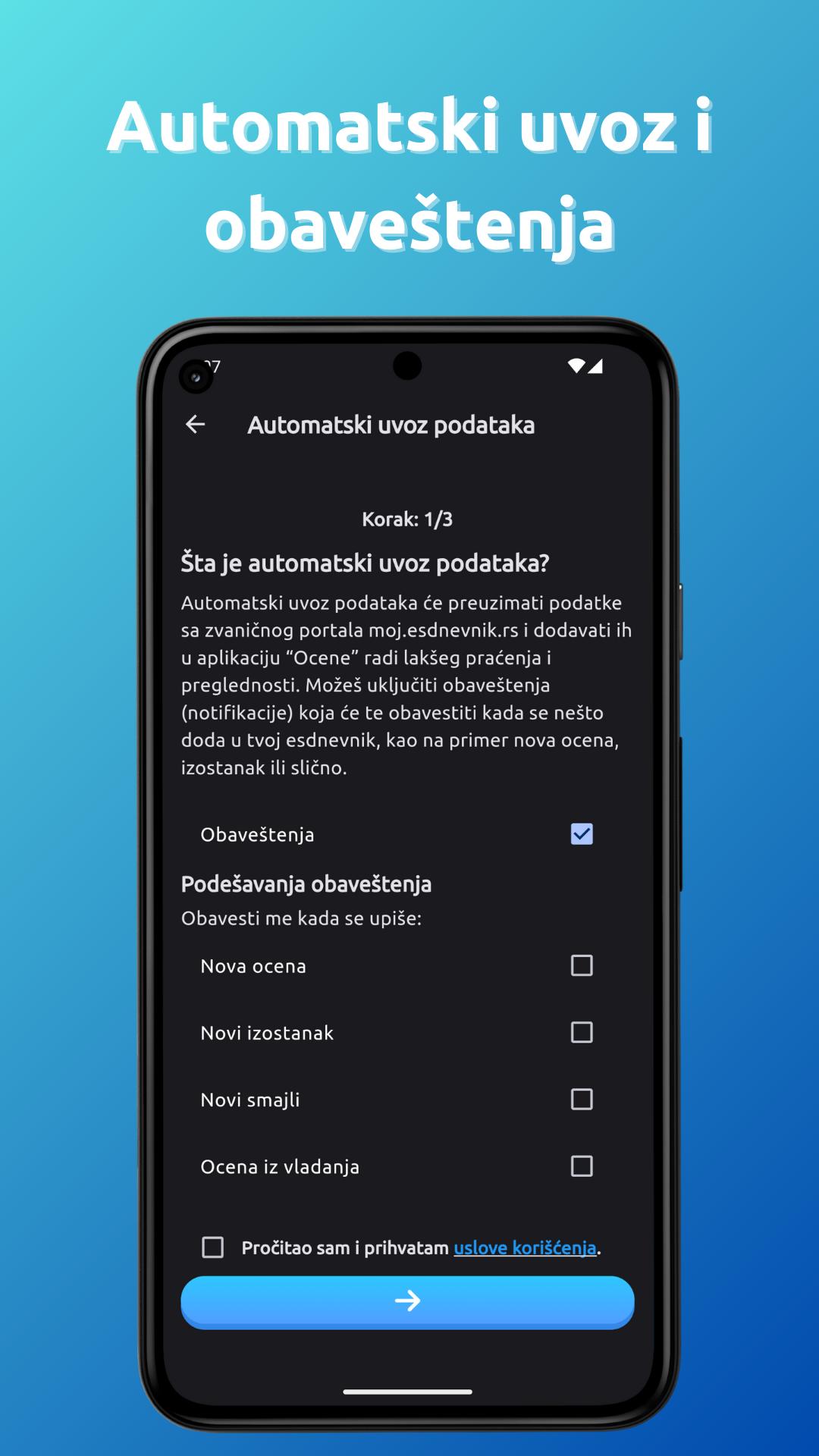
Automatic data import from esDnevnik: With the Grades application, you no longer have to manually enter grades, absences and activities - everything is imported automatically from the portal my esdnevnik.
Grades and Points Simulation: Track how potential grades affect your GPA and calculate high school or college admissions points.
Make your own bell schedule: Can't find a bell schedule online or can't remember when the bell rings or class starts? With the Ratings application, create your own ringtone schedule as desired.
Add your ringtone schedule to your home screen: You've created a ringtone schedule, but hate having to go into the app every time to see when it's ringing? Add a widget to your home screen!
School calendar: Are you interested in when the next vacation is or when there is no school? App reviews has school calendars for primary and secondary schools, including calendars for schools in Vojvodina!
Preview
Tags
EducationInformation
Developer
BokaDev
Latest Version
3.1.1
Last Updated
2024-10-21
Category
Education
Available on
Google Play
Show More
How to play Ocene - Ocene i moj esDnevnik with GameLoop on PC
1. Download GameLoop from the official website, then run the exe file to install GameLoop
2. Open GameLoop and search for “Ocene - Ocene i moj esDnevnik” , find Ocene - Ocene i moj esDnevnik in the search results and click “Install”
3. Enjoy playing Ocene - Ocene i moj esDnevnik on GameLoop
Minimum requirements
OS
Windows 8.1 64-bit or Windows 10 64-bit
GPU
GTX 1050
CPU
i3-8300
Memory
8GB RAM
Storage
1GB available space
Recommended requirements
OS
Windows 8.1 64-bit or Windows 10 64-bit
GPU
GTX 1050
CPU
i3-9320
Memory
16GB RAM
Storage
1GB available space