
Japanese Kanji Dictionary PC
Ansami
Download Japanese Kanji Dictionary on PC With GameLoop Emulator
Japanese Kanji Dictionary on PC
Japanese Kanji Dictionary, coming from the developer Ansami, is running on Android systerm in the past.
Now, You can play Japanese Kanji Dictionary on PC with GameLoop smoothly.
Download it in the GameLoop library or search results. No more eyeing the battery or frustrating calls at the wrong time any more.
Just enjoy Japanese Kanji Dictionary PC on the large screen for free!
Japanese Kanji Dictionary Introduction
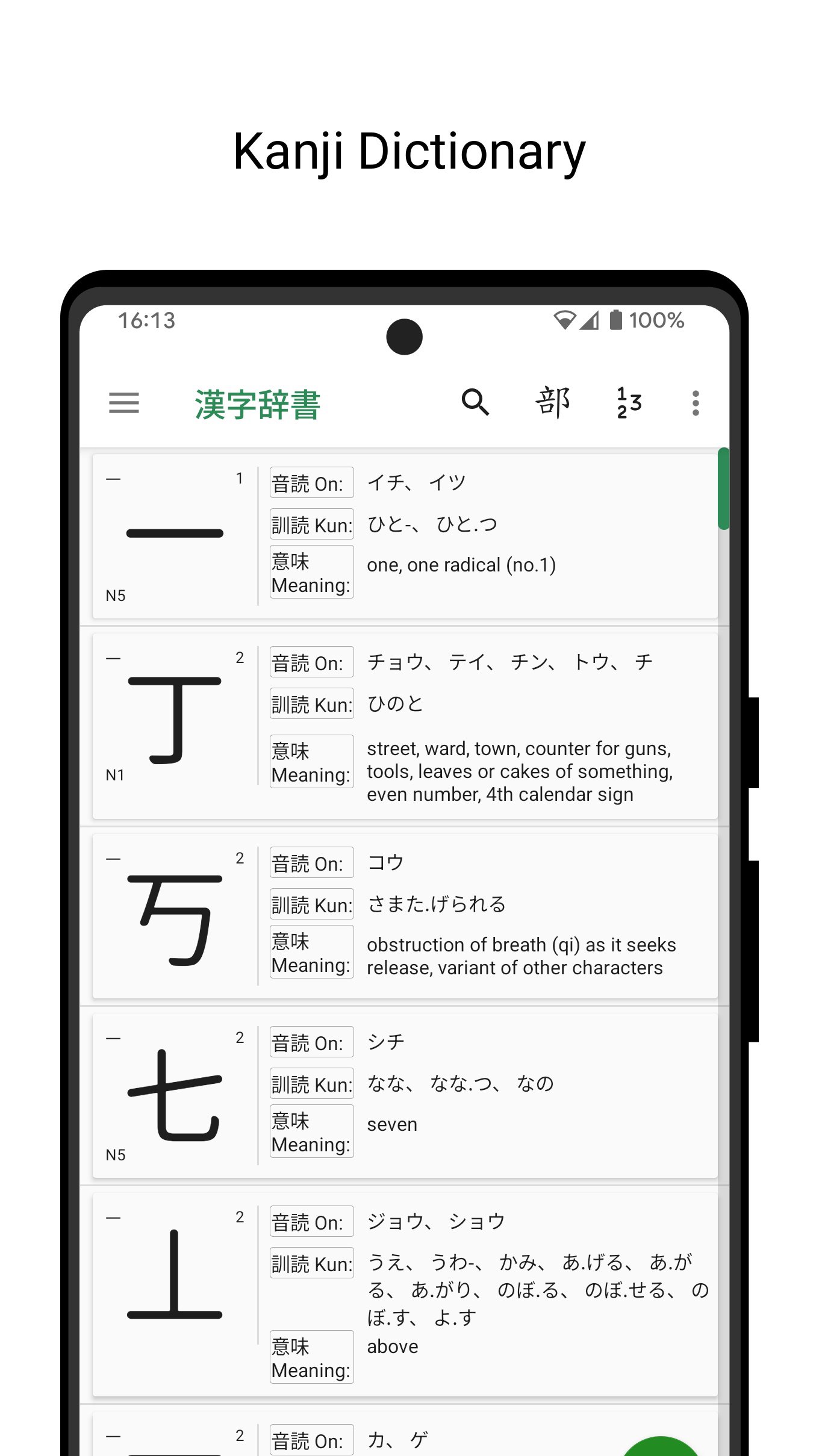
Discover the ultimate Japanese Dictionary / Kanji Dictionary app, designed to enhance your Japanese learning experience. This comprehensive Japanese-English dictionary provides detailed guidance on writing Japanese characters (Kanji) with correct stroke order, making it an essential tool for beginners and advanced learners alike. Whether you're mastering Japanese Kanji during your writing lessons or seeking clarity on stroke sequences, our app simplifies the process. With thousands of Kanji characters, Hiragana, and Katakana, this Kanji Dictionary is your go-to resource for mastering Japanese.
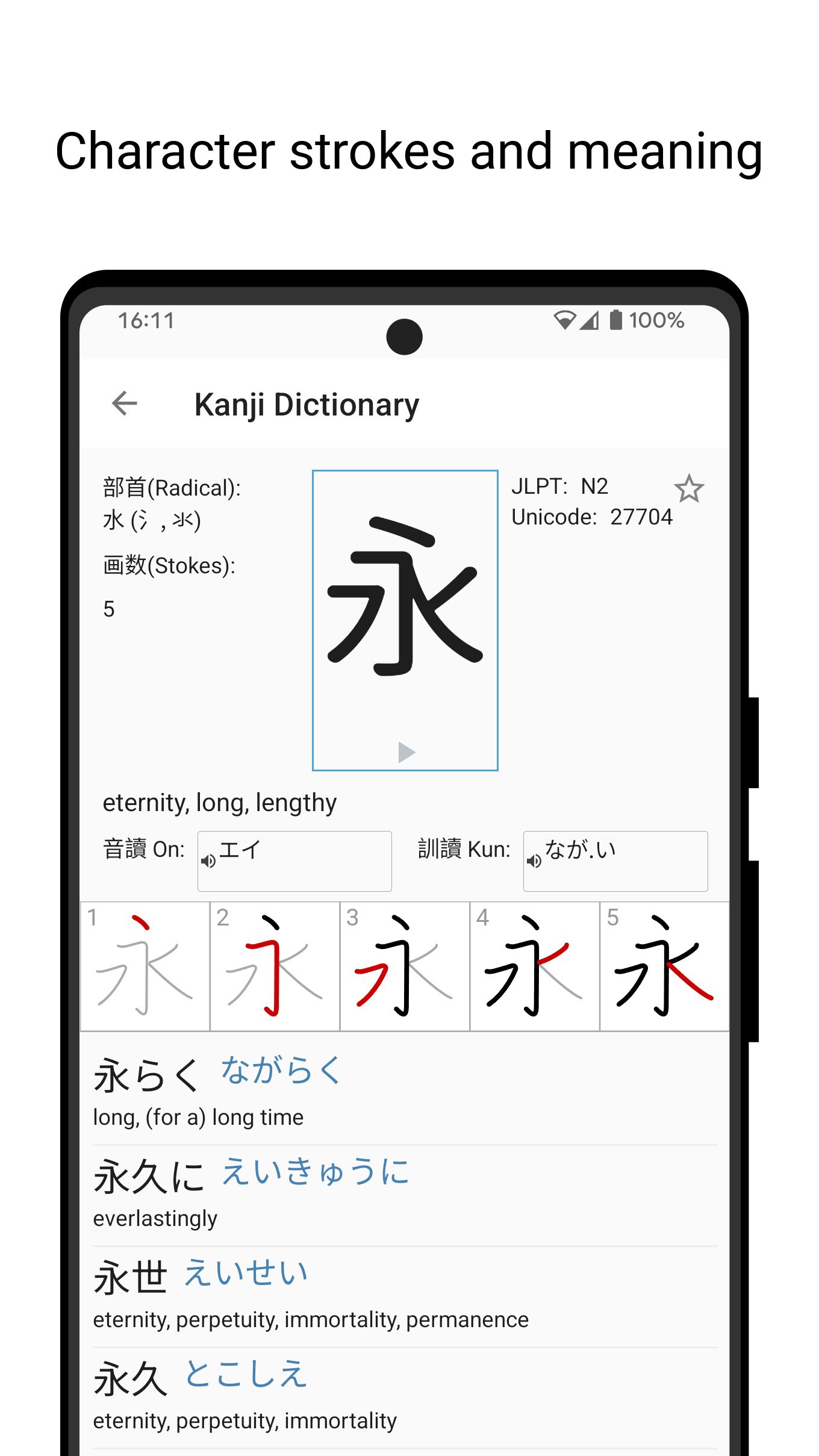
Struggling with the first stroke of a Kanji character? Japanese Kanji stroke order can be confusing, especially for beginners. Our Japanese Dictionary app addresses this by offering stroke-by-stroke animations for over 6,400 Kanji characters, helping you memorize and write with confidence. Beyond Kanji, the app includes Hiragana and Katakana charts, making it a complete tool for learning Japanese scripts.
Key Features of Our Japanese Dictionary & Kanji Dictionary:
13,108 Kanji Characters: Explore a vast Kanji Dictionary with example compounds to deepen your understanding of Japanese vocabulary.
6,400+ Stroke Order Illustrations: Detailed animations guide you through the stroke order of each Kanji, with continuous updates to our stroke database.
Stroke-by-Stroke Animation: Visualize how to write Japanese Kanji correctly with clear, step-by-step animations.
Simple English Meanings: Each Kanji includes concise English translations for quick comprehension.
On and Kun Pronunciation: Learn the correct readings of Kanji characters to improve your Japanese fluency.
Hiragana and Katakana Charts: Master the foundational Japanese scripts alongside Kanji.
JLPT N5 to N1 Support: Perfect for learners preparing for the Japanese Language Proficiency Test (JLPT) at all levels.
Copy Function: Long press any Japanese character or compound to copy it to your clipboard for easy use.
Our Japanese Dictionary is tailored for learners at the initial stages of learning how to write Japanese Kanji, offering an intuitive and user-friendly experience. Whether you're studying for JLPT or simply exploring Japanese, this app is a must-have for building your Kanji knowledge.
Similar to popular Japanese Dictionary platforms like Jisho.org and Tangorin.com, our app leverages open-source projects to deliver high-quality content. We express our gratitude to the creators of these resources, which make learning Japanese accessible to everyone.
JMDict: A comprehensive Japanese-Multilingual dictionary, with English definitions for seamless learning.
KanjiDict2: The source of our 13,108+ Kanji characters, complete with English meanings.
Stroke Order Animations: Inspired by KanjiVG and the Makemeahanzi project, our stroke order visuals are powered by SVG files hosted on GitHub.
Download our Japanese Dictionary / Kanji Dictionary app today to master Japanese Kanji, improve your writing skills, and excel in your Japanese studies!
Preview
Tags
EducationInformation
Developer
Ansami
Latest Version
1.0.8
Last Updated
2026-01-23
Category
Education
Available on
Google Play
Show More
How to play Japanese Kanji Dictionary with GameLoop on PC
1. Download GameLoop from the official website, then run the exe file to install GameLoop
2. Open GameLoop and search for “Japanese Kanji Dictionary” , find Japanese Kanji Dictionary in the search results and click “Install”
3. Enjoy playing Japanese Kanji Dictionary on GameLoop
Minimum requirements
OS
Windows 8.1 64-bit or Windows 10 64-bit
GPU
GTX 1050
CPU
i3-8300
Memory
8GB RAM
Storage
1GB available space
Recommended requirements
OS
Windows 8.1 64-bit or Windows 10 64-bit
GPU
GTX 1050
CPU
i3-9320
Memory
16GB RAM
Storage
1GB available space