
Artificial Intelligence PC
Softecks
Download Artificial Intelligence on PC With GameLoop Emulator
Artificial Intelligence on PC
Artificial Intelligence, coming from the developer Softecks, is running on Android systerm in the past.
Now, You can play Artificial Intelligence on PC with GameLoop smoothly.
Download it in the GameLoop library or search results. No more eyeing the battery or frustrating calls at the wrong time any more.
Just enjoy Artificial Intelligence PC on the large screen for free!
Artificial Intelligence Introduction
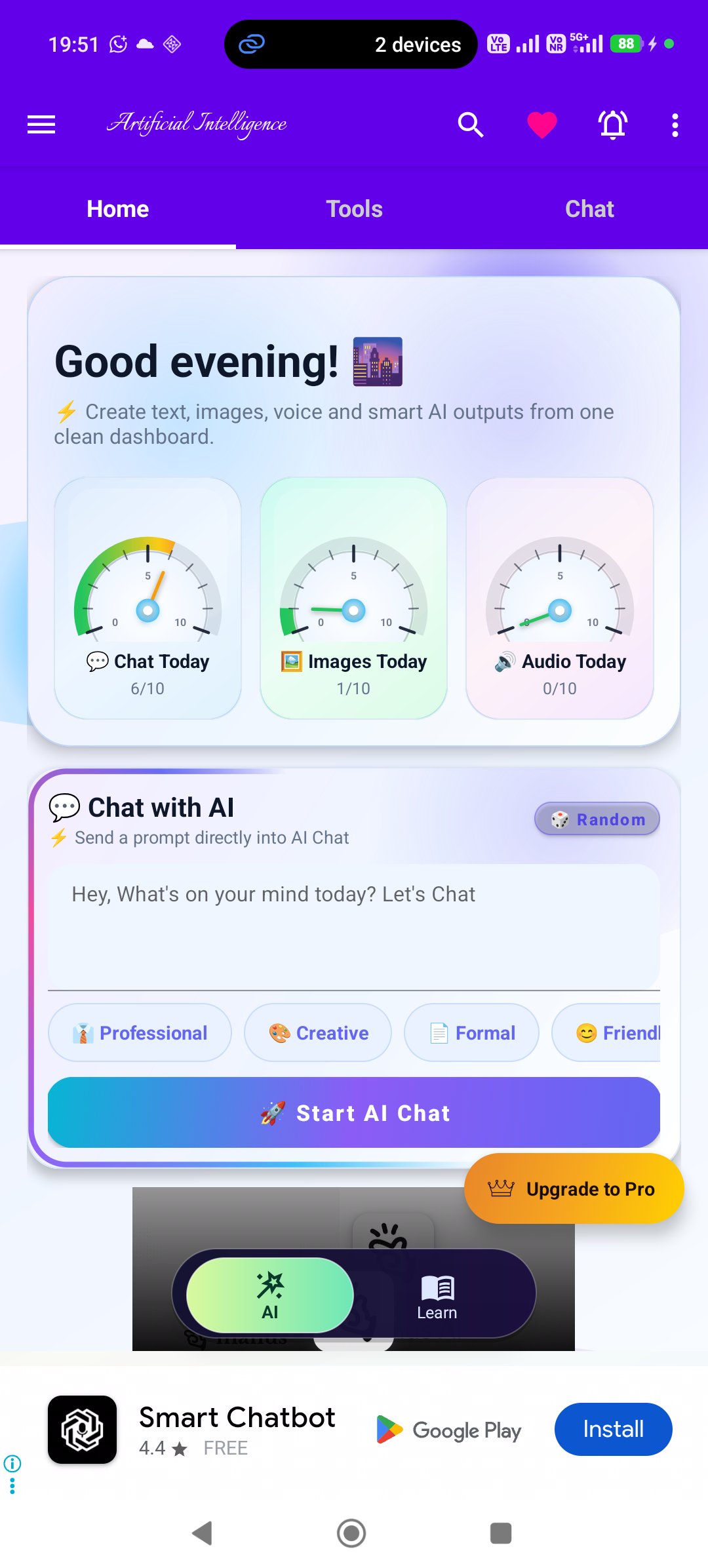
Artificial Intelligence is an AI learning and creativity app for students, professionals, creators, developers, and curious learners who want to explore AI in one simple place.
With this free AI app, you can chat with AI, generate images, improve writing, summarize text, use voice tools, learn AI concepts, practice Q&A, explore projects, discover AI libraries, play brain games, and stay updated with AI content.
Whether you want to write better, learn faster, create ideas, understand artificial intelligence, or experiment with AI tools, this app gives you a friendly starting point.
App Provides:
AI Chat Assistant
Chat with AI using streaming responses, save sessions, continue conversations later, and explore assistant styles. You can also create custom AI characters with a name, personality, and optional image.
AI Assistant Personas
Explore assistants for productivity, software development, sales, HR, marketing, product management, machine learning, data science, NLP, MLOps, wellness guidance, historical personas, authors, philosophers, and more.
AI Writing Tools
Use essay generator, poem generator, story generator, article writer, blog ideas, synonyms, antonyms, word definition, abbreviation expander, concept explainer, summarizer, timeline creator, and trend summarizer.
Smart AI Tools
Boost productivity with code generator, code explainer, grammar fixer, keyword extractor, prompt enhancer, and translator.
Text Summarizer and Rewriter
Summarize long text into bullet points, short summaries, executive summaries, or key points. Rewrite text in formal, casual, funny, persuasive, professional, or simple tones.
AI Image Generator
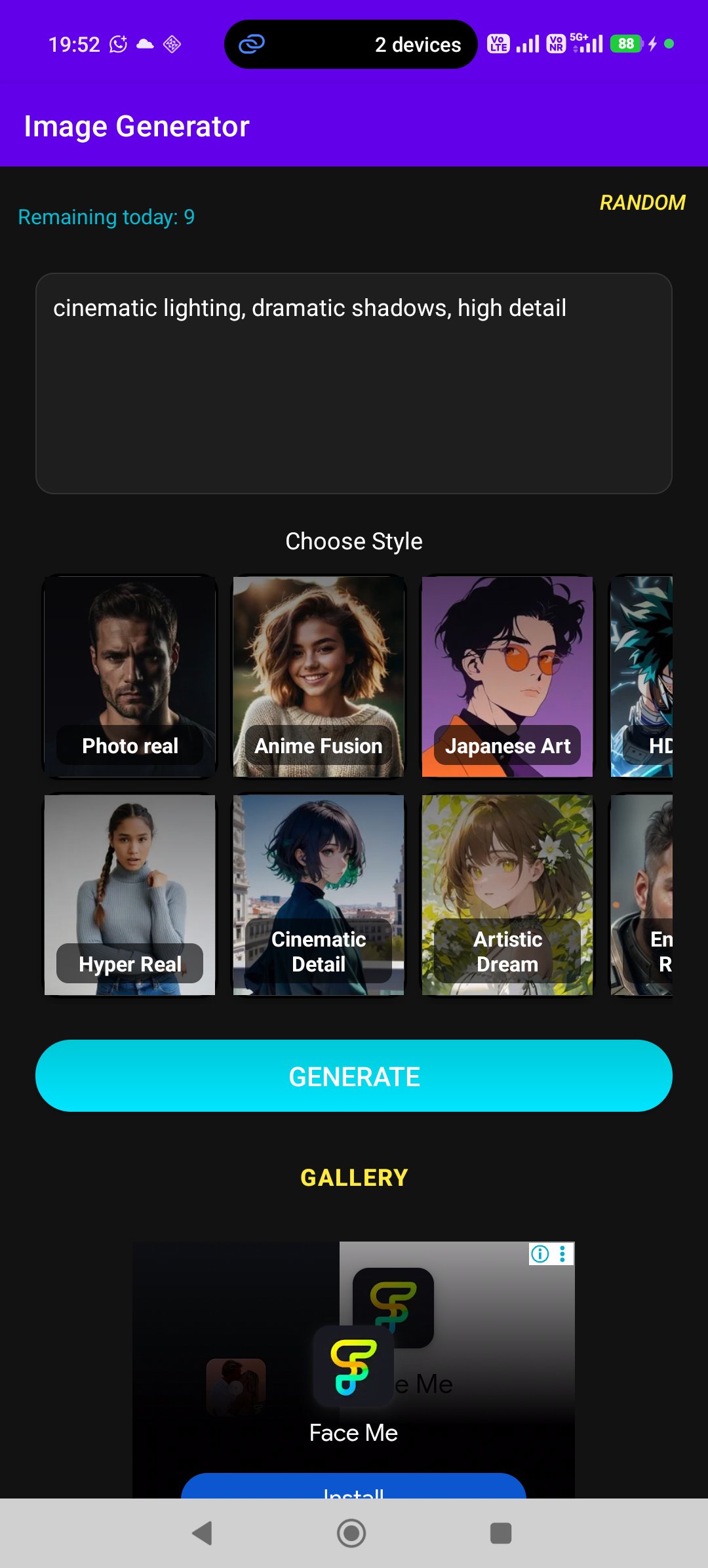
Create AI images using styles such as photo real, hyper real, anime fusion, cinematic detail, Japanese art, HD anime, enhanced realism, realistic vision, soft fantasy, and stylized fusion. Use random prompts and save local history.
Voice Tools
Convert text to speech with voice selection, speed, pitch, paste/share, and WAV export. Use speech to text with language selection, copy/share/clear, and send transcription to chat.
Learn Artificial Intelligence
Study AI through 20 categories, including AI basics, mathematics for AI, Python, machine learning, deep learning, NLP, computer vision, reinforcement learning, generative AI, robotics, Edge AI, IoT, cloud AI, MLOps, responsible AI, AI research, advanced topics, and future trends.
AI Q&A Practice
Practice with 100 free AI questions and answers. Use expand/collapse, shuffle questions, and improve step by step. The full 500+ Q&A library is available in the Pro version.
AI Projects
Explore free AI project ideas such as text classification, spam detection, sentiment analysis, keyword extraction, NER, summarization, translation, chatbot, question answering, grammar correction, neural networks, image classifier, MNIST, regression, stock prediction, and more.
AI Libraries and Tools Directory
Discover an offline AI tools directory covering LLMs, RAG frameworks, computer vision, speech/audio tools, ML platforms, data tools, chatbots, RPA, creative AI, healthcare AI, robotics, and AI platforms.
Games for Break Time
Relax with games like 2048, card flipping, color matching, Connect 4, Guess the Word, Rock Paper Scissors, Sudoku, and Tic Tac Toe.
Reader, Search, Bookmarks and History
Read articles, bookmark favorites, find in page, adjust font size, change reader theme, search content and notification history.
AI Updates and Notifications
Stay connected with AI updates through blog feed, sticky posts, push notifications, reminders, and notification history.
Artificial Intelligence is more than a simple AI content reader. It combines AI chat, AI image generation, voice tools, writing tools, AI courses, projects, Q&A, games, search, bookmarks, history, updates, and customization features in one free app.
Download Artificial Intelligence today and start learning, creating, writing, and exploring AI.
Preview
Tags
EducationInformation
Developer
Softecks
Latest Version
13.1.1
Last Updated
2026-09-09
Category
Education
Available on
Google Play
Show More
How to play Artificial Intelligence with GameLoop on PC
1. Download GameLoop from the official website, then run the exe file to install GameLoop
2. Open GameLoop and search for “Artificial Intelligence” , find Artificial Intelligence in the search results and click “Install”
3. Enjoy playing Artificial Intelligence on GameLoop
Minimum requirements
OS
Windows 8.1 64-bit or Windows 10 64-bit
GPU
GTX 1050
CPU
i3-8300
Memory
8GB RAM
Storage
1GB available space
Recommended requirements
OS
Windows 8.1 64-bit or Windows 10 64-bit
GPU
GTX 1050
CPU
i3-9320
Memory
16GB RAM
Storage
1GB available space