
Geography Map Trainer PC
Andrew Lavaia
Download Geography Map Trainer on PC With GameLoop Emulator
Geography Map Trainer on PC
Geography Map Trainer, coming from the developer Andrew Lavaia, is running on Android systerm in the past.
Now, You can play Geography Map Trainer on PC with GameLoop smoothly.
Download it in the GameLoop library or search results. No more eyeing the battery or frustrating calls at the wrong time any more.
Just enjoy Geography Map Trainer PC on the large screen for free!
Geography Map Trainer Introduction
Geography Map Trainer was created to help you quickly identify and recall the location of the most influential countries around the world. It uses a progressive difficulty system that helps prioritize which countries you learn first. It also has intuitive and easy to use controls that make this a great starting point for anybody wanting to learn more about the world they live in.
Does this cost anything?
No, Geography Map Trainer is completely free and has no ads of any kind. There are also no annoying registration requirements or "Rate the App" reminders.
How do the difficulty levels work?
In Geography Map Trainer, all of the difficulty levels (easy, normal, and hard) have the same timer and the same maximum number of misses. How they differ is by the number of countries included in each difficulty level.
How do you determine how influential a country is?
Geography Map Trainer ranks all countries around the world using a combination of factors that includes population, GDP per capita, and land mass. For US States, they were ranked by population only.
Why isn't XYZ country included in the app?
Geography Map Trainer is not designed to teach the location of every country around the world. Instead, it focuses on teaching you to quickly learn the location of the top 165 countries. Some countries also had to be excluded because they have too little land mass which makes them too difficult to pin point on the map (Singapore, Malta, etc).
Do you plan to add more features to the app?
Yes, Geography Map Trainer is still in development and more features will be added shortly.
Preview

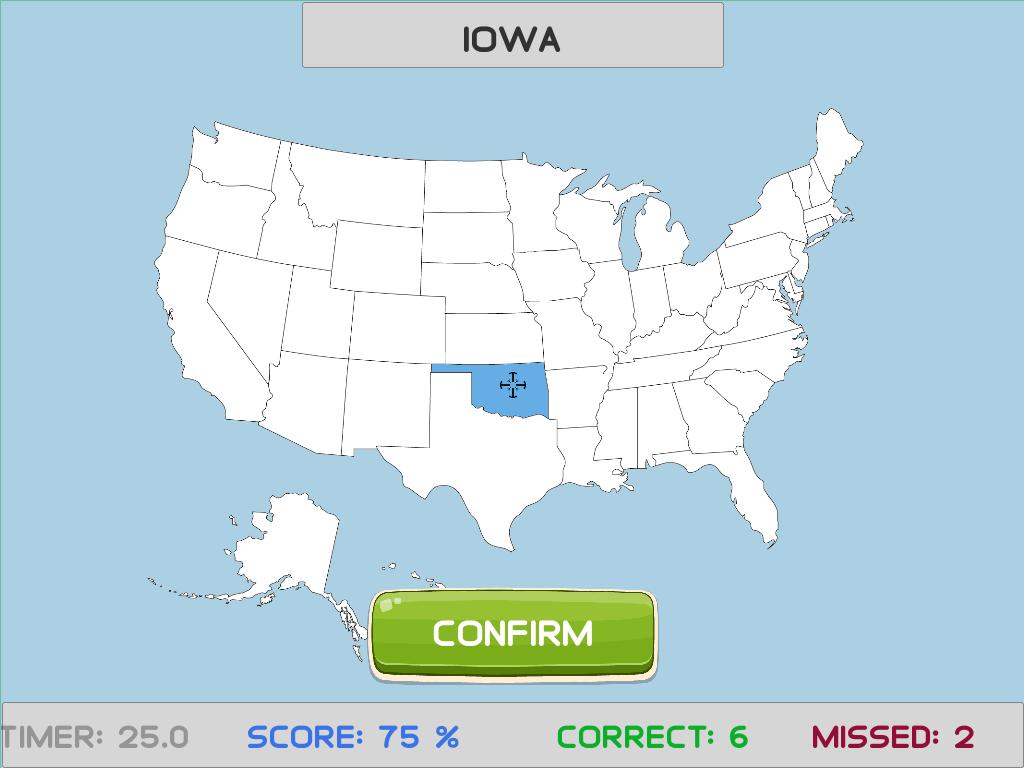
Tags
EducationInformation
Developer
Andrew Lavaia
Latest Version
1.10
Last Updated
2022-09-18
Category
Education
Available on
Google Play
Show More
How to play Geography Map Trainer with GameLoop on PC
1. Download GameLoop from the official website, then run the exe file to install GameLoop
2. Open GameLoop and search for “Geography Map Trainer” , find Geography Map Trainer in the search results and click “Install”
3. Enjoy playing Geography Map Trainer on GameLoop
Minimum requirements
OS
Windows 8.1 64-bit or Windows 10 64-bit
GPU
GTX 1050
CPU
i3-8300
Memory
8GB RAM
Storage
1GB available space
Recommended requirements
OS
Windows 8.1 64-bit or Windows 10 64-bit
GPU
GTX 1050
CPU
i3-9320
Memory
16GB RAM
Storage
1GB available space