
Practice for TOEIC® Test Pro PC
Your Education
Download Practice for TOEIC® Test Pro on PC With GameLoop Emulator
Practice for TOEIC® Test Pro on PC
Practice for TOEIC® Test Pro, coming from the developer Your Education, is running on Android systerm in the past.
Now, You can play Practice for TOEIC® Test Pro on PC with GameLoop smoothly.
Download it in the GameLoop library or search results. No more eyeing the battery or frustrating calls at the wrong time any more.
Just enjoy Practice for TOEIC® Test Pro PC on the large screen for free!
Practice for TOEIC® Test Pro Introduction
TOEIC® Test Pro gives you a chance to practice with a large number of practice questions covering all parts of a TOEIC® exam, as well as flashcards and grammar exercises. Our practice questions are carefully compiled and constantly updated according to the latest format.
With TOEIC® Test Pro, you can easily study anytime and anywhere. Achieving your TOEIC® target is easier than before, practice now to get 990 TOEIC®!
Let’s take a look at major features of our app:
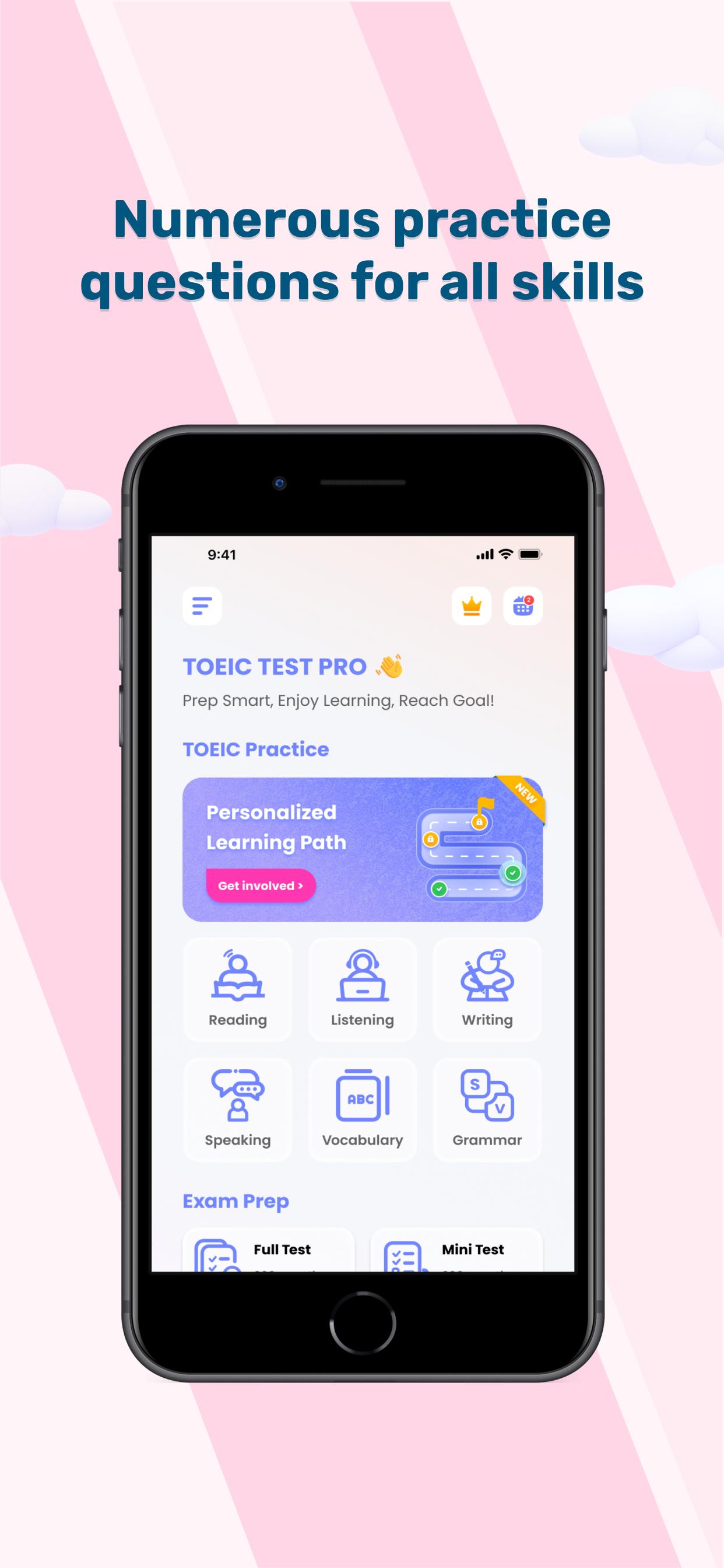
- A personalized learning path will be generated based on your current level to save extremely your time and efforts.
- 3000+ practice questions carefully compiled which cover all sections of a TOEIC® exam including Listening section, Reading section, Speaking, Writing, Vocabulary and Grammar from part 1 to part 7
- Tracks your performance and highlights your test strengths and weaknesses with our in-app analytics.
- Detailed statistics of your progress for every practice test and overal parts
- Daily review calendar based on your study
- Quickly practice with categorized questions
- Friendly-user interface to motivate your learning process
- Speech-to-text feature helps you improve your pronunciation and speaking skill.
TOEIC® is a registered trademark of Educational Testing Service (ETS). This app is not affiliated, approved or endorsed by ETS.
Preview
Tags
EducationInformation
Developer
Your Education
Latest Version
3.0.3
Last Updated
2025-06-13
Category
Education
Available on
Google Play
Show More
How to play Practice for TOEIC® Test Pro with GameLoop on PC
1. Download GameLoop from the official website, then run the exe file to install GameLoop
2. Open GameLoop and search for “Practice for TOEIC® Test Pro” , find Practice for TOEIC® Test Pro in the search results and click “Install”
3. Enjoy playing Practice for TOEIC® Test Pro on GameLoop
Minimum requirements
OS
Windows 8.1 64-bit or Windows 10 64-bit
GPU
GTX 1050
CPU
i3-8300
Memory
8GB RAM
Storage
1GB available space
Recommended requirements
OS
Windows 8.1 64-bit or Windows 10 64-bit
GPU
GTX 1050
CPU
i3-9320
Memory
16GB RAM
Storage
1GB available space