
English Vocabulary In Use PC
AMA English
Download English Vocabulary In Use on PC With GameLoop Emulator
English Vocabulary In Use on PC
English Vocabulary In Use, coming from the developer AMA English, is running on Android systerm in the past.
Now, You can play English Vocabulary In Use on PC with GameLoop smoothly.
Download it in the GameLoop library or search results. No more eyeing the battery or frustrating calls at the wrong time any more.
Just enjoy English Vocabulary In Use PC on the large screen for free!
English Vocabulary In Use Introduction
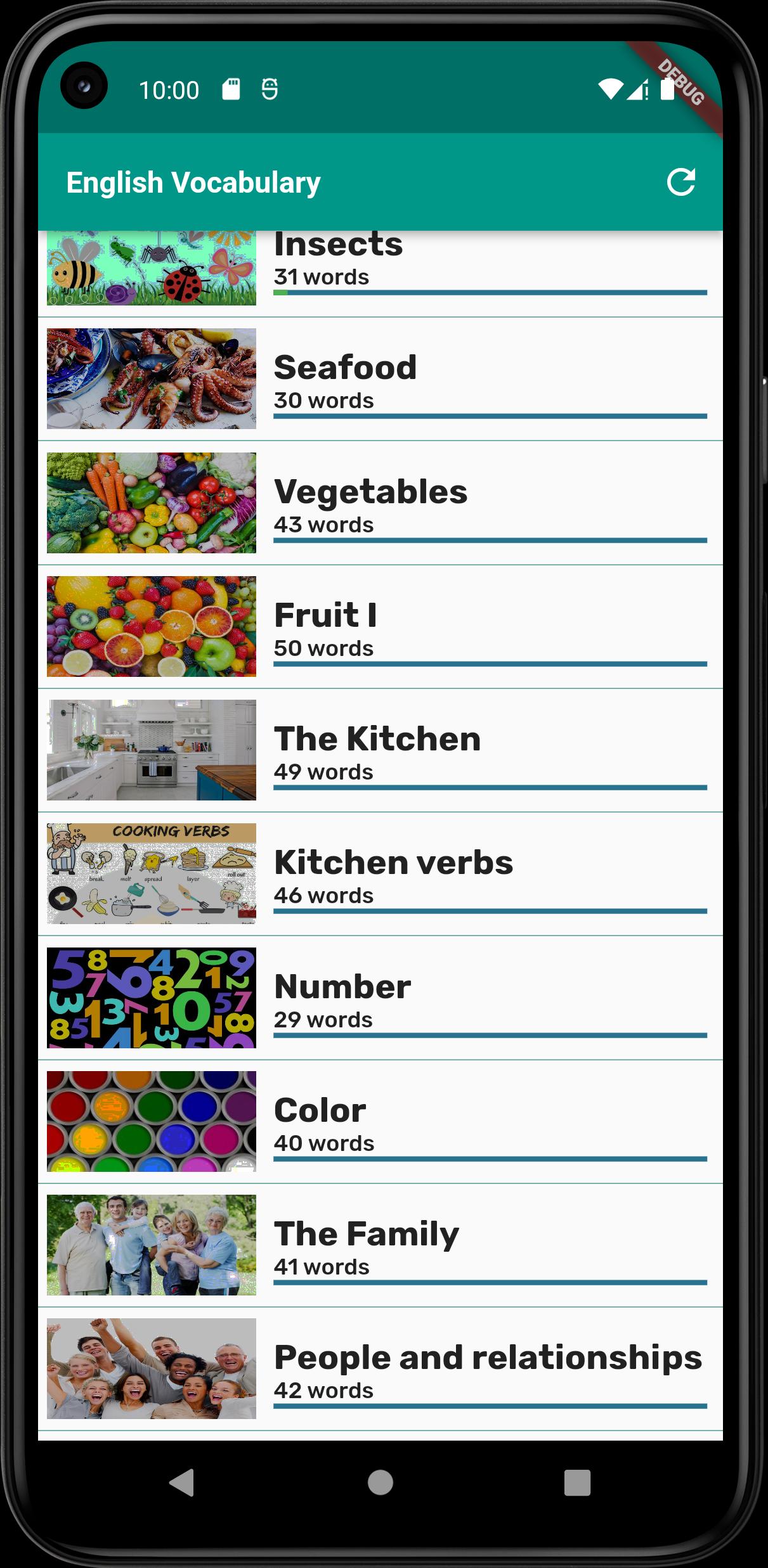
This Engliish Vocabulary In Use with Picture app provides 100 life's categories with thousands vocabulary so it can help you to learn and improve your vocabulary knowledge daily.
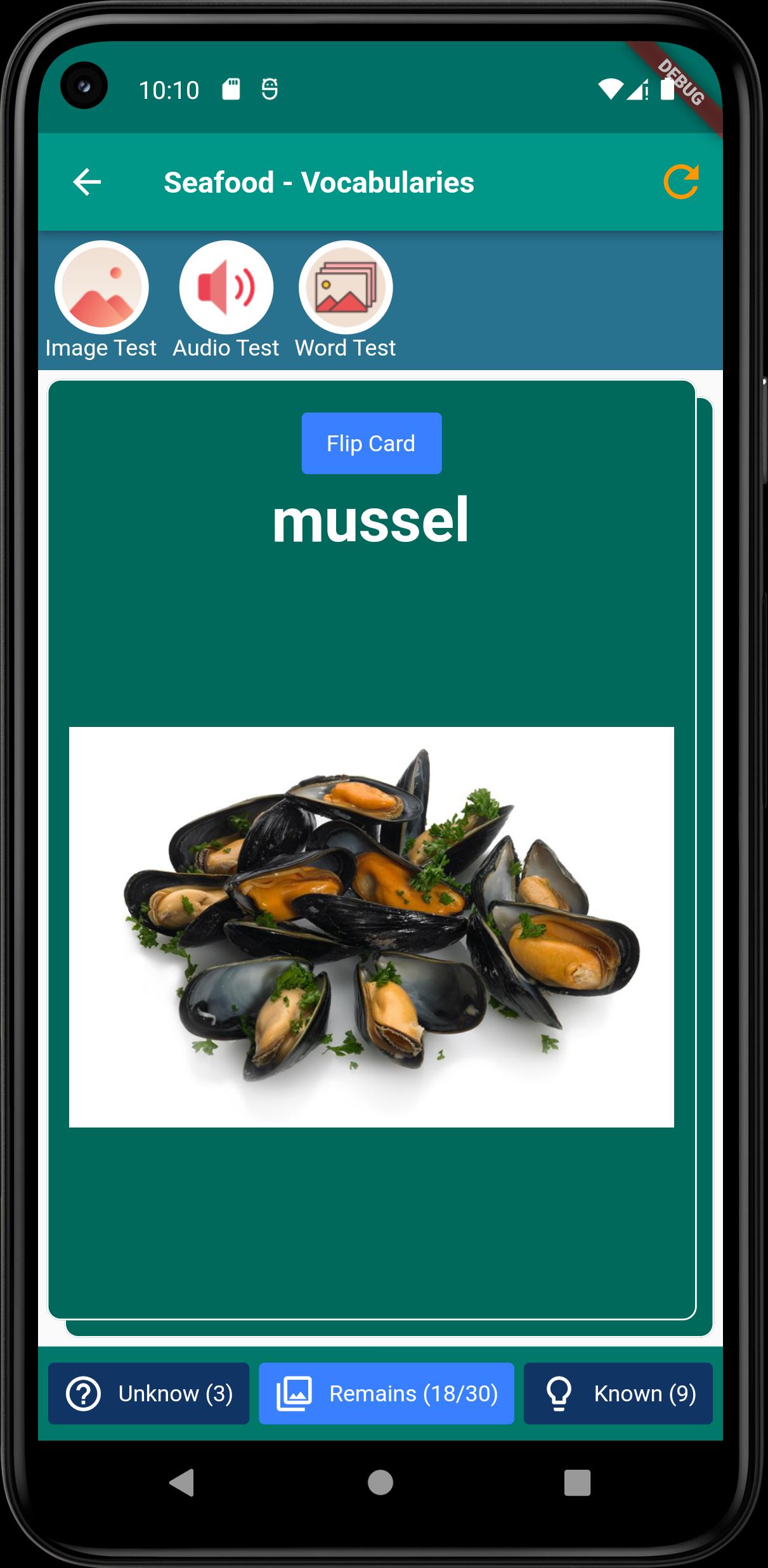
The application provide you learning so you can try to learn vocabulary by seeing the images and combine with text, pronunciation by US or UK sound, and the meaning.
After learn, you can take tests to ensure that you remember the words and review vocabularies of each topic again if you do not remember.
These are the functions of the app:
+ Learn Vocabulary with text
+ Image for each vocabulary
+ US pronunciation and UK pronunciation for each word
+ Word explaination to understand the word
+ Image test to make sure you remember the word
+ Audio test to make sure you remember the pronunciation
+ Word test to improve your memory
Hope that you love this app!
If you have any suggestion, please feel free to give me words via emai nkimco@gmail.com
Thanks!
Preview
Tags
EducationInformation
Developer
AMA English
Latest Version
1.8.3
Last Updated
2023-09-06
Category
Education
Available on
Google Play
Show More
How to play English Vocabulary In Use with GameLoop on PC
1. Download GameLoop from the official website, then run the exe file to install GameLoop
2. Open GameLoop and search for “English Vocabulary In Use” , find English Vocabulary In Use in the search results and click “Install”
3. Enjoy playing English Vocabulary In Use on GameLoop
Minimum requirements
OS
Windows 8.1 64-bit or Windows 10 64-bit
GPU
GTX 1050
CPU
i3-8300
Memory
8GB RAM
Storage
1GB available space
Recommended requirements
OS
Windows 8.1 64-bit or Windows 10 64-bit
GPU
GTX 1050
CPU
i3-9320
Memory
16GB RAM
Storage
1GB available space