
Xugo PC
SFI AU
Download Xugo on PC With GameLoop Emulator
Xugo on PC
Xugo, coming from the developer SFI AU, is running on Android systerm in the past.
Now, You can play Xugo on PC with GameLoop smoothly.
Download it in the GameLoop library or search results. No more eyeing the battery or frustrating calls at the wrong time any more.
Just enjoy Xugo PC on the large screen for free!
Xugo Introduction
Stay connected to your assets, programs & tasks on the go with Xugo.
Facilitating easy access to your work program:
Keep track & interact with your plans/assets/tasks/incidents & workforce. Create, manage, allocate & share tasks/ instructions with your workforce.
Features & Functionality:
- Works Management
- Asset Maintenance & Management
- Incident Management – QA Inspection, Instigate Audits, Recalls, Track CARs, Identify root cause
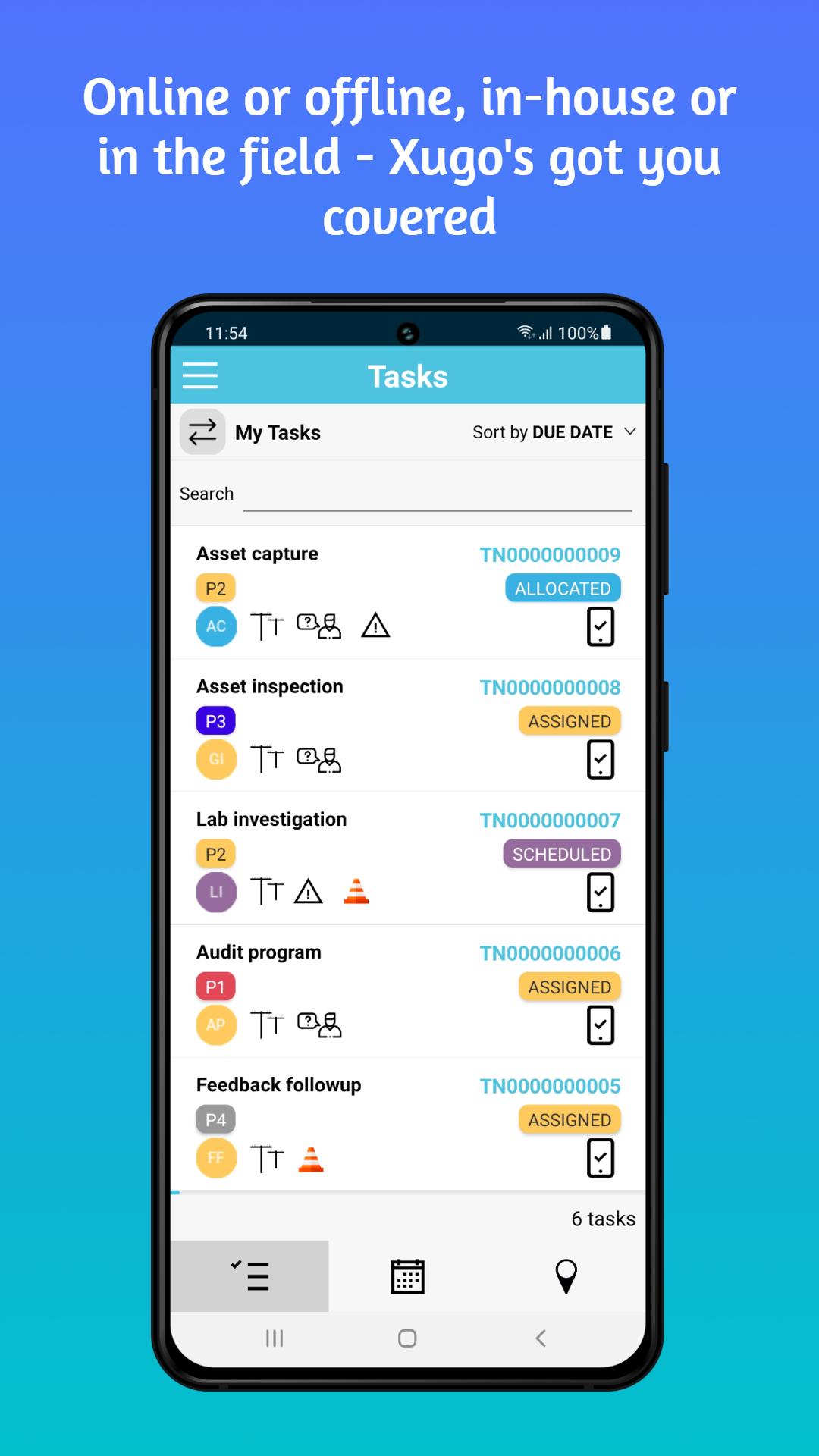
- Triage your tasks
- Access your corporate knowledge base
- Create forms & checklists
- Dashboard status
- Run Reports
- Capture photos, attachments
- Mobile data collection
- Mobile, offline functionality
Works, Inspection & Incident Management –
Manage your assets & programs – initiate & assign tasks. Schedule & allocate resources efficiently throughout the works lifecycle. Review audit results & other critical operational progress information via the dashboard. Xugo promotes collaboration for all team members.
Triage your various tasks -
Inspections, maintenance, product faults, serious high priority incidents can all be sorted/ordered/ filtered.
Knowledge base –
Access instructions, articles and guides
Create forms & checklists –
Xugo gives you the power to create custom forms/checklists/questionnaires that can be accessed wherever you are. Xugo can manage your inspection records electronically in a central location & easily implements a form to be completed when triggered.
Dashboard –
Instantly see your activity & progress at a glance via Xugo’s easily digestible overview. Show data in real-time, where you can review your workload.
About Xugo:
Xugo is a compliance control and works management solution. Configurable to fit your requirements, it can match to how your team works and map to your corporate compliance needs.
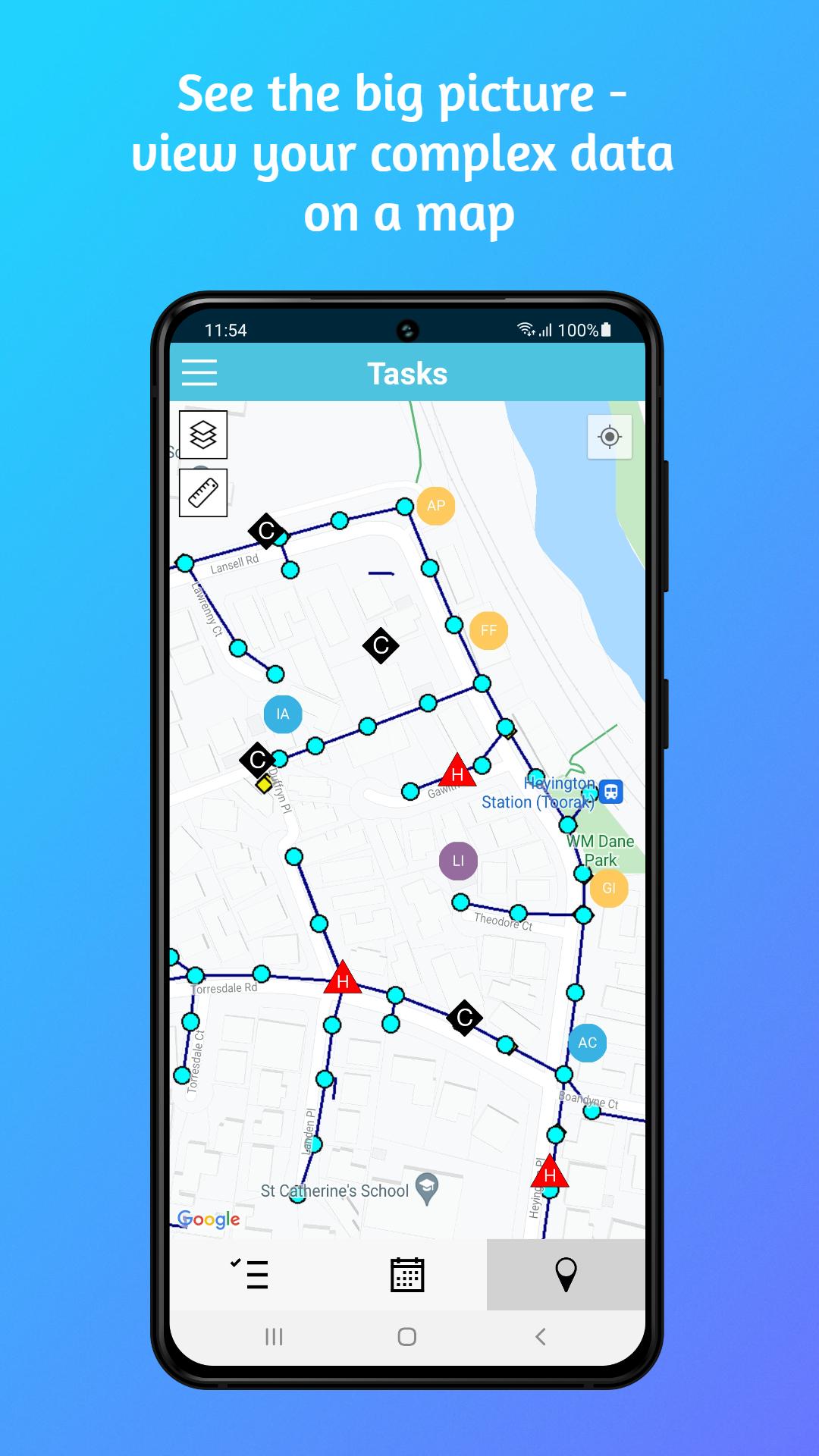
Xugo makes it easy by managing and providing transparency on the status of your works programs “Who did What When Where” across management, contractors & clients. Initiate your plans, create/assign & schedule tasks & review progress. Captured data of all types i.e. Assets can be searched, filtered. Track quality or safety issues & corrective actions.
Wherever you are, engage with your workforce & your customers using Xugo.
Privacy Policy:
https://www.sfi.com.au/disclaimer/
End User License Agreement:
https://www.sfi.com.au/end-user-license-agreement/
Preview
Tags
BusinessInformation
Developer
SFI AU
Latest Version
1.1.756
Last Updated
2023-06-25
Category
Business
Available on
Google Play
Show More
How to play Xugo with GameLoop on PC
1. Download GameLoop from the official website, then run the exe file to install GameLoop
2. Open GameLoop and search for “Xugo” , find Xugo in the search results and click “Install”
3. Enjoy playing Xugo on GameLoop
Minimum requirements
OS
Windows 8.1 64-bit or Windows 10 64-bit
GPU
GTX 1050
CPU
i3-8300
Memory
8GB RAM
Storage
1GB available space
Recommended requirements
OS
Windows 8.1 64-bit or Windows 10 64-bit
GPU
GTX 1050
CPU
i3-9320
Memory
16GB RAM
Storage
1GB available space