
Sophos Secure Email PC
Sophos Limited
Download Sophos Secure Email on PC With GameLoop Emulator
Sophos Secure Email on PC
Sophos Secure Email, coming from the developer Sophos Limited, is running on Android systerm in the past.
Now, You can play Sophos Secure Email on PC with GameLoop smoothly.
Download it in the GameLoop library or search results. No more eyeing the battery or frustrating calls at the wrong time any more.
Just enjoy Sophos Secure Email PC on the large screen for free!
Sophos Secure Email Introduction
Sophos Secure Email is a containerized and secure email app that lets you fully separate enterprise and private data on your device. It handles the corporate emails, contacts and calendar from the company’s Exchange server. Corporate data is protected with AES-256 encryption and the export of data is controlled by the company’s Data Loss Prevention (DLP) rules. Sophos Secure Email allows the implementation of BYOD programs and fulfills advanced data protection needs in selected industries like finance, government or healthcare.
IMPORTANT NOTE: The Sophos Secure Email app works only in combination with the Sophos Mobile Control Enterprise Mobility Management (EMM) software. Please check with your IT department whether your company uses Sophos Mobile Control. If it does not, please do not install this app as it will not operate without the corresponding EMM server.
*** Feature set ***
- Sync email with Microsoft Exchange or any other ActiveSync compatible email service.
- Use these email options: Create, Reply, Reply All, Forward, Delete.
- Search through your inbox.
- Organize your emails in folders.
CONTACTS
- Access, modify or create contacts.
- Search for contacts.
- View contact details, including picture.
CALENDAR
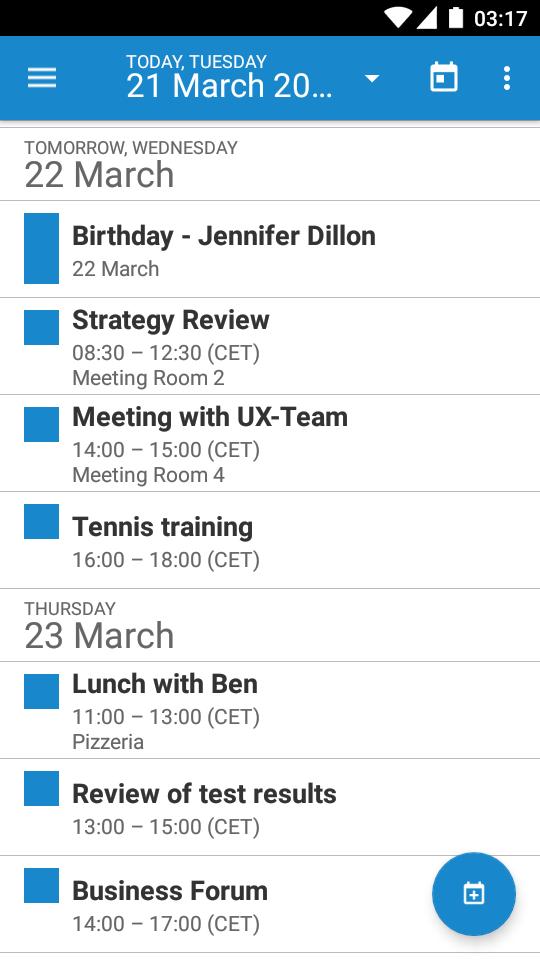
- View events in a calendar or in a list.
- Create new events.
- Accept invitations.
ENROLLMENT STEPS
Usually, the app is pushed to your device during the enrollment with Sophos Mobile Control:
1. After installation and configuration through the EMM server, open the app.
2. If requested, enter the container passcode.
3. The app starts to sync data with your email account.
NOTE: If you have any issues with Sophos Secure Email, please check our monitored support forum for help before leaving a 1-star review: https://community.sophos.com/products/mobile-device-protection/
Preview

Tags
BusinessInformation
Developer
Sophos Limited
Latest Version
v8.6.0-arm64-v8a
Last Updated
2023-10-19
Category
Business
Available on
Google Play
Show More
How to play Sophos Secure Email with GameLoop on PC
1. Download GameLoop from the official website, then run the exe file to install GameLoop
2. Open GameLoop and search for “Sophos Secure Email” , find Sophos Secure Email in the search results and click “Install”
3. Enjoy playing Sophos Secure Email on GameLoop
Minimum requirements
OS
Windows 8.1 64-bit or Windows 10 64-bit
GPU
GTX 1050
CPU
i3-8300
Memory
8GB RAM
Storage
1GB available space
Recommended requirements
OS
Windows 8.1 64-bit or Windows 10 64-bit
GPU
GTX 1050
CPU
i3-9320
Memory
16GB RAM
Storage
1GB available space