
JCB Smart Serve PC
JCB INDIA LIMITED
Download JCB Smart Serve on PC With GameLoop Emulator
JCB Smart Serve on PC
JCB Smart Serve, coming from the developer JCB INDIA LIMITED, is running on Android systerm in the past.
Now, You can play JCB Smart Serve on PC with GameLoop smoothly.
Download it in the GameLoop library or search results. No more eyeing the battery or frustrating calls at the wrong time any more.
Just enjoy JCB Smart Serve PC on the large screen for free!
JCB Smart Serve Introduction
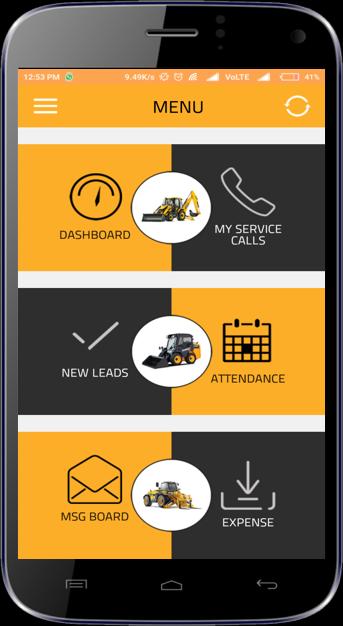
Smart Serve is integrated with JCB DBMS and has been designed to enable JCB dealers to:
✓ Track and monitor performance of their sales & service executives.
✓ Provide complete control/visibility of the overall operations.
✓ Deliver an enhanced customer service.
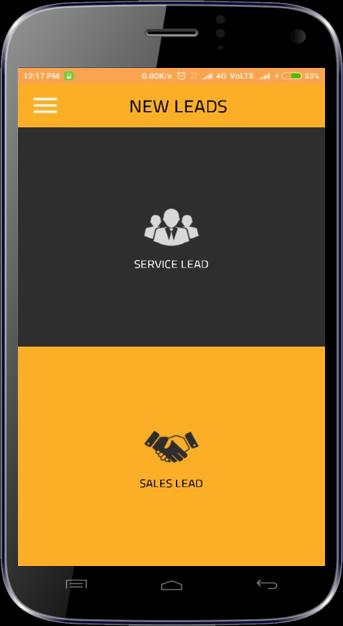
Lead Management: Machines sales, service, parts & attachments lead generation in real time.
DBMS Service Call On Mobile: Service engineers get service call with customer with machine failure details.
Safety of Engineer: SOS feature sends auto alerts to immediate manager, in case engineer gets into a difficult situation.
Dealer Principal Dashboard: For monitoring service calls and leads generated, along with status.
Engineer’s Dashboard: For tracking leads generated, follow up’s, service calls and more.
TA/DA Management: To manage travel costing of Dealer field force.
Service Visit Report: For service engineer’s inputs.
Customer Voice: For instant customer feedback post service repair completion.
On Site Photo Uploading: To upload photos of the machine, parts and service failures, as and when required.
Service Call Dashboard: For real time service calls status for Service Manager
Message Broadcasting: Dealer admin can instantly broadcast information to entire dealer team.
Help Me: Dedicated Phone Number/Email for app related support (during working hours).
Operator Database: Real time Operator database generated by engineers on service visits.
Tailor made reports: In depth reporting of relevant reports and admin panel for complete control of users through integrated web portal.
Preview
Tags
BusinessInformation
Developer
JCB INDIA LIMITED
Latest Version
2.0
Last Updated
2020-02-05
Category
Business
Available on
Google Play
Show More
How to play JCB Smart Serve with GameLoop on PC
1. Download GameLoop from the official website, then run the exe file to install GameLoop
2. Open GameLoop and search for “JCB Smart Serve” , find JCB Smart Serve in the search results and click “Install”
3. Enjoy playing JCB Smart Serve on GameLoop
Minimum requirements
OS
Windows 8.1 64-bit or Windows 10 64-bit
GPU
GTX 1050
CPU
i3-8300
Memory
8GB RAM
Storage
1GB available space
Recommended requirements
OS
Windows 8.1 64-bit or Windows 10 64-bit
GPU
GTX 1050
CPU
i3-9320
Memory
16GB RAM
Storage
1GB available space