
Crunchbase Browser - Business PC
Josh Robert Nay
Download Crunchbase Browser - Business on PC With GameLoop Emulator
Crunchbase Browser - Business on PC
Crunchbase Browser - Business , coming from the developer Josh Robert Nay, is running on Android systerm in the past.
Now, You can play Crunchbase Browser - Business on PC with GameLoop smoothly.
Download it in the GameLoop library or search results. No more eyeing the battery or frustrating calls at the wrong time any more.
Just enjoy Crunchbase Browser - Business PC on the large screen for free!
Crunchbase Browser - Business Introduction
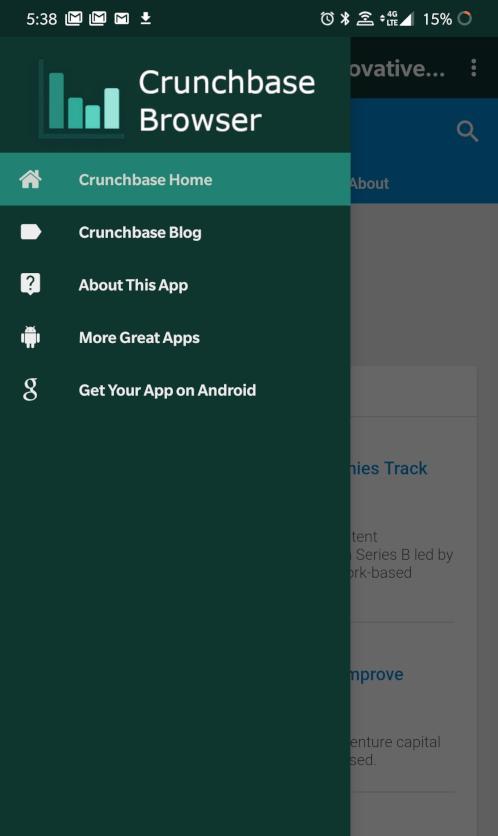
Crunchbase Browser is an -unofficial- Crunchbase Progressive Web Application (PWA) for Android smartphones and tablets. We utilize existing PWA functionality found in the Crunchbase website and enhance it with our application with basic browsing features.
Crunchbase Browser lets you discover industry trends, news, and more about companies all over the world. This application is useful for investors, employees, and company leaders in a variety of ways:
- Browse Crunchbase data
- Securely Log In to Crunchbase Account
- Update Company Information
- Manage Crunchbase Pro Subscriptions
- View Latest News & Industry Trends
Features Include:
- Real-time Alerts for News & Analysis
- Real-time Blog Updates with Easy Access to Posts
- Share Posts on Your Favorite Apps
- Translate Posts to Your Preferred Language
… and more!
Disclaimers: This application and its developer are not affiliated with Crunchbase Inc. or its affiliated companies in any way. Crunchbase Browser was created to increase the accessibility of Crunchbase and its content. The content found on Crunchbase Browser comes from the Crunchbase website and does not reflect the opinions of Josh Robert Nay or associated applications or websites. All content herein is owned by its respective owners.
Preview

Tags
BusinessInformation
Developer
Josh Robert Nay
Latest Version
1.5
Last Updated
2020-02-10
Category
Business
Available on
Google Play
Show More
How to play Crunchbase Browser - Business with GameLoop on PC
1. Download GameLoop from the official website, then run the exe file to install GameLoop
2. Open GameLoop and search for “Crunchbase Browser - Business ” , find Crunchbase Browser - Business in the search results and click “Install”
3. Enjoy playing Crunchbase Browser - Business on GameLoop
Minimum requirements
OS
Windows 8.1 64-bit or Windows 10 64-bit
GPU
GTX 1050
CPU
i3-8300
Memory
8GB RAM
Storage
1GB available space
Recommended requirements
OS
Windows 8.1 64-bit or Windows 10 64-bit
GPU
GTX 1050
CPU
i3-9320
Memory
16GB RAM
Storage
1GB available space