
Valorant Tracker - Valking.gg PC
Süleyman Karaman
Download Valorant Tracker - Valking.gg on PC With GameLoop Emulator
Valorant Tracker - Valking.gg on PC
Valorant Tracker - Valking.gg, coming from the developer Süleyman Karaman, is running on Android systerm in the past.
Now, You can play Valorant Tracker - Valking.gg on PC with GameLoop smoothly.
Download it in the GameLoop library or search results. No more eyeing the battery or frustrating calls at the wrong time any more.
Just enjoy Valorant Tracker - Valking.gg PC on the large screen for free!
Valorant Tracker - Valking.gg Introduction
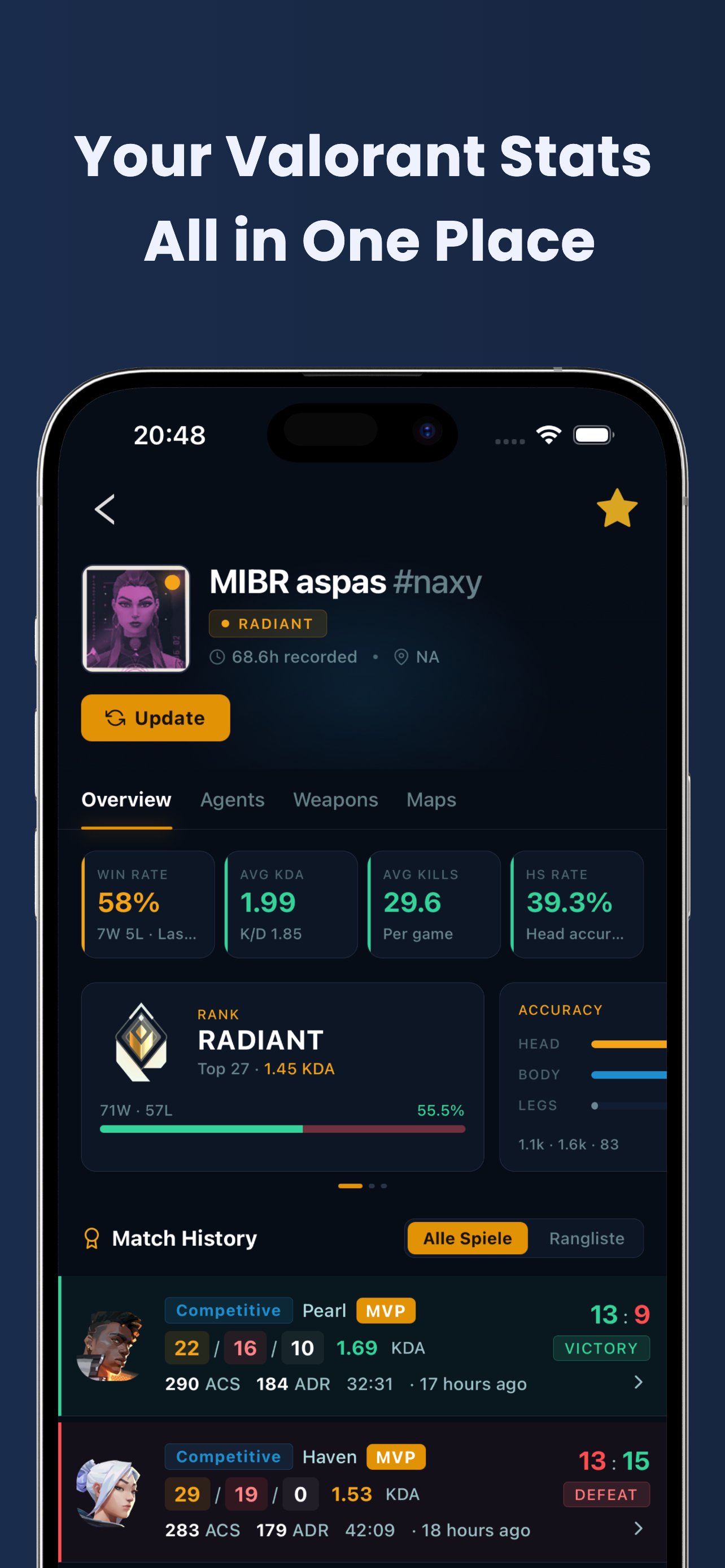
Valking.gg is your Valorant stats tracker and companion app: match history, ranks and detailed game stats for any player worldwide. All data comes from the official Valorant API.
Player Search:
Look up any Valorant player with a public profile. Add friends and rivals to your favorites and check the stats and details of every past match.
Match History & Stats:
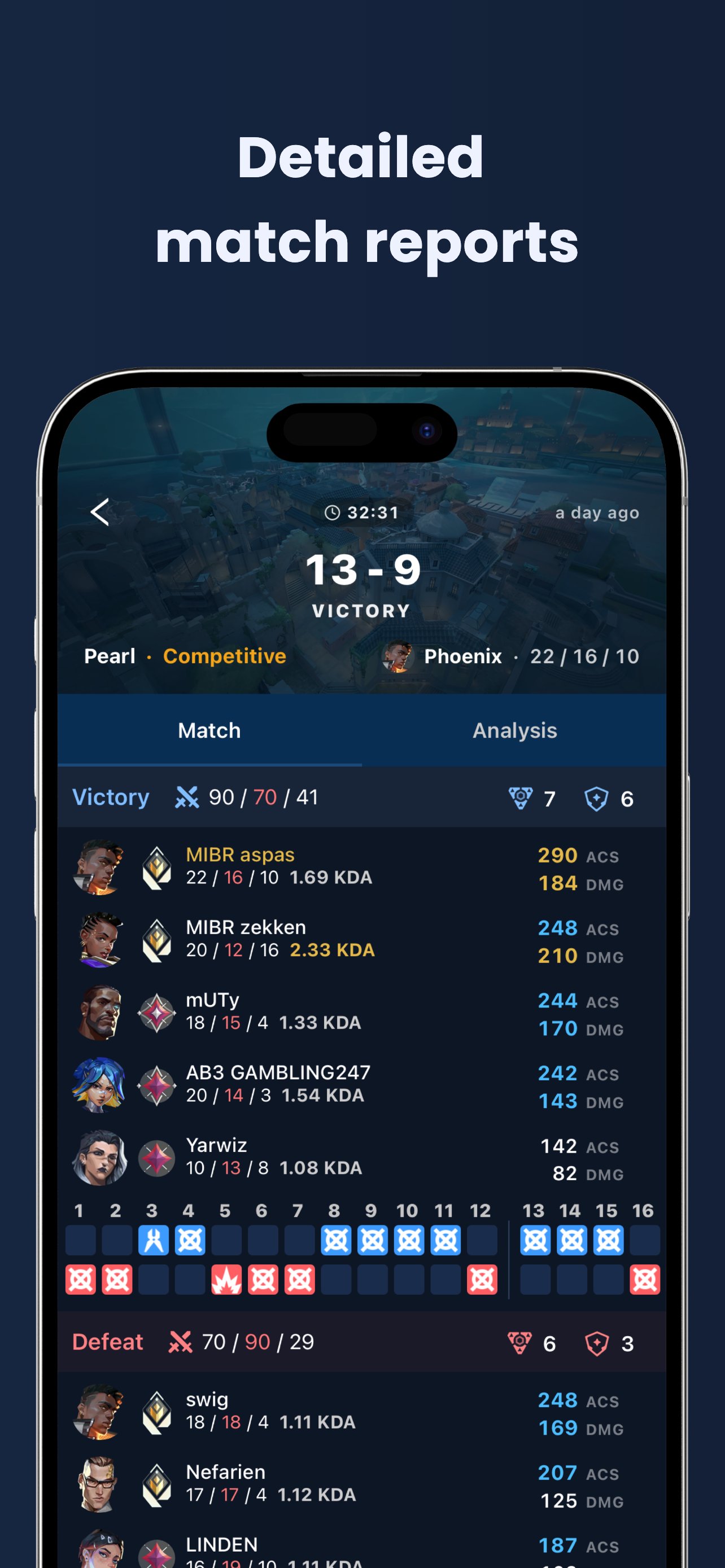
Review every game in detail: scoreboard, weapon stats like headshot rate, KDA and many other data points to compare yourself with friends and opponents.
Performance Overview:
A quick summary of your recent matches: stats per map, rank details per agent, plus weapon stats like KDA, win rate and average hits.
Global Agent Statistics:
Win rates and pick rates for every agent, filterable by map and rank tier. You can also see how agent stats change from patch to patch.
Skins & Bundles Wiki:
Browse every Valorant weapon skin and bundle in one place, with details on every cosmetic.
Leaderboards:
Browse the official Valorant leaderboards for every region and check the profile and stats of any ranked player.
Start tracking your Valorant stats on mobile now!
Note: Valking is a stats companion for Valorant, not a playable game. Sign in with your existing Riot account.
Preview
Tags
Books-&Information
Developer
Süleyman Karaman
Latest Version
3.2.3
Last Updated
2026-08-10
Category
Books-reference
Available on
Google Play
Show More
How to play Valorant Tracker - Valking.gg with GameLoop on PC
1. Download GameLoop from the official website, then run the exe file to install GameLoop
2. Open GameLoop and search for “Valorant Tracker - Valking.gg” , find Valorant Tracker - Valking.gg in the search results and click “Install”
3. Enjoy playing Valorant Tracker - Valking.gg on GameLoop
Minimum requirements
OS
Windows 8.1 64-bit or Windows 10 64-bit
GPU
GTX 1050
CPU
i3-8300
Memory
8GB RAM
Storage
1GB available space
Recommended requirements
OS
Windows 8.1 64-bit or Windows 10 64-bit
GPU
GTX 1050
CPU
i3-9320
Memory
16GB RAM
Storage
1GB available space