Bible Bookmark (Light Version) PC
Donut Pond
Download Bible Bookmark (Light Version) on PC With GameLoop Emulator
Bible Bookmark (Light Version) on PC
Bible Bookmark (Light Version), coming from the developer Donut Pond, is running on Android systerm in the past.
Now, You can play Bible Bookmark (Light Version) on PC with GameLoop smoothly.
Download it in the GameLoop library or search results. No more eyeing the battery or frustrating calls at the wrong time any more.
Just enjoy Bible Bookmark (Light Version) PC on the large screen for free!
Bible Bookmark (Light Version) Introduction
Features:
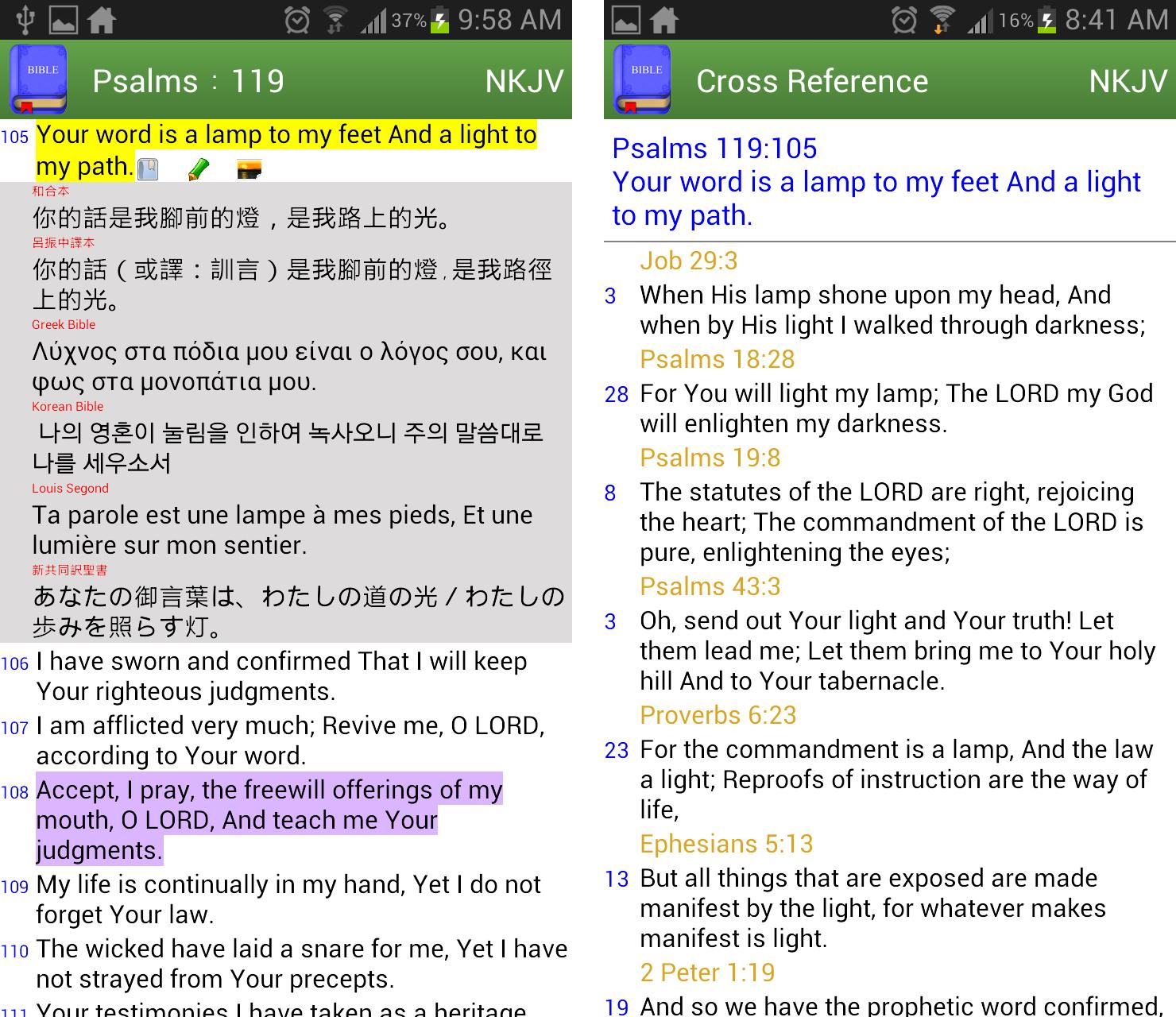
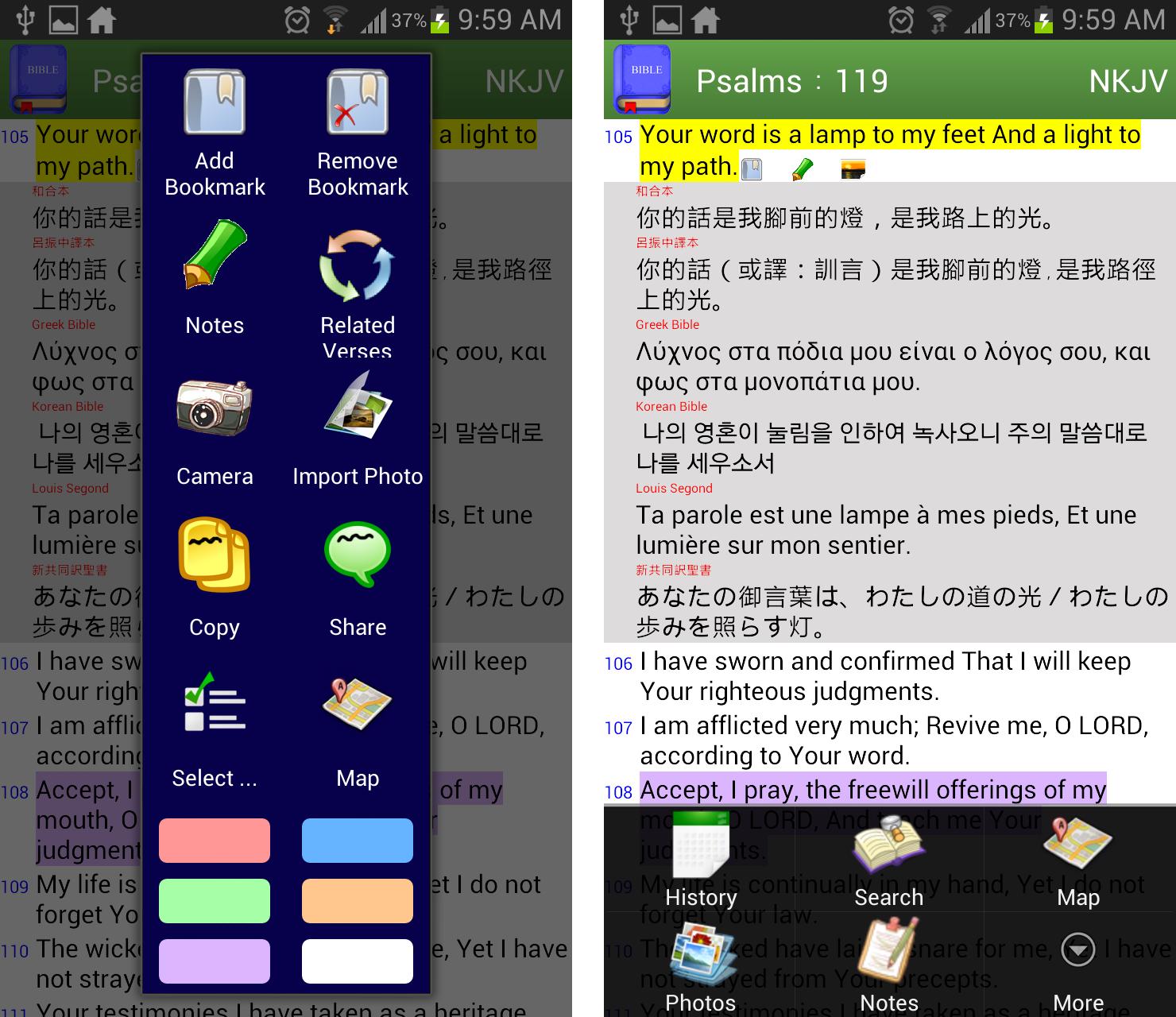
✔ bookmarks are organized in tree structure
✔ easy to compare multiversion of translations verse by verse
✔ built-in common verses index like "My comfort", "My living", "Evangelistic" so that you can quickly find some reminder from God in need
✔ built-in related concordance, a.k.a. Treasury of Scripture Knowledge
✔ take or import photos to be linked to verse level
✔ highlight verses in colors
✔ view bible locations in Google Map
✔ write notes in verse level
✔ support white or dark theme
✔ select book by mnemonic view or full book name according to main language
✔ fast search of text from old/new testament, book range or previous search results
✔ volume up/down button to scroll page up/down
✔ share arbitrary verses to other apps
✔ change font size by pinch zoom or setting
Free App Limitations:
★ add bookmark/note/photo, copy and share functions are limited to new testament only
★ I'd never ever put any adv here to respect every single word from God. If you like this app, please rate and share it to the one you love.
Contact:
If you have any questions and suggestions or want to translate the interface to your language, please email me
bible.bookmarks.for.jesus@gmail.com
Preview
Tags
Books-&Information
Developer
Donut Pond
Latest Version
2.70
Last Updated
2020-12-31
Category
Books-reference
Available on
Google Play
Show More
How to play Bible Bookmark (Light Version) with GameLoop on PC
1. Download GameLoop from the official website, then run the exe file to install GameLoop
2. Open GameLoop and search for “Bible Bookmark (Light Version)” , find Bible Bookmark (Light Version) in the search results and click “Install”
3. Enjoy playing Bible Bookmark (Light Version) on GameLoop
Minimum requirements
OS
Windows 8.1 64-bit or Windows 10 64-bit
GPU
GTX 1050
CPU
i3-8300
Memory
8GB RAM
Storage
1GB available space
Recommended requirements
OS
Windows 8.1 64-bit or Windows 10 64-bit
GPU
GTX 1050
CPU
i3-9320
Memory
16GB RAM
Storage
1GB available space