101 Okey (Rummy) Offline PC
PoyyeeMobile
Download 101 Okey (Rummy) Offline on PC With GameLoop Emulator
101 Okey (Rummy) Offline on PC
101 Okey (Rummy) Offline, coming from the developer PoyyeeMobile, is running on Android systerm in the past.
Now, You can play 101 Okey (Rummy) Offline on PC with GameLoop smoothly.
Download it in the GameLoop library or search results. No more eyeing the battery or frustrating calls at the wrong time any more.
Just enjoy 101 Okey (Rummy) Offline PC on the large screen for free!
101 Okey (Rummy) Offline Introduction
NEW 101 OKEY (RUMMY) OFFLINE - BET
You can see your ranking among other players with your easy-to-use and experience points as you play. One hundred and fifty-100s.
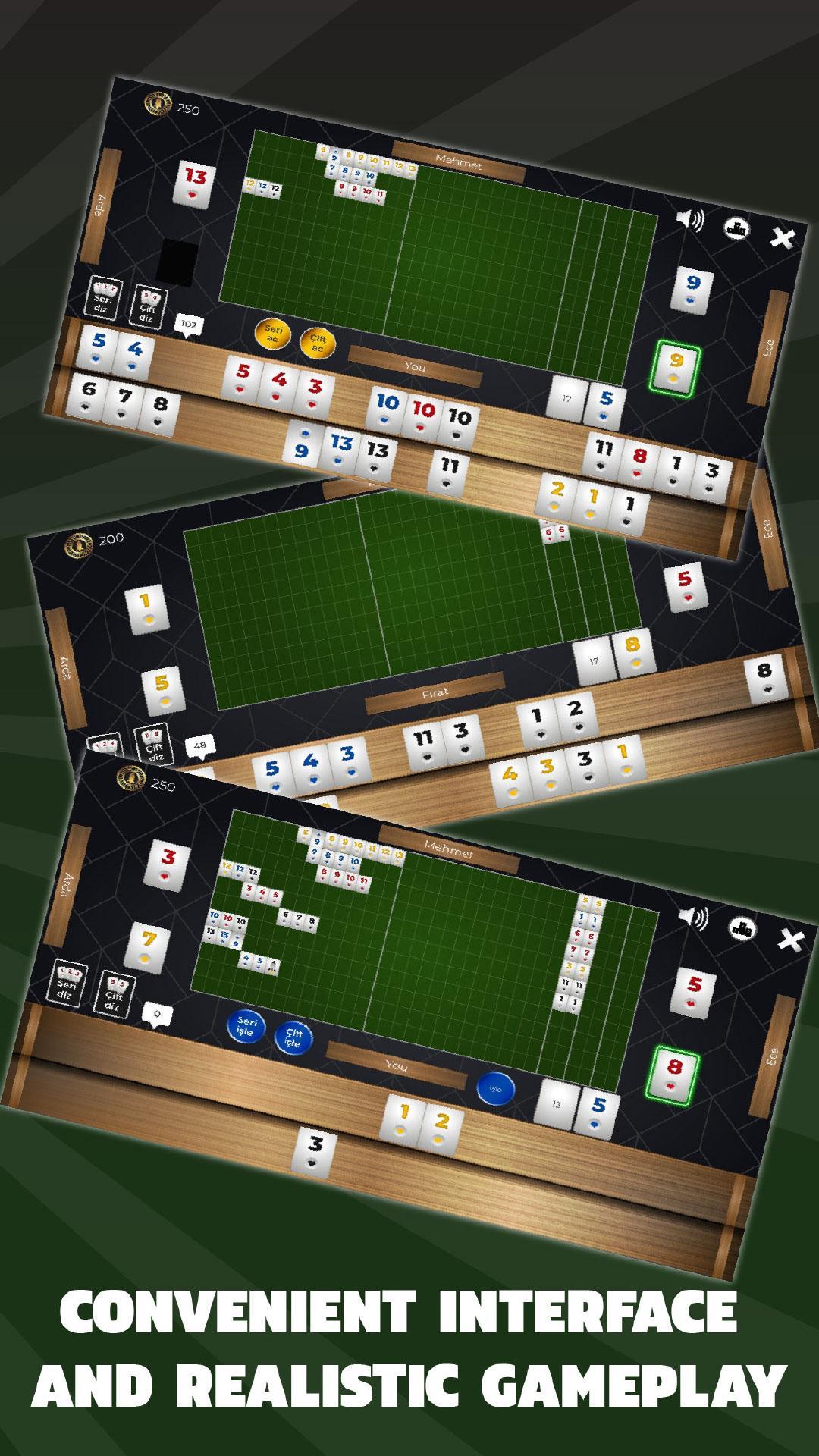
The game features two difficulty levels, Easy and Hard. You can see the stones that operate at the easy level and you can manipulate the table by clicking on the button, if you wish, by clicking on the button.
You will score points as you play in the game and you can earn more points by determining the number of games in the rooms and underlining your deposit.
You'll want to play more with easy-to-play gameplay and challenging competitors.
** The game is completely free games and bets are virtual money.
HOW TO PLAY
The aim of the game is to finish the game with as few points as possible. The person who finishes the game with the least number of games you play wins the game.
-The game features two difficulty levels, Easy and Hard. You can see the stones that operate at the easy level and you can manipulate the table by clicking on the button, if you wish, by clicking on the button.
-You can't see the stones that are hard enough so you need to play more carefully so you don't get punished
-You can not pull the player's hand without opening the stones if you pull 101 penalty points. But you can get the stone to try and then put the stone back by pressing the put button on the stone.
- You can see more clearly opened hands by pressing the magnifying glass button
- If there are wildcards and you have a stone with the same value as that wildcard, you can change it by dragging the stone on the wildcard.
-In front of the game opened in the game with more than 1 opened you have to open for example 101 if you have someone you have to open at least 102. Likewise, if you have 5 pairs, you must open at least 6 pairs. There is no such rule when you play in normal game mode.
- 12 13 1 on the same colored stones are not accepted as per.
- If you assign a player to the side player, you will receive 101 penalty points. In the same way if you throw a joker 101 will receive a penalty.
-There are 5 different rooms in this room. You can multiply the amount of gold you will earn as you increase the number of games you will play at the bottom.
-You can see your current gold and how much gold you win if you win the game.
- If a player runs out with a wildcard, you will get a penalty of 202 if another player runs out or if the player runs out of stones.
-If you have opened your stones but the other player is finished or the stones you can buy are finished, the total number of stones on the board will be reflected to your score and if you open the pair, the number on the board will be 2 times the score.
- If you finish all the stones in your hand you will get -101 points if you finish the double if you get -202. If you finish your stones directly without opening -202 points.
- 21 stones are distributed to everyone. 22 stones will be distributed to the person to begin.
The game continues to be enhanced with your support, so please let us know by email if there is a problem that you see and a nice development
poyyeemobile@gmail.com
Preview
Tags
BoardInformation
Developer
PoyyeeMobile
Latest Version
4.0
Last Updated
2019-04-17
Category
Board
Available on
Google Play
Show More
How to play 101 Okey (Rummy) Offline with GameLoop on PC
1. Download GameLoop from the official website, then run the exe file to install GameLoop
2. Open GameLoop and search for “101 Okey (Rummy) Offline” , find 101 Okey (Rummy) Offline in the search results and click “Install”
3. Enjoy playing 101 Okey (Rummy) Offline on GameLoop
Minimum requirements
OS
Windows 8.1 64-bit or Windows 10 64-bit
GPU
GTX 1050
CPU
i3-8300
Memory
8GB RAM
Storage
1GB available space
Recommended requirements
OS
Windows 8.1 64-bit or Windows 10 64-bit
GPU
GTX 1050
CPU
i3-9320
Memory
16GB RAM
Storage
1GB available space